
After a meeting or interview, you have to transfer the recording data and then wait for the transcription to finish. Dealing with this post-processing hassle—more so than the recording itself—is the perennial pain point of voice recorders.
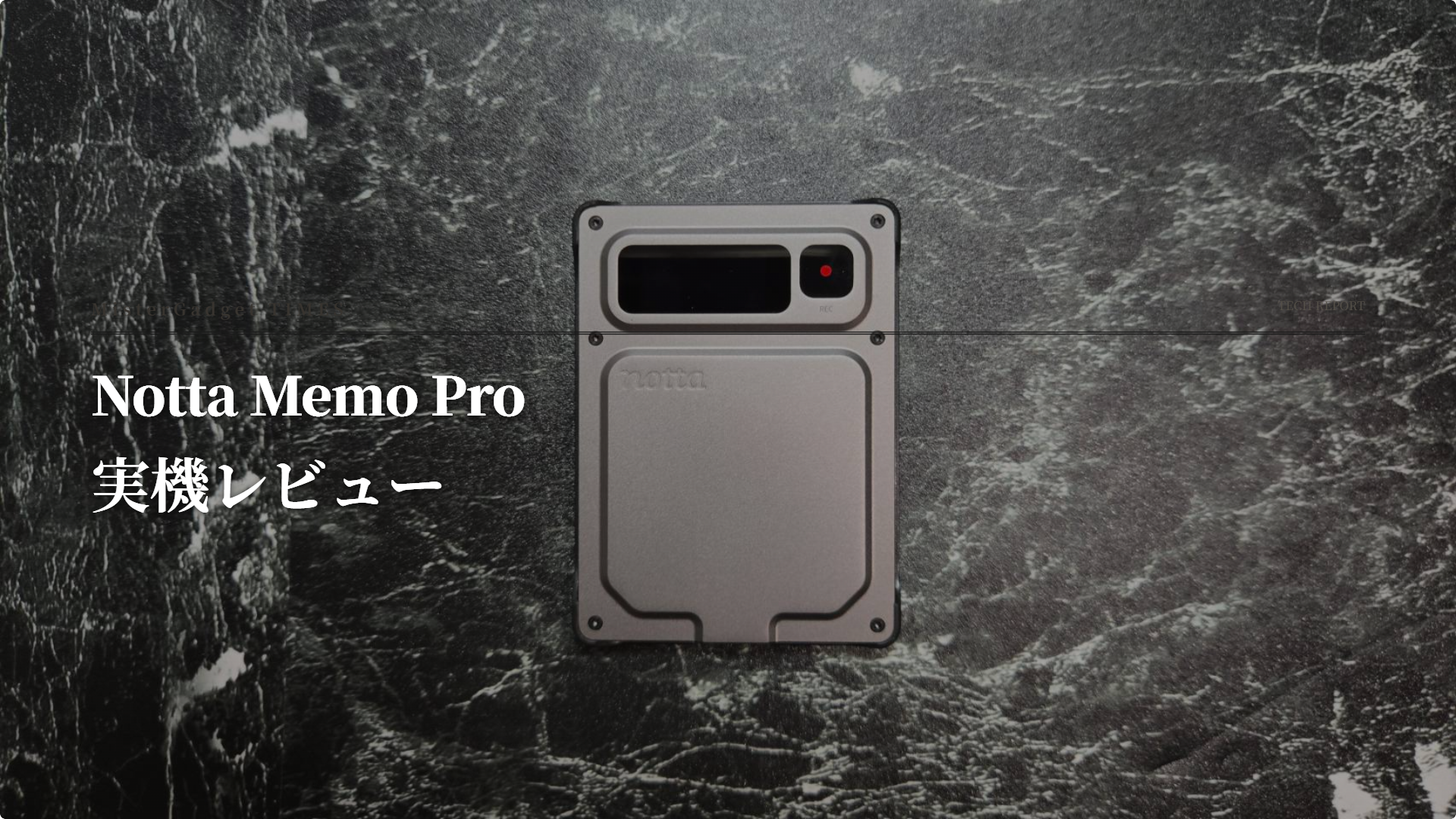
The Notta Memo Pro is a card-type recorder designed specifically to minimize those transfer and switching hassles. When you return to a registered Wi-Fi environment, it automatically syncs your recordings to Notta, and it is engineered to automatically recognize call and in-person recording modes. Using the silver-gray review unit, we verified that the automatic synchronization on registered Wi-Fi works as intended, and that a 29-minute, 31-second audio recording made at a presentation successfully turns into a transcription complete with speakers and timestamps.
Author of this article: "Mr. Gadget"
- Studied under Masatoshi Ono, a million-selling singer who has performed at Kohaku Uta Gassen
- Experience supervising for Ameba Choice and the web media Picky's
- Individual member of the Word of Mouth Marketing Association
Nice to meet you!

Notta Memo Pro Overall Evaluation: Reducing Post-Recording Hassle is the Pro’s Appeal
Our overall rating is 5/5. Press the record button to capture audio, return to a location with registered Wi-Fi, and let it sync automatically—eliminating the manual transfer steps and manual switching between call and in-person modes that the standard model required every time is the true value of this product. From a 29-minute, 31-second recording made at a presentation, we obtained a transcript that allowed us to track remarks by speaker with corresponding timestamps.
Through our hands-on testing, we highly evaluated both the automatic synchronization to registered Wi-Fi and the quality of the resulting transcriptions.
 Ms. Gadget
You can record with the standard Notta Memo, too. Is there any reason to go out of your way to choose the Pro?
 Mr. Gadget
The recording function itself is available on the standard model. What changes with the Pro is what happens after recording: automatic synchronization to registered Wi-Fi and automatic recognition of call and in-person modes eliminate two operations. The more you’ve felt burdened by manual transfers and switching, the bigger the difference you will notice.
- Recordings sync automatically when you return to a registered Wi-Fi network, reducing manual transfer steps
- A 29-minute 31-second presentation recording produced a transcript with speaker labels and timestamps
- A short press during recording adds a Bookmark to an utterance, letting you return to that point from the transcript
- Automatically recognizes call and face-to-face recording modes, reducing manual switching
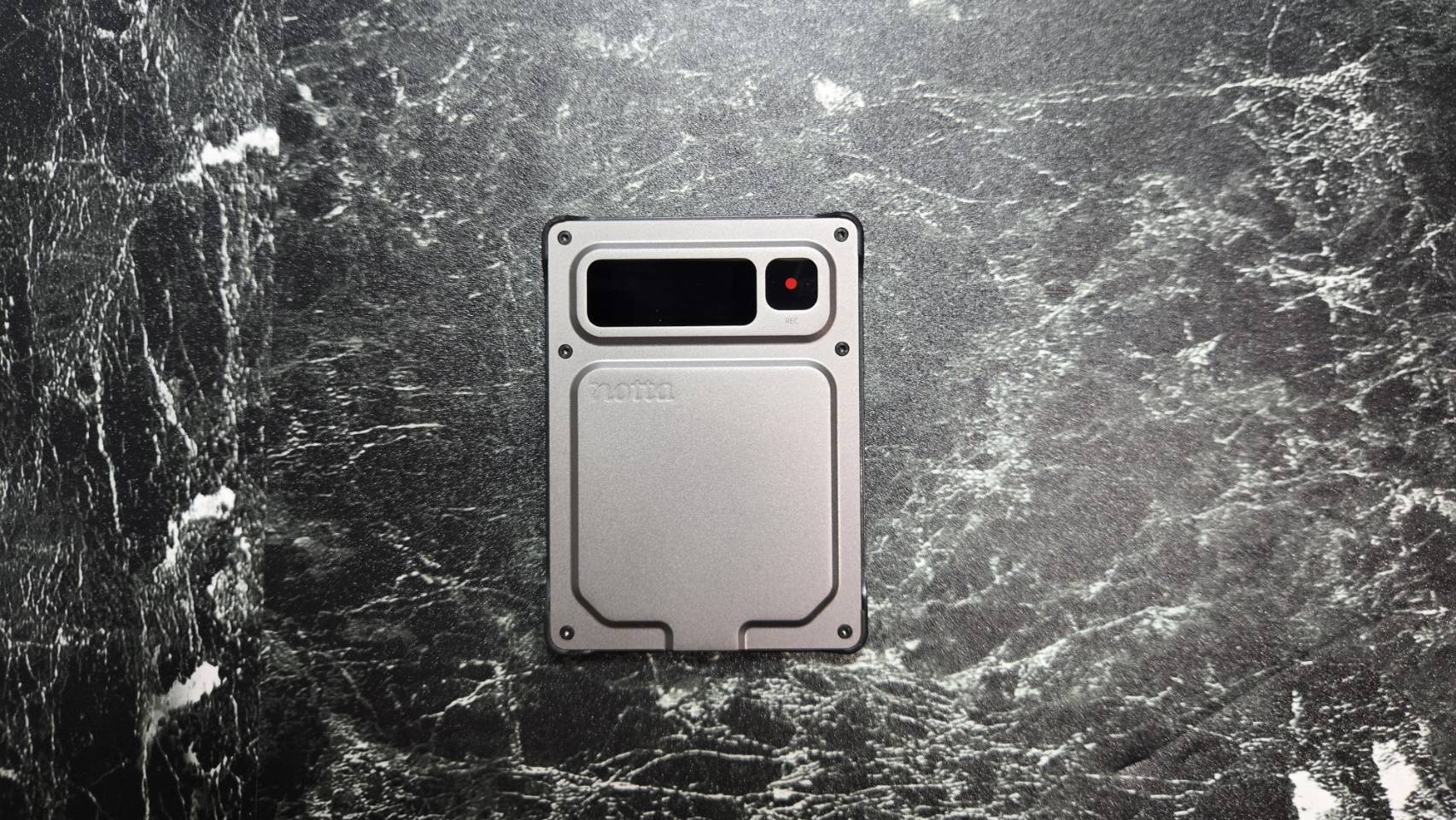
- The 0.95-inch AMOLED color screen lets you check REC and elapsed time on the device itself
- Charges via standard USB Type-C, so there is no need to carry a dedicated cable
- Cool-looking design
- Lightweight, slim and easy to use
- Automatic syncing is subject to conditions, including a registered Wi-Fi network in the 2.4GHz band and the remaining battery level
- Proper names still need to be checked against the audio
You can purchase it from the Notta Official Store product page.

Notta Memo Pro Specifications and Differences from the Standard Memo
First, let’s look at the official specifications side by side. Since the standard model also has an alternate Type-C derivative model, the comparison here is against the primary domestic-market model. The figures are based on the Notta official product page, provided materials, and the standard model’s official specifications.
| Item | Standard Notta Memo (Base Model) | Notta Memo Pro |
|---|---|---|
| Width × Height × Thickness | 86.1 × 55.1 × 3.5 mm | 77.2 × 56 × 3.9 mm |
| Display | Small monochrome | 0.95-inch AMOLED color |
| Internal Storage | 32 GB | 64 GB |
| Bluetooth | 5.3 | 5.4 |
| Battery | 470 mAh (approx. 30 hours recording / approx. 28 days standby) | 600 mAh. Max standby 51 hours (Bluetooth disconnected) / 45 hours (Bluetooth connected); up to 5 hours per single recording |
| Charging Port | Pogo-pin magnetic cable | Built-in USB Type-C |
| Recording Modes | Manual switching | Automatic recognition of call and in-person modes |
| Post-Recording Transfer | Manual transfer via app | Supports auto-sync via registered Wi-Fi (manual transfer also available) |
Sound collection has also been enhanced. According to the provided materials, the recommended recording distance has increased from 3M on the standard model to 5M on the Pro, with recognition accuracy of approx. 95% at 5–6M and approx. 90% at a maximum of 8M. The official product page also highlights “up to 8m in a quiet conference room environment,” making it designed to capture audio even from the back row of a large meeting room.
What Has Changed in the Display, Ports, and Dimensions?
Holding it alongside the standard model, it feels slightly slimmer in a slab-like form factor, as its width has been reduced by 8.9mm. The height has increased by 0.9mm and the thickness by 0.4mm, but it retains the same card-case- or breast-pocket-friendly sizing.
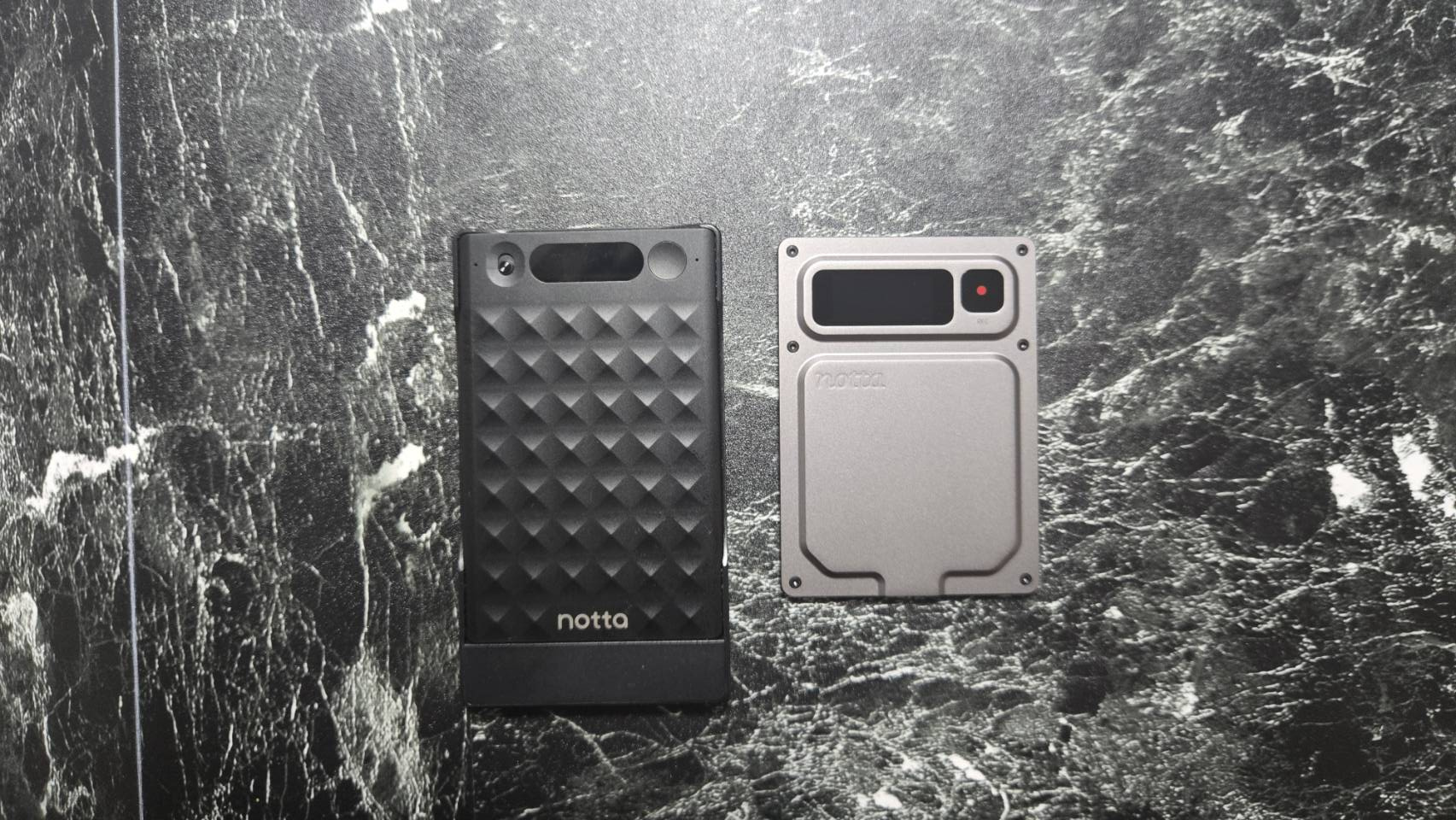
What truly changes are the display and ports. It features a 0.95-inch AMOLED color display, allowing you to check the REC status and elapsed time directly on the device. The charging port is now a built-in USB Type-C, eliminating the need to carry the standard model’s proprietary magnetic cable. Internal storage has also doubled from 32GB to 64GB.
What We Learned From Hands-On Use
Portability and Included Accessories
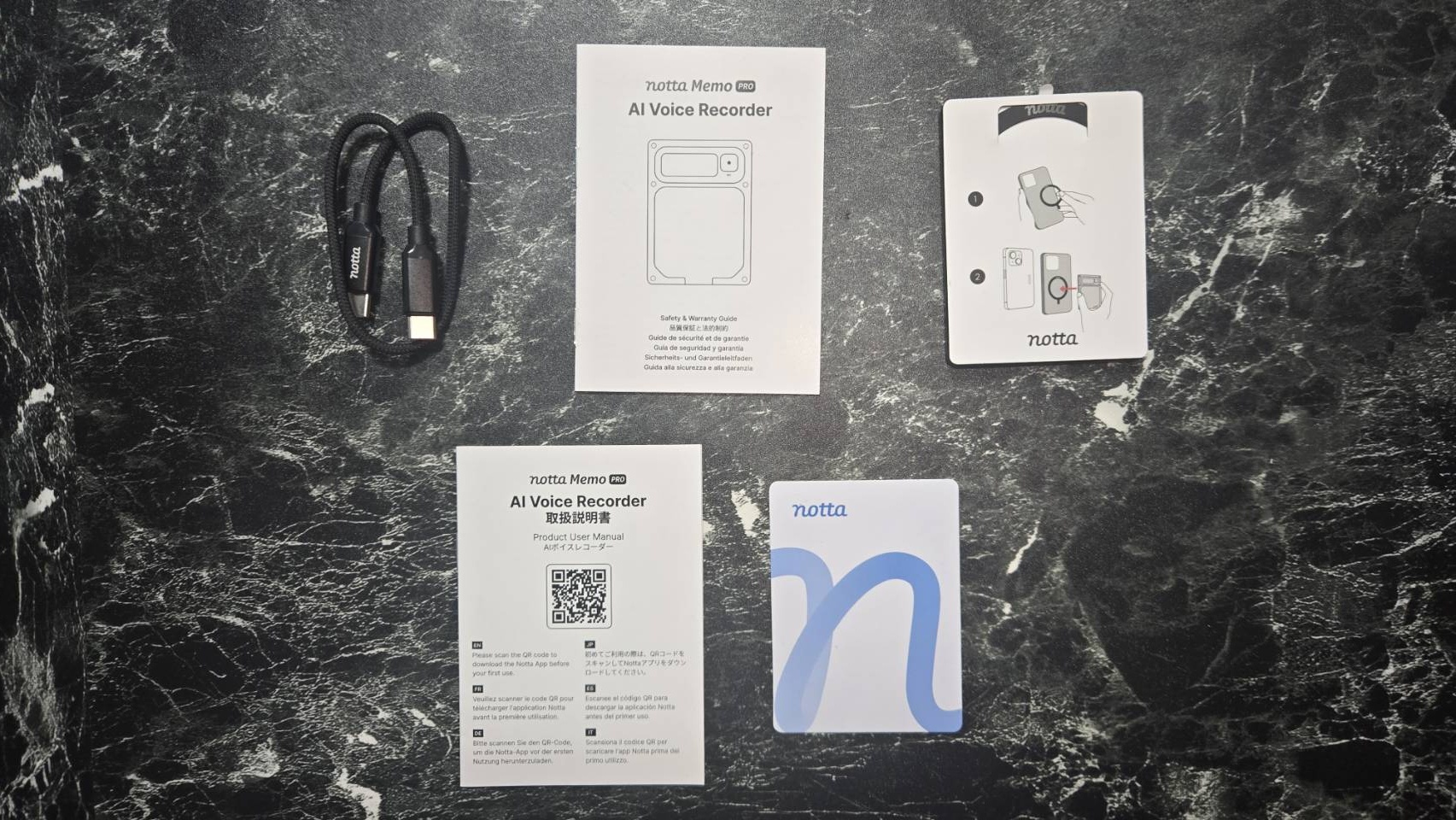
Opening the box reveals the slim device, documentation, warranty card, and a USB-C to USB-C cable. The main unit has a footprint slightly smaller than a credit card and a slab-like thickness equivalent to a few cards stacked together. It easily fits in a card case or breast pocket. Recording is operated by pressing and holding the button on the front to start and stop.
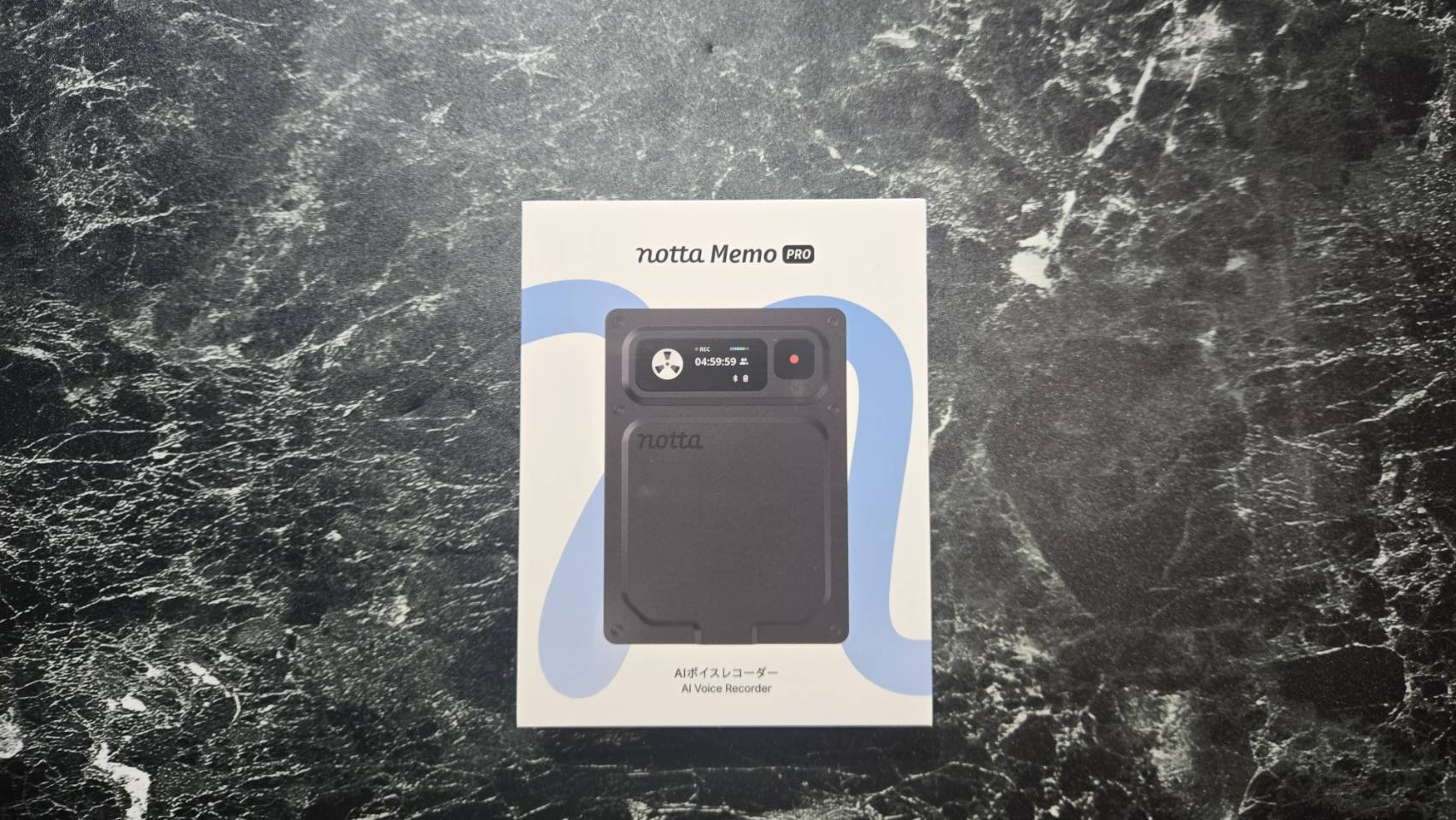
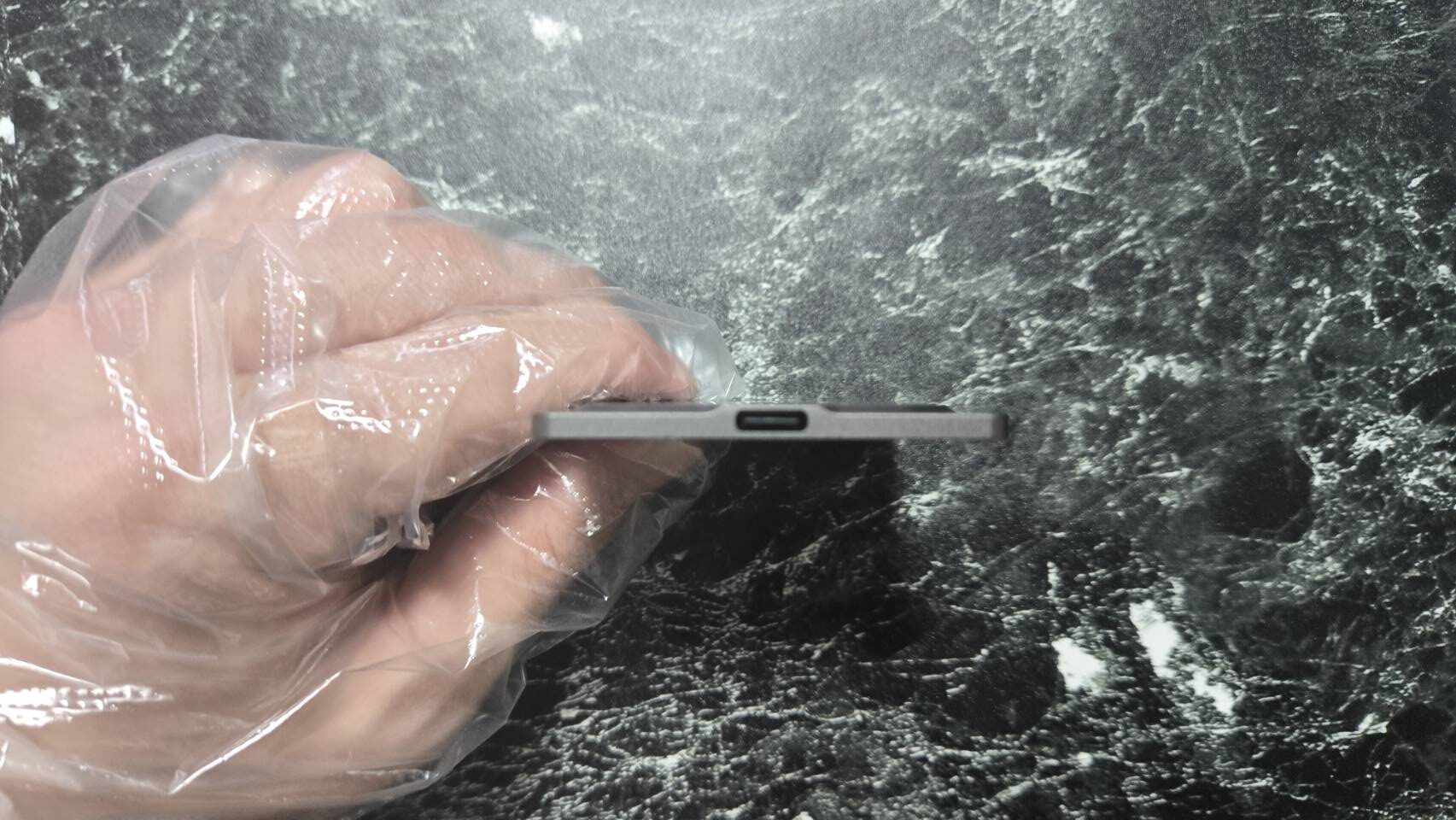
There is a USB Type-C port on the side, allowing you to charge it directly with the cables you use every day. There is no longer any worry about being unable to charge on a day you forget the standard model’s proprietary cable.
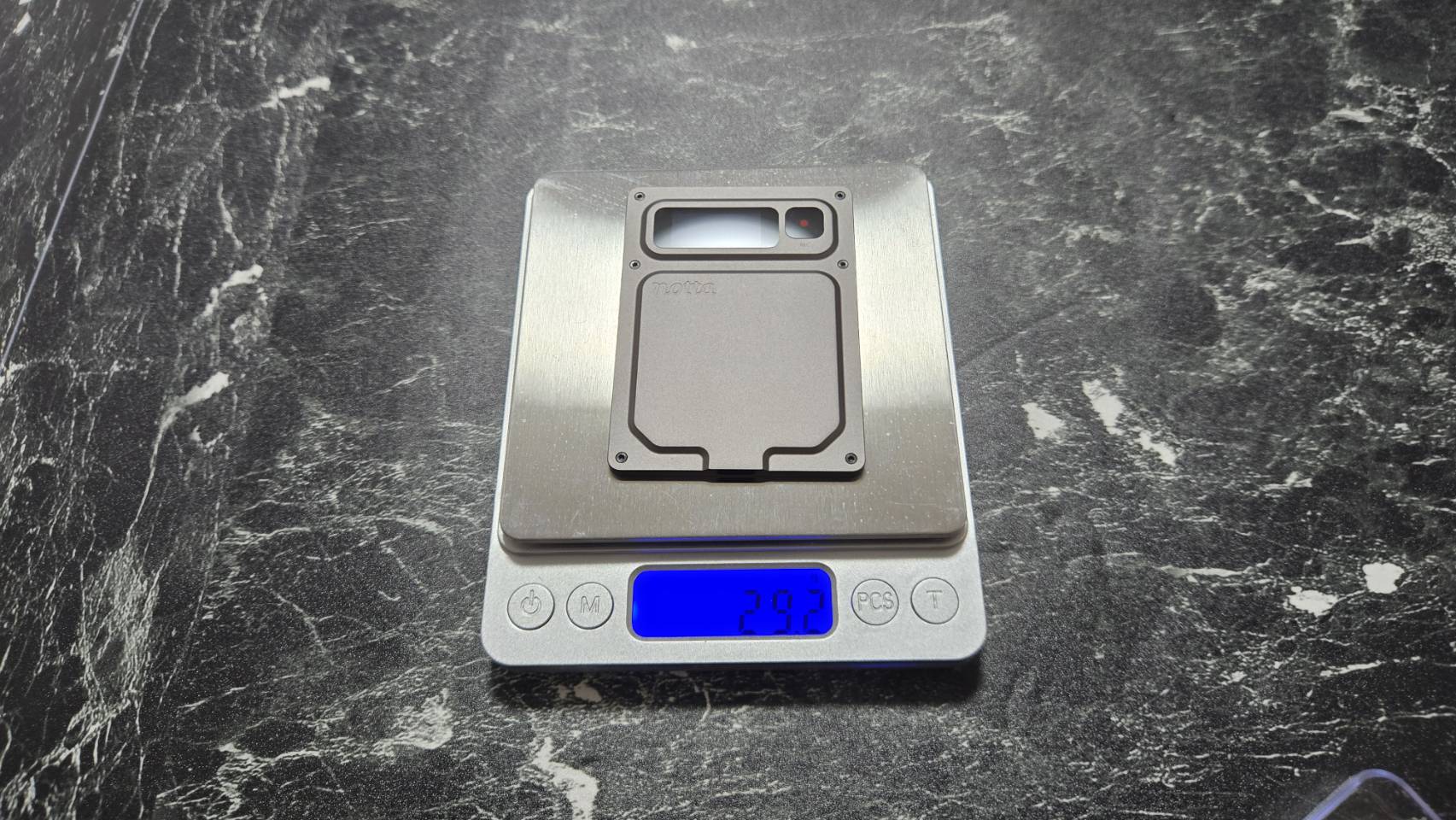
Placing it on a scale yielded a reading of 29.2g. It is light enough that slipping it into your bag or pocket every day won’t feel like a burden.
From Manual Transfer to Auto-Sync via Registered Wi-Fi
With the basic standard model, processing a recording for transcription required opening the app, connecting to the device, and executing a transfer operation. The call and in-person recording modes also had to be switched manually every time. On days with back-to-back meetings, these two operations become a recurring chore.
The Pro is designed to automatically start syncing once you return to a registered Wi-Fi environment and to automatically recognize recording modes. When you return to your desk and open the app, your recordings are already waiting for you in Notta—users who can benefit from this workflow are the ones who will find upgrading worthwhile. Since auto-sync registration supports 2.4GHz Wi-Fi bands, checking your location’s Wi-Fi environment beforehand is a key point to keep in mind.
Ms. GadgetIs it worth upgrading for people who already own the standard Notta Memo?
Mr. GadgetThe more you’ve found transfers and mode switching to be a burden each time, the bigger the difference you’ll feel. If you have an environment where you can register 2.4GHz Wi-Fi, the post-recording workflow becomes drastically easier.
How Automatic Recording Mode Recognition Changes Switching Hassles
Receiving a phone call right after recording a business negotiation—on days like that, the standard model required manually flipping a switch to change modes. Forgetting to switch meant recording with settings unsuited to the intended audio source, resulting in suboptimal audio capture.
In addition to dual microphones, the Pro is equipped with a bone-conduction microphone designed to automatically recognize call and in-person audio based on signal strength. You simply press the record button, eliminating one operational step of having to mind mode switches. The goal is to structurally eliminate audio capture failures caused by forgotten switches.
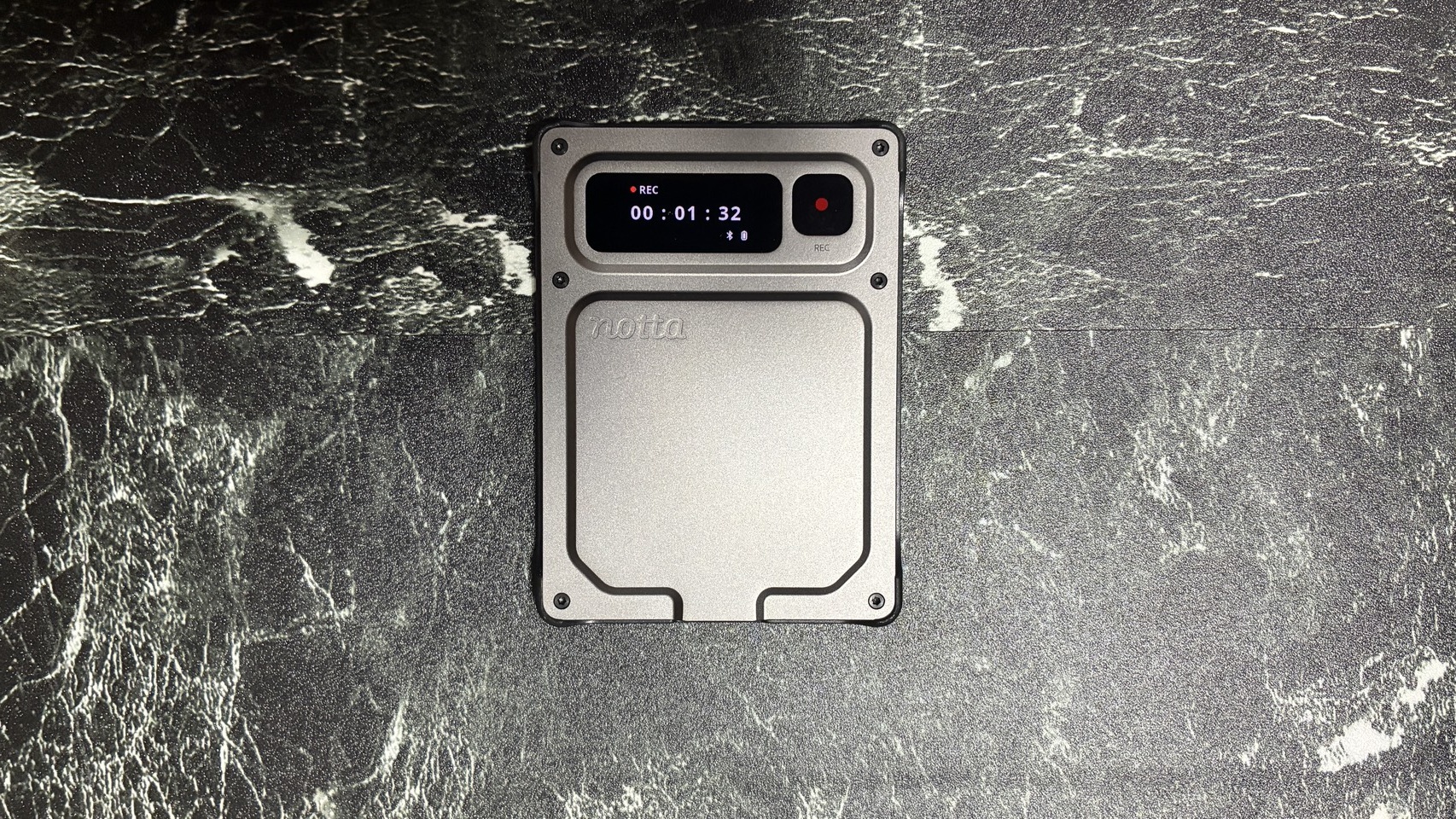
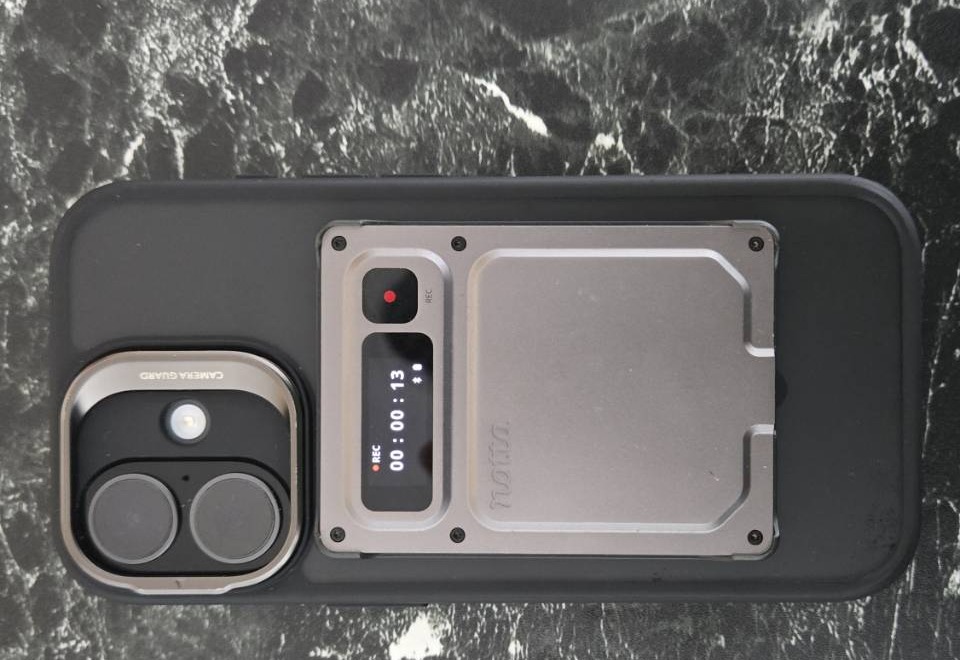
During recording, “REC” and the elapsed time are shown on the display window, allowing you to confirm at a glance that recording is actively underway.
What Happens When Auto-Syncing via Registered Wi-Fi?
When recording on the go and returning to a location with registered Wi-Fi, the physical device automatically initiated synchronization. There is no need to keep the app open or reconnect to a smartphone; it reaches Notta in the background while idle. Returning to your desk and opening the app revealed that the recordings were already synced. Synced recordings can then proceed to transcription and summarization within Notta.
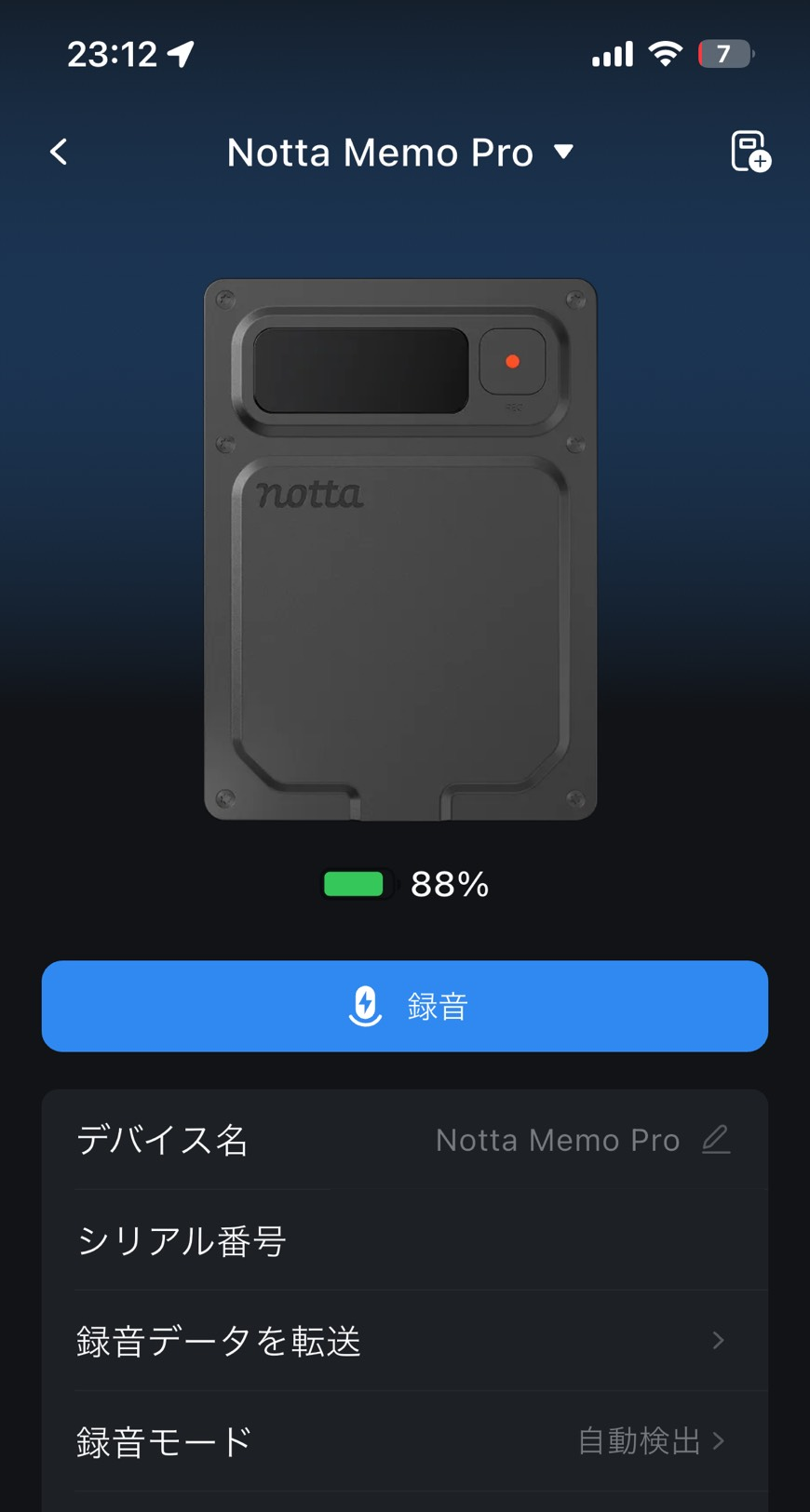
The conditions for using this feature are points worth noting before purchase. According to Notta’s auto-sync guide, only 2.4GHz Wi-Fi networks can be registered; 5GHz-only networks cannot be added. You can register a maximum of 3 trusted networks. For synchronization to begin, the battery level must exceed 20% or the device must be plugged in for power, and recording or USB transfer takes priority over syncing. Additionally, successfully synced recordings are automatically deleted from the Memo Pro device itself. Because this does not suit workflows that require keeping recordings on the device, it is best to check your destination Notta workspace beforehand for peace of mind. Note that the Wi-Fi password is saved on the device and is explained not to be uploaded to Notta.
How Readable Is a Transcribed Recording of About 30 Minutes?
When we recorded a new product launch event by a different manufacturer using the Memo Pro, the app’s recording list displayed it as 29 minutes and 31 seconds of data. Opening the transcription in Notta, utterances were divided into “Speaker 1,” “Speaker 2,” and “Speaker 3,” with start timestamps attached to each statement. Because you can search for “who said this explanation and when” and listen back only to the relevant section, it was in a format ready to be used as a draft for compiling long presentations into meeting minutes.
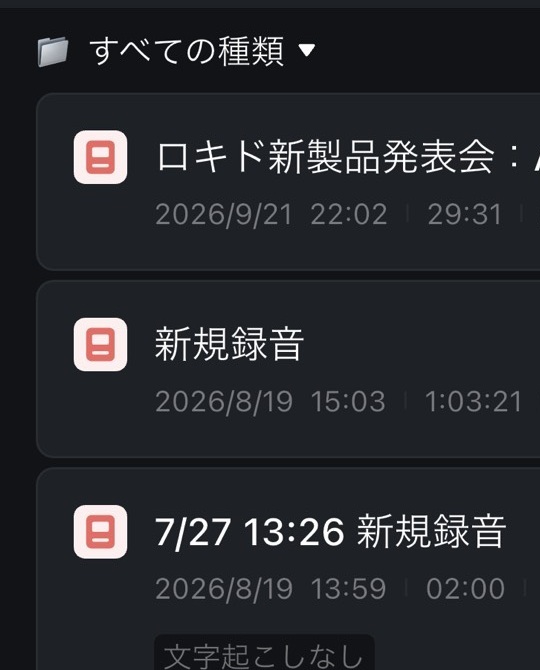
Of course, this is not a finished draft ready to share as-is. There were instances where the product name “Rokid” was transcribed as “Rockit,” leaving work to cross-check proper nouns against the original audio. The convenience of tracking the flow of remarks goes hand in hand with the effort of human verification at the end. The output screen also featured an “AI Summary” tab, but we did not evaluate the summary quality itself this time.
Editorial Comment
- For meeting minutes containing proper nouns, we recommend using speakers and timestamps as cues to return to the original audio, listen back at least for names, and then share.
What Can Bookmarks Be Used For?
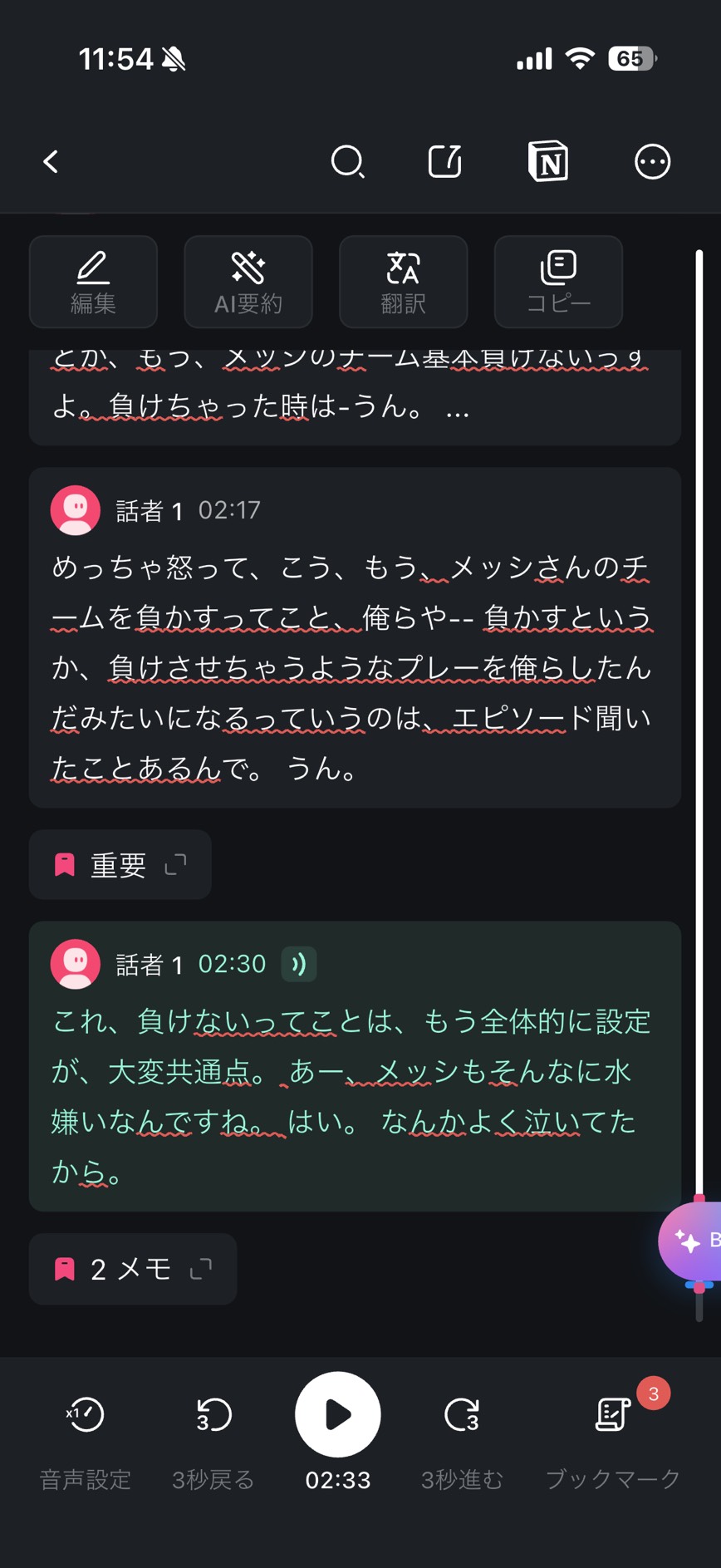
Bookmarks allow you to tag remarks on the spot during a meeting when you think, “I want to listen back to this later.” Short-pressing the REC button during recording causes the device to vibrate momentarily and displays a bookmark icon on the screen. Since a long press performs the stop-recording action, you need to be mindful of how you press it (detailed steps are also noted in Notta’s operation guide).
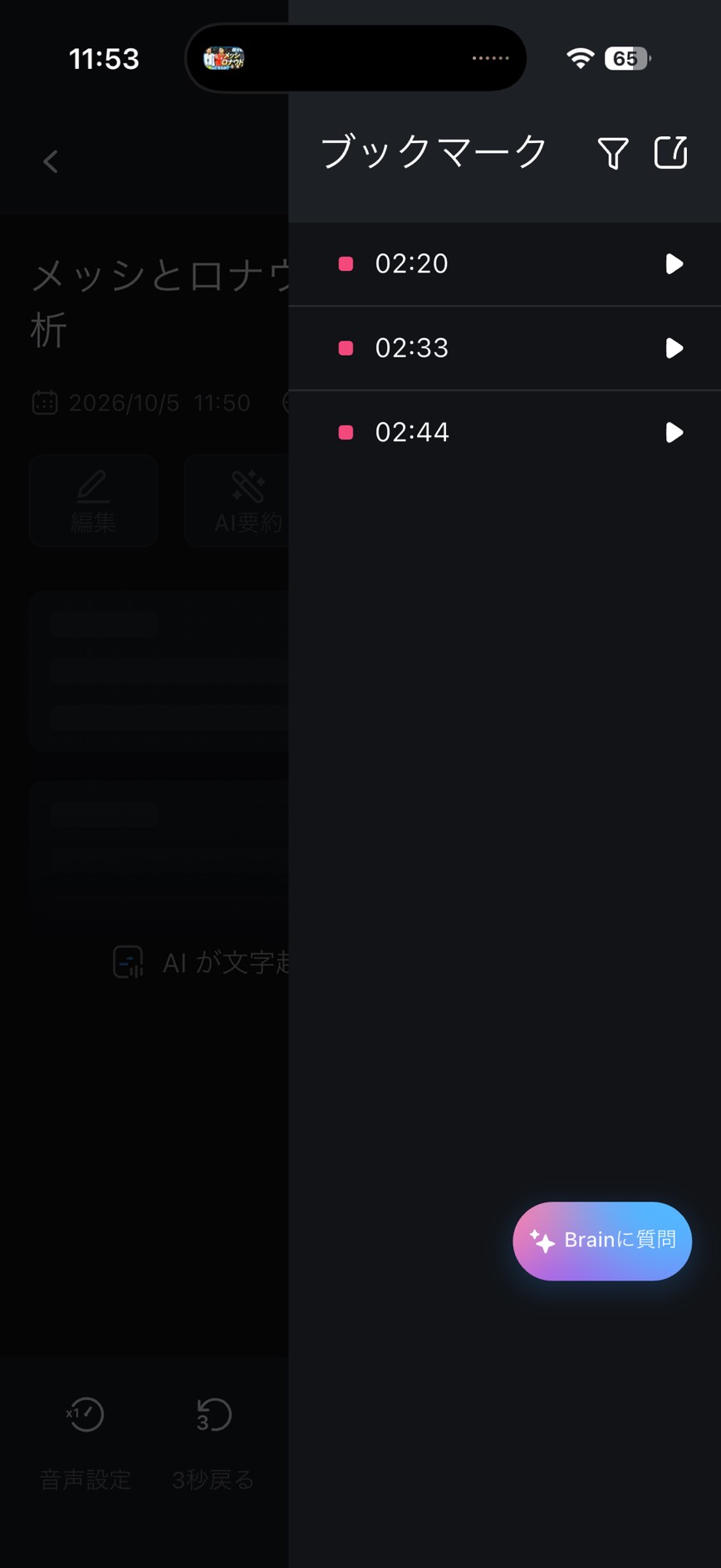
When you sync the recording and open it in the app, the transcription at the marked position is flagged as “Important.” You can also jump to each mark from the bookmark list, and all three test marks successfully took us back to their corresponding remarks. Even in long recordings, pinning just these moments lets you immediately jump back to the scenes you want to review.
How Do Recording Routes Differ Between Phone Calls and Online Meetings?
We also tested the call recording mode on the actual unit. If you want to record business phone calls, it is best to do a short test recording using the device and call method you normally use.
PC online meetings route audio differently than phone calls. Simply placing the Memo Pro on your desk will not reliably capture the other party’s voice. Notta offers separate options tailored for online meetings, such as the Notta Web version (which handles recording, transcription, and AI summarization entirely within the browser), Notta Bot (which joins meetings to record), and the Notta Desktop version (which records PC audio during work). Choosing the right tool depending on whether you want to record a phone call or an online meeting helps prevent pitfalls.
USB and App Transfers, Charging, and Battery
Even in locations without registered Wi-Fi, alternative paths to extract recordings remain available. Smartphone transfer via Bluetooth/Wi-Fi and direct USB Type-C transfer to the Notta Web version on a PC are provided, with the USB route being the fastest. On days when you are working remotely, you will rely on manual transfers from the app rather than auto-sync.
Charging is as simple as plugging into the unit’s USB-C port, achieving a full charge in approximately 90 minutes. Standby time is up to 51 hours (Bluetooth disconnected) / 45 hours (Bluetooth connected), and a single recording session lasts up to 5 hours. On days with long interviews, charging the night before gives you peace of mind.
Conclusion
For Those Who Want to Reduce Transfer and Switching Hassles
What became apparent through hands-on use is that this is a product designed to minimize “post-recording hassle.” Auto-sync works via registered Wi-Fi, a 29-minute 31-second presentation recording turns into a transcript you can review by speaker and timestamp, and mode switching between calls and in-person is handled by automatic recognition. The deciding factor in making the most of it is whether you want to organize recordings in a location where you can register a 2.4GHz Wi-Fi network. The more you felt burdened by transfer and switching tasks on the standard model, the more you will appreciate the difference with this product.
For purchases on the Notta Official Store, readers can use the exclusive coupon code “MZRKSLYH”. It offers 10% off and is valid until 23:59 on October 31, 2026.
Pros and Cons
Summing it up once more, our rating is 5/5. We highly evaluated the auto-sync via registered Wi-Fi, the ability to search for remarks by speaker and timestamp from a presentation recording, and the ability to leave Bookmarks for remarks with a short press during recording. On the other hand, the prerequisites of a 2.4GHz registered Wi-Fi network and cloud utilization, as well as the remaining effort to verify proper nouns against audio, are conditions to accept before purchasing.
- Recordings sync automatically when you return to a registered Wi-Fi network, reducing manual transfer steps
- A 29-minute 31-second presentation recording produced a transcript with speaker labels and timestamps
- A short press during recording adds a Bookmark to an utterance, letting you return to that point from the transcript
- Automatically recognizes call and face-to-face recording modes, reducing manual switching
- The 0.95-inch AMOLED color screen lets you check REC and elapsed time on the device itself
- Charges via standard USB Type-C, so there is no need to carry a dedicated cable
- Cool-looking design
- Lightweight, slim and easy to use
- Automatic syncing is subject to conditions, including a registered Wi-Fi network in the 2.4GHz band and the remaining battery level
- Proper names still need to be checked against the audio
Who This Is For, Who It Is Not For, and Pre-Purchase Checkpoints
This is for people who record meetings and interviews and review Notta transcriptions in locations with registered Wi-Fi. For anyone who found the recurring transfer operations and recording mode switching on the standard model burdensome, the operational improvements will be starkly clear.
- People who frequently create meeting minutes from recordings of meetings, business negotiations, and interviews
- People who can operate the device in an office or home environment equipped with registered Wi-Fi
- People who felt burdened by transfer operations and mode switching on the standard Notta Memo
- People whose days involve a mix of phone calls and in-person recordings
Not Ideal For
- People who want to use it in locations where only 5GHz bands are available (unable to utilize auto-sync)
- People whose work primarily involves recordings that cannot be sent to the cloud
- People whose sole purpose is recording online meetings (the Notta Web version or Notta Bot fit those use cases better)
Transcription usage quotas are another checkpoint. Notta’s hardware plan guide includes the Memo Pro as an eligible device and offers 600 minutes per month to users who meet the conditions. It applies to those who link the device to their account and own a Free or Premium workspace; individuals without their own workspace or owners of paid workspaces other than Premium are excluded. Only one plan can be used per workspace, and minutes do not accumulate. Please check the official guide to see if it applies to your subscription.
According to Notta’s announcement, pre-orders began on the official EC store on September 28, 2026, with October 13 set as the official release date on the official EC store, Amazon, and Rakuten Ichiba. Please check sales conditions, pricing, and stock on each sales page at the time of purchase.
For availability on Amazon, please check the Amazon product page.
Thank you for reading until the end!
- The evaluation in this article is unique to this site.
- Unless otherwise specified, product prices and information are current as of the time of writing.
- Please note that this site cannot be held responsible for any inaccuracies in this information.
- Product and service names mentioned on this site are trademarks of their respective companies.
This article was originally written in Japanese and has been translated.
Comments