
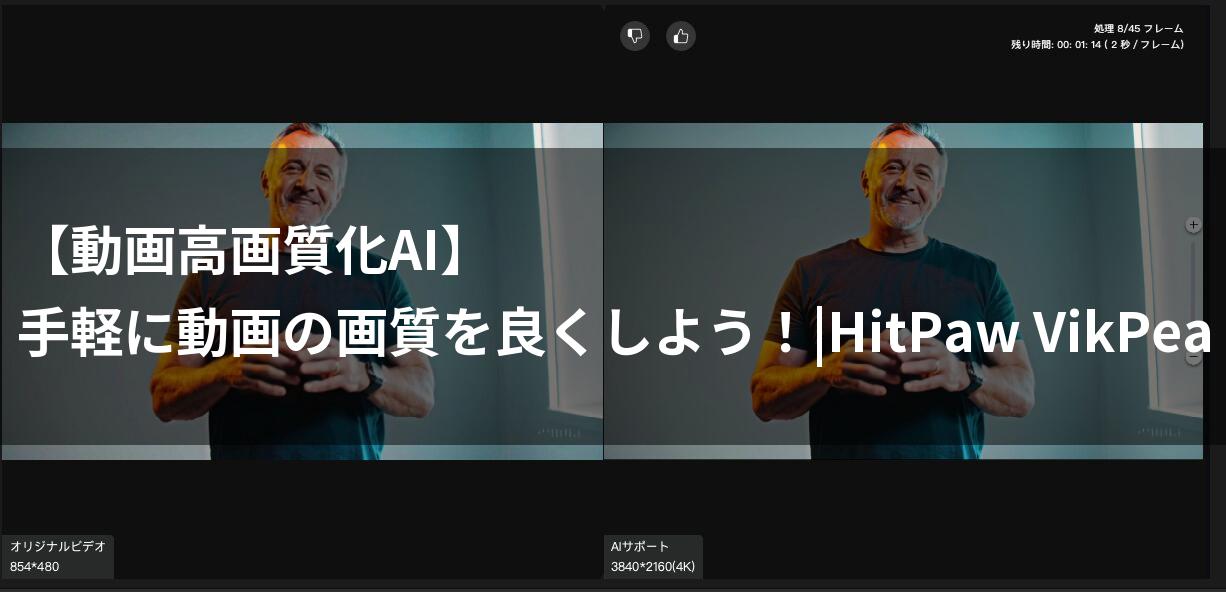
Do you have precious videos you’ve captured on your smartphone, only to be disappointed by poor image quality when you play them back? Have you ever had such a frustrating experience?
- You feel disappointed because your videos from special trips or events are marred by excessive noise or blur.
- Even when you upload them to social media, the videos look blurry or the skin tones appear dark, failing to achieve that “Instagrammable” look you wanted.
- Professional video editing software seems too difficult, and you don’t want to spend time and effort making your important videos look beautiful.
- Even when you hear about “AI upscaling,” you feel anxious about whether it will actually work on your computer or if you’ll be able to master it.
 Ms.ガジェット
Is there no choice but to give up on videos with poor image quality?
 Mr.ガジェット
There is no need to give up. There is a trump card to solve that problem.
That trump card is “HitPaw VikPea” (Video Enhancer).
If you see the possibilities, please read on to the end and experience its amazing power.
What you will learn in this article!
Specs and features of HitPaw VikPea (Video Enhancer)
Imagine your videos being reborn as if finished by a professional.
Why not stop watching the charm of your memory-filled vlogs or important family videos be halved because of noise and blur?
The secret to solving such video problems and getting surprisingly clear footage in your hands lies in the AI-powered “HitPaw VikPea (Video Enhancer).”
Latest AI models and multi-functional capabilities
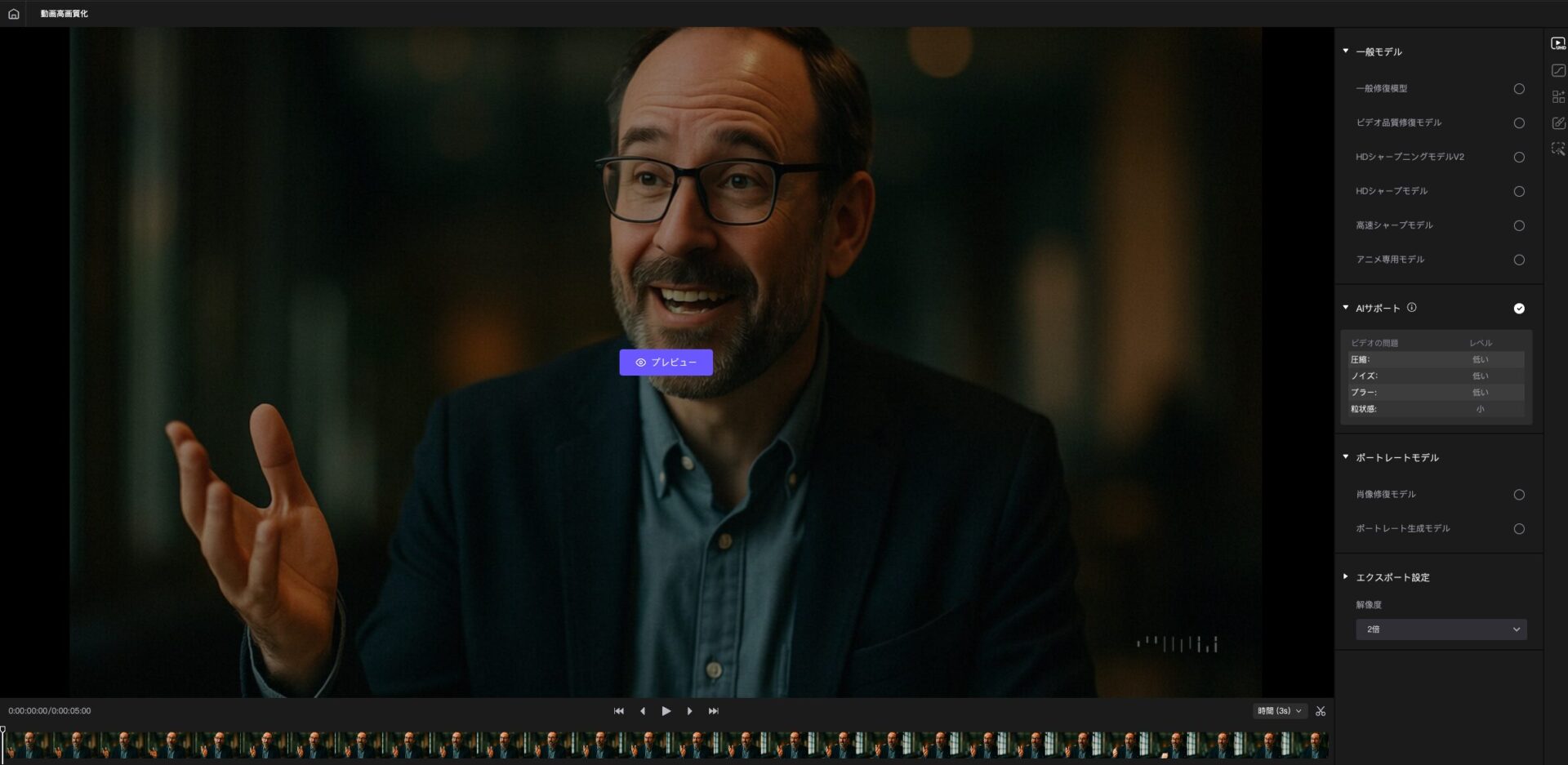
HitPaw VikPea distinguishes itself from conventional image enhancement tools by featuring 8 types of specialized AI models.
| AI Model | Function Description | Concrete Examples |
|---|---|---|
| General Denoise Model | Removes noise from old videos and converts them into clear, new footage | Removing graininess from old family videos |
| Animation Model | Upscales nostalgic anime and automatically increases resolution | Fixing blur in 80s anime |
| Face Model | Removes blur or mosaics from faces and corrects details to be sharp | Clearly reproducing facial expressions |
| Colorize Model | Adds natural colors to old black-and-white videos | Making old monochrome footage vivid |
| Video Repair Model | Uses AI algorithms to repair corrupted videos that cannot be played | Restoring corrupted vlog files |
| Frame Interpolation Model | Reduces screen shaking and frame rate instability | Smoothing out fast-paced sports videos |
| Stabilization Model | Automatically detects screen shaking and corrects it into smooth video | Fixing blur in drone footage |
| Low-Light Enhancement Model | Improves brightness and clarity for videos shot in dark environments | Enhancing details in night view videos |
 Ms.ガジェット
There are so many models. I think I’d be confused about which one to choose.
Mr.ガジェットThere is no need to be confused. The AI will suggest the optimal model.
By utilizing these AI models, your videos will be brought back to life as high-definition 4K/8K footage, as if reborn.
System requirements and easy installation
“System requirements” refers to the minimum computer specifications required for the software to function properly.
HitPaw VikPea is compatible with major versions of Windows and macOS and is designed so that many users can install it easily.
| Item | Windows Version | macOS Version |
|---|---|---|
| Supported OS | Windows 10/11 64-bit | macOS 10.15 or later |
| Processor | Intel i3 4th Gen or AMD Ryzen 3 equivalent or higher | 2015 or later Apple M-series processor |
| Free Disk Space | 2GB or more | 2GB or more |
| RAM | 8GB or more | 8GB or more |
| GPU | Intel UHD 630 or NVIDIA GTX 950 equivalent or higher | Apple M1 equivalent or higher |
| Ease of Installation | Installable with one click | Setup with simple steps |
 Ms.ガジェット
My PC specs aren’t that high, so I’m anxious about whether it will work properly.
 Mr.ガジェット
Don’t worry. It is designed to run comfortably on many PCs.
Installation is completed in just 3 steps: download and launch the software, then import the video you want to enhance.
There is no need to spend time on troublesome settings.
Overwhelmingly high-speed processing and efficient features
While you might be wasting time and effort on video enhancement tasks, HitPaw VikPea completes processing surprisingly quickly.
- Cloud Acceleration: Achieves up to 80% faster video processing compared to local processing, allowing for high-speed performance independent of your PC’s specs.
- GPU Acceleration: Maximizes the performance of your PC’s graphics card to significantly improve processing speed.
- Batch Processing: Since you can process multiple video files together at once, you are freed from repetitive tasks, achieving significant time savings.
- Rich Output Settings: You can freely select resolution, bitrate, and format to export your enhanced videos, making it suitable for everything from social media posts to professional use.
Ms.ガジェットI have the image that video editing takes time, so I doubt it can really be done quickly.
Mr.ガジェットThat problem is now solved. With the power of the cloud and GPU, your time will be dramatically reduced.
With these features, the time you spend on video enhancement will be dramatically reduced, and you will gain free time to focus on more creative activities.
Review of HitPaw VikPea (Video Enhancer)
Highlights of this section!
- Simple operation that even beginners won’t get lost in
- AI magic that transforms videos into high quality
- Denoising power that makes footage remarkably clear
- Background features that enable creative expression
- Free video repair feature that revives even broken videos
- Batch processing and cloud acceleration that realize overwhelming time savings
Have you ever had the experience of watching a video you shot on your smartphone, only to be disappointed by its poor image quality, especially the noticeable noise in night or indoor shots? Many people likely suffer from the problem of not being able to make their videos look attractive, even when uploading to social media, because they are blurry or have dark skin tones.
Honestly, you probably don’t have the confidence to master professional high-end video editing software, and you don’t want to spend the time and effort to make your important videos beautiful.
Ms.ガジェットIs there no choice but to give up on videos with poor image quality?
 Mr.ガジェット
There is no need to give up. HitPaw VikPea might just solve that problem.
Simple operation that even beginners won’t get lost in
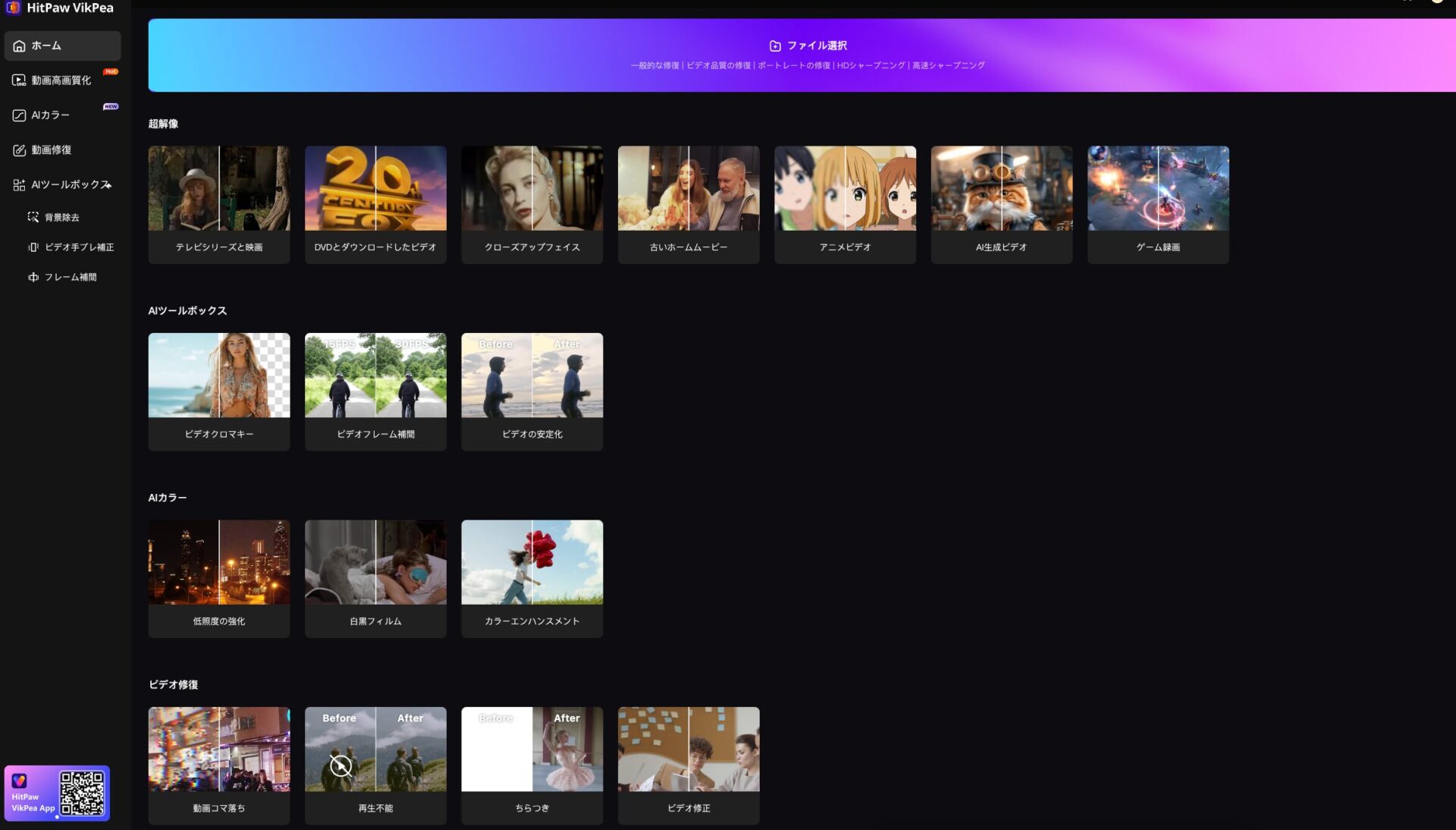
One of the biggest appeals of HitPaw VikPea (Video Enhancer) is that it achieves simple operation that even beginners without expert knowledge won’t get lost in.
There are almost no complex timelines or numerous function buttons like in typical video editing software.
Specifically, it is designed with a simple structure where enhancement is completed in just three steps: launch the software, import the video, select an AI model, and export.
Ms.ガジェットCan it really be operated this easily?
Mr.ガジェットYes, it is quite simple.
Because it is designed for beginners to use easily, it effortlessly makes your wish to “make videos look better” come true.
AI that transforms videos into high quality
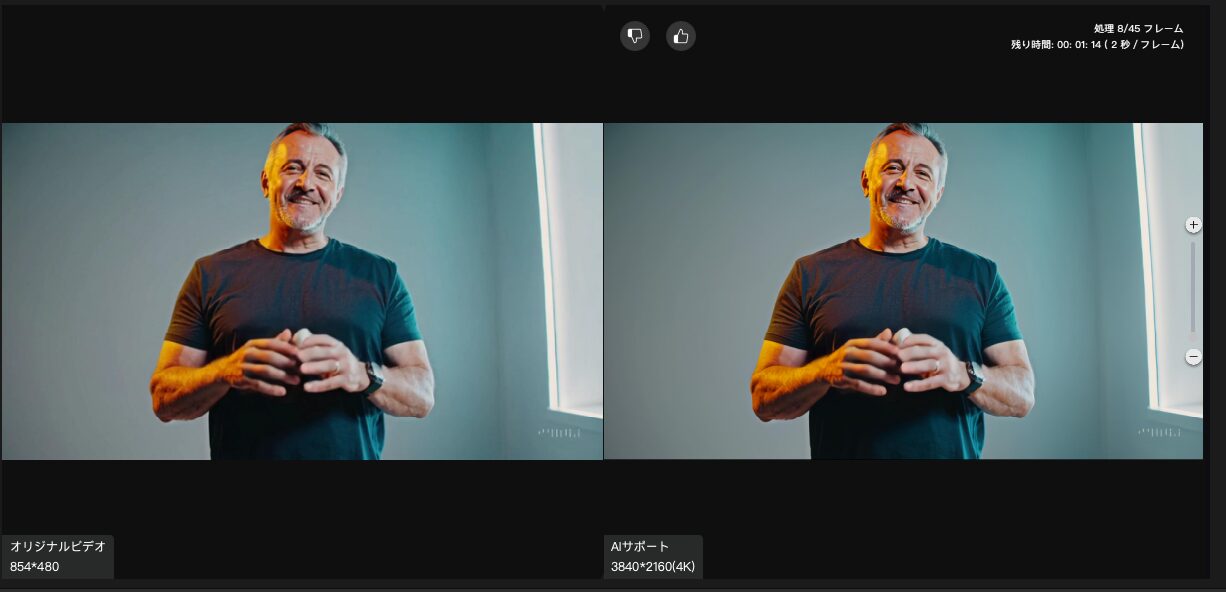
With this software, you can boost your videos up to high resolutions like 4K.
Ms.ガジェットWill it really become a high-quality video?
Mr.ガジェットThe power of AI will definitely elevate your video.
HitPaw VikPea transforms your videos with AI-based high-quality enhancement.
This technology will surely impress those who watch it.
Denoising power that makes footage remarkably clear
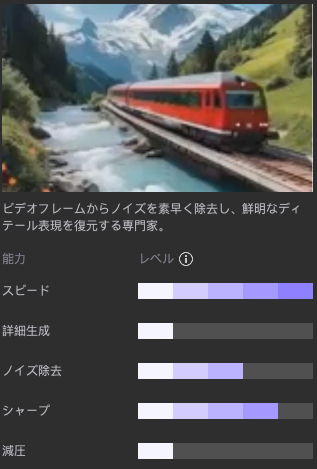
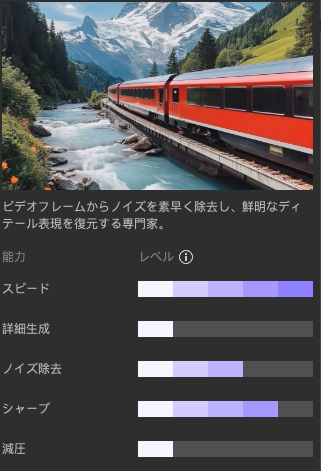
Noise always accompanies videos shot at night or in dark indoor settings.
This appears as graininess or roughness in the footage and is a problem that can ruin even the most wonderful moments.
However, the General Denoise Model equipped in HitPaw VikPea has the capability to remove this troublesome noise to a remarkably clear state.
Ms.ガジェットCan the noise in videos shot at night really be erased beautifully?
Mr.ガジェットYes, the noise is removed, and you can obtain footage that is clearly different and remarkably crisp.
Background features that enable creative expression
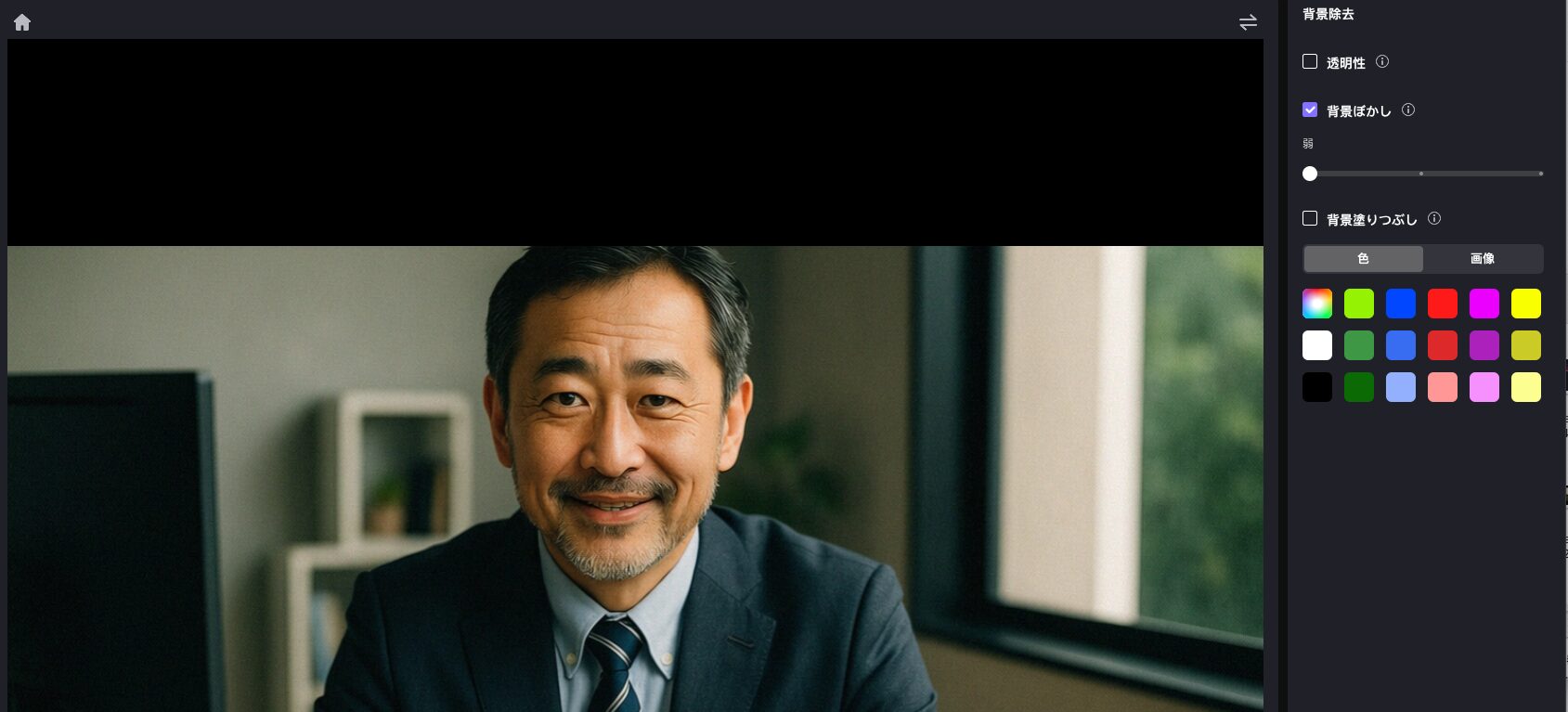
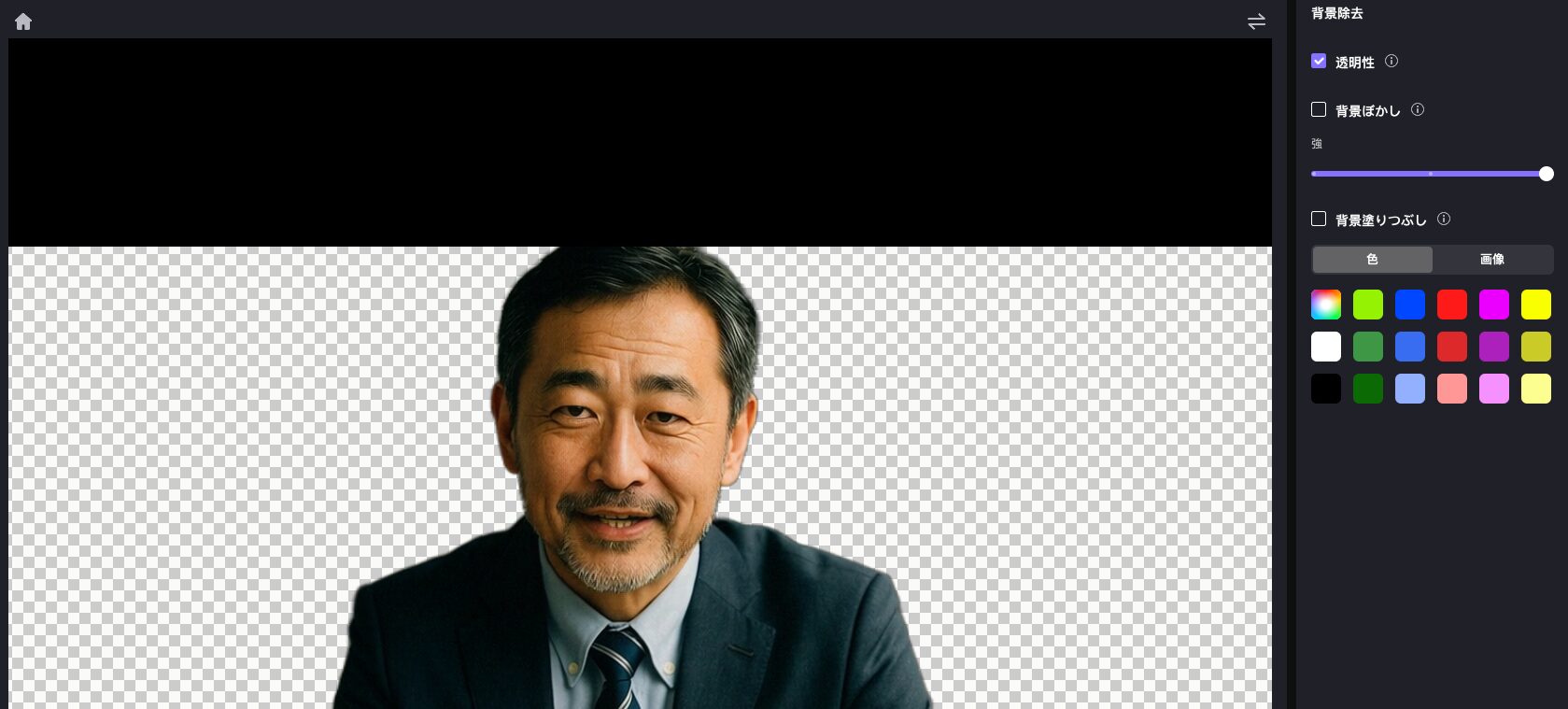
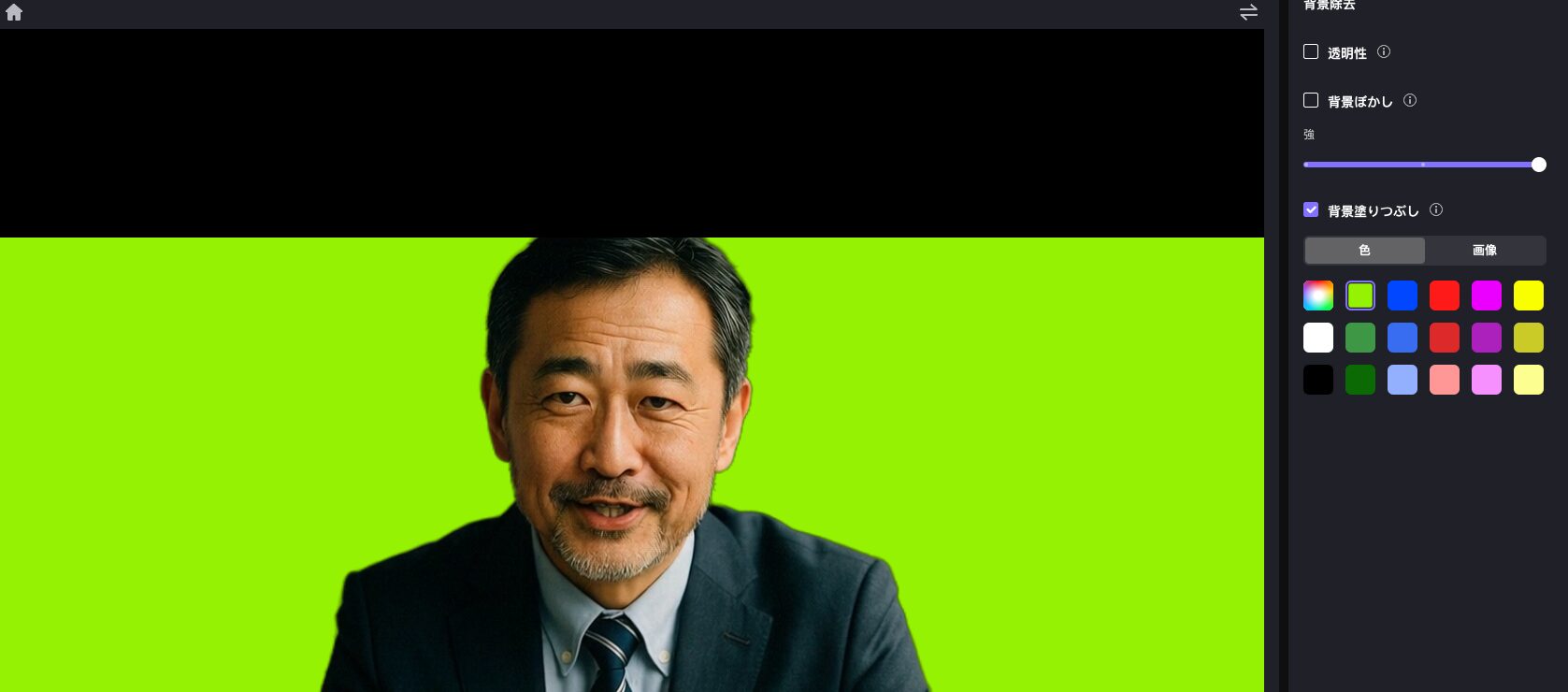
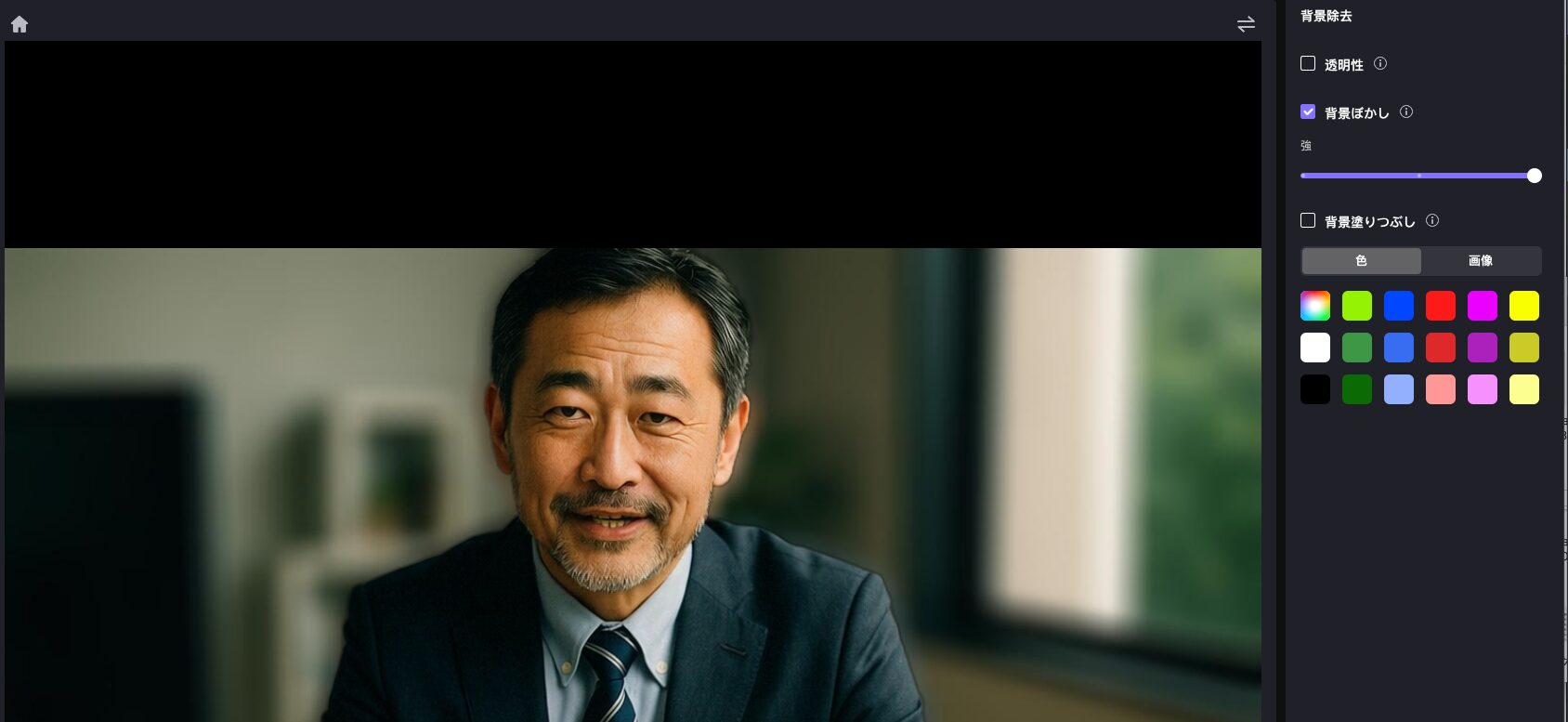
To attract attention on social media, it is important not only to have good image quality but also to add creative spice to your videos.
The background feature of HitPaw VikPea is what solves your problem of “How can I make it look more attractive?”
This tool is equipped with a feature to replace the sky background of the original video and a feature where AI transparently removes/subtracts the background of portrait videos of people.
Personally, I have a feeling the “background blur” will be quite useful♪
Ms.ガジェットI want to make videos that pop on social media, but advanced editing is difficult, isn’t it?
Mr.ガジェットAI enables creative expression easily in your place.
By using HitPaw VikPea, you can easily add “Instagrammable” elements to your videos without difficult editing skills.
Express your creativity easily and surprise those around you.
Free video repair feature that revives even broken videos
Are you regretting losing precious memories because you have broken videos that “won’t play,” “have flickering,” or “have weird audio”? The video repair feature of HitPaw VikPea will be a savior for you if you are suffering from such problems.
This feature automatically repairs corrupted video files or videos with playback issues using the power of AI algorithms.
Ms.ガジェットAre broken videos gone forever and can never be seen again?
Mr.ガジェットPrecious memories are revived by HitPaw VikPea.
With the video repair feature of HitPaw VikPea, you can see the important moments you thought were lost once again.
Batch processing and cloud acceleration that realize overwhelming time savings
Video enhancement is inherently a task that requires a lot of time and high PC specifications.
Are there some of you who have problems like “I want to enhance a large amount of videos, but I don’t know when it will end” or “I’m worried about my PC slowing down”?
HitPaw VikPea is equipped with two powerful features, batch processing and cloud acceleration, to solve those problems.
Ms.ガジェットVideo processing takes time and I’m worried about my PC getting slow, but…
Mr.ガジェットThat worry is now a thing of the past. Obtain overwhelming efficiency right now.
HitPaw VikPea saves you a tremendous amount of time and makes it possible to mass-produce high-quality videos without a high-spec PC.
It is truly a groundbreaking tool that realizes efficient time utilization.
Summary

The HitPaw VikPea introduced here is a groundbreaking tool that can surprisingly enhance the quality of your low-resolution videos with the power of AI.
- Supports multi-functional tasks such as denoising, resolution improvement, and color correction with the latest AI models
- Simple operability that even beginners won’t get lost in, allowing you to create professional-quality footage immediately
- Cloud acceleration and batch processing significantly save time and effort while enhancing a large number of videos
- Free video repair feature and creative background processing expand the possibilities of video expression
Whether it’s precious memories or videos that catch the eye on social media, HitPaw VikPea makes it happen.
To dramatically improve your video experience, please try this tool.
Thank you for reading until the end!
- The evaluation in this article is unique to this site.
- Unless otherwise specified, product prices and information are current as of the time of writing.
- Please note that this site cannot be held responsible for any inaccuracies in this information.
- Product and service names mentioned on this site are trademarks of their respective companies.
コメント