
Are you feeling helpless because important data was lost due to a sudden PC crash or an accidental operation?
- Important photos or unsaved video data suddenly disappeared due to a PC crash.
- Professional recovery services are too expensive, and you don’t know how to solve the problem yourself.
- There are many “free” data recovery programs available, but you are hesitant to use them because you aren’t sure if they are truly effective or safe.
- You don’t want to give up on precious memories, but time is just slipping away.
 Ms.gadget
Are free data recovery software programs actually trustworthy?
If you just give up now, not only will your precious memories be lost forever, but you will also face a living hell of persistent regret.
Actually, there is a data recovery software called “Tenorshare 4DDiG Free“ that can solve those worries.
- The possibility of restoring photos and videos you thought were lost due to a PC crash.
- The ability to easily recover data on your own without having to hire an expensive professional.
- Finding safe and reliable free software, allowing you to protect your important data with peace of mind.
- Retrieving lost memories and being liberated from the emotional burden.
If you have read this article and want to reclaim your lost data, please try the free version of Tenorshare 4DDiG Free.
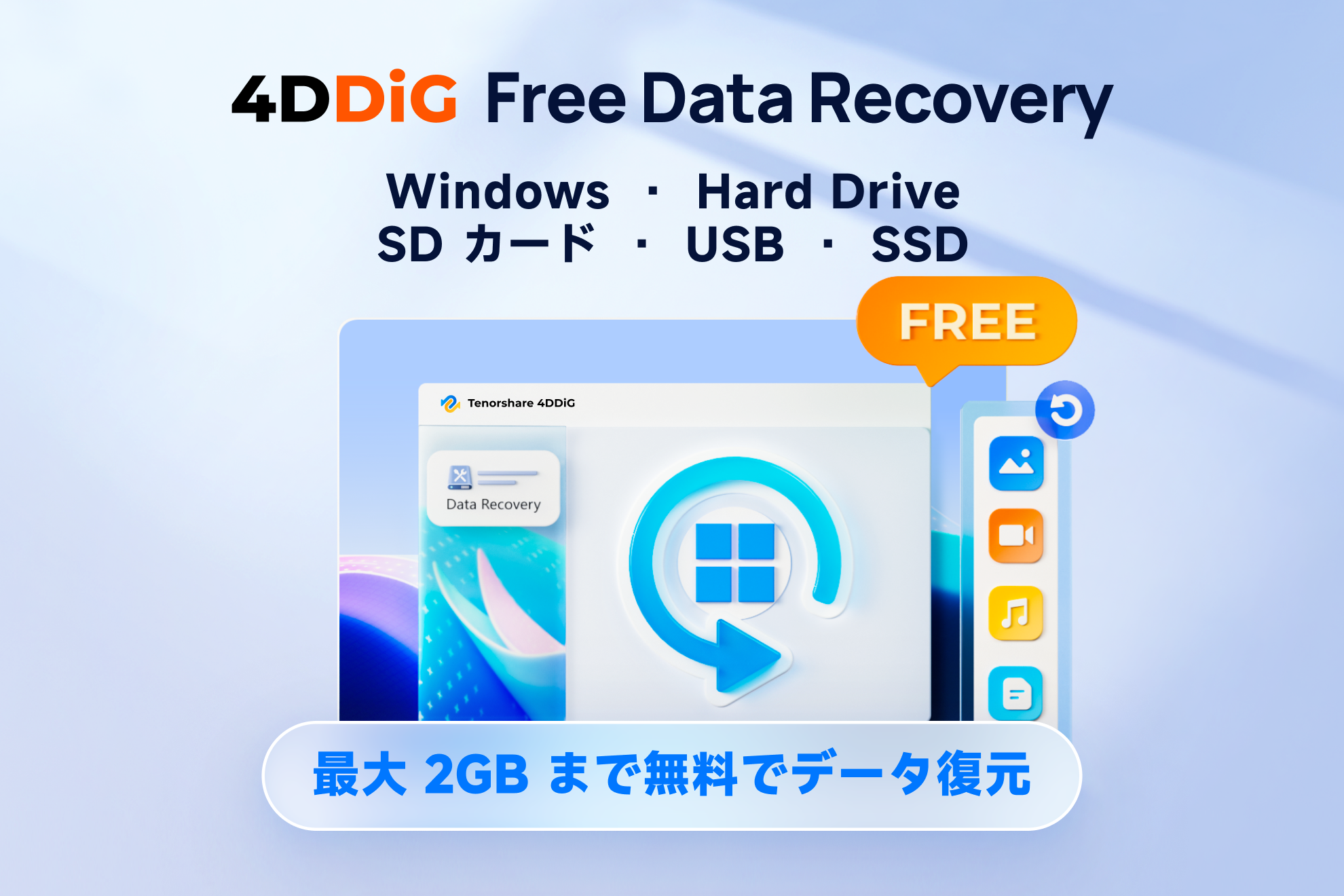
Features and Specifications of Tenorshare 4DDiG Free
| Feature | Details | Notes |
|---|---|---|
| Free recovery capacity | Up to 2GB | Full version required for exceeding this amount |
| Supported OS | Windows 11/10/8.1/8/7 | Mac also supported |
| Supported file systems | NTFS, FAT32/FAT16, exFAT, EXT4/EXT3/EXT2, HFS/HFS+, APFS | Covers major file formats |
| CPU requirements | 1GHz (32-bit or 64-bit) or higher | Works even on low-spec PCs |
| Disk space | 200MB or more | For installation and saving recovered files |
| RAM requirements | 512MB or more | Minimum required memory |
| Supported data loss scenarios | Accidental deletion, emptying Recycle Bin, formatting, RAW recovery, corrupted media, partition issues, system crashes, virus infections | Supports a wide range of scenarios |
| Supported storage devices | PC, laptop, SD card, USB memory, HDD/SSD, digital camera, drone, etc. | Recover from various devices |
| Supported file types | Over 2,000 types (documents, photos, videos, audio, archives, emails, etc.) | Supports almost all files |
| Preview before recovery | Possible | Check content before recovery |
| Operation steps | Simple 3-step operation | Intuitive for beginners |
2GB for free! How much can you recover?
When considering data recovery software, the first things you likely worry about are, “Is it really free?” and “What are the limitations?”
With Tenorshare 4DDiG Free, there is a clear limit: data recovery of up to 2GB is possible for free.
Ms.gadgetI can’t imagine how much data 2GB actually is. Can I really recover important photos and videos?
 MisterGadget
Even with 2GB, there is a good chance that your digital hobby photos or unsaved video project files can be “resolved” from the amount you had given up on.
If you are about to give up on photos lost due to a PC crash or unsaved video editing files, this 2GB free allowance is the first step toward solving your problem.
That is why we recommend first utilizing this 2GB to the fullest and checking if the data you really want to retrieve falls within this range.
Extensive support for all data loss scenarios
“Lost data” can be caused by many different things.
There are various scenarios, such as deleting files permanently from the Recycle Bin, accidentally formatting an SD card, or a sudden PC crash.
Tenorshare 4DDiG Free supports a wide range of situations, from common accidental deletions to data recovery from inaccessible drives, file deletion or corruption due to virus infections, and even lost partitions.
Ms.gadgetIs it possible to recover data if the PC won’t start or from an inaccessible drive?
Can a beginner like me do it “easily”?
 MisterGadget
Even if your PC has crashed, or if your drive has turned into an inaccessible RAW file system, it may be possible to retrieve your important data.
No matter the cause of your data loss, please don’t give up just yet.
Support for various file formats
When it comes to data recovery, running into format barriers is a major headache.
You don’t want to experience the frustration of, “I managed to recover it, but I can’t open it because the format isn’t supported,” right?
Tenorshare 4DDiG Free reportedly supports over 2,000 file formats.
Ms.gadgetWith so many file formats out there, will I be able to properly recover the photos, videos, and document files I was working on?
MisterGadgetYour lost photos, videos, and major file formats like Office documents are included in this wide range of support.
It covers almost all common file types, from major document formats like Microsoft Office (Word, Excel, PowerPoint, PDF, etc.) to photos that hold your precious memories (JPEG, PNG, GIF, RAW, HEIC, etc.), as well as media files like videos (MP4, MOV, AVI, MKV, etc.) and music (MP3, WAV, FLAC, etc.).
System requirements
When choosing data recovery software, one of the first things you might wonder is, “Will it work without issues in my PC environment?”
Tenorshare 4DDiG Free supports both Windows and Mac OS and is designed to be accessible to many users.
Since the required system resources are kept to a minimum, it is a great option even if you are using an older PC.
Ms.gadgetMy PC is a bit old and runs Windows 8. Will it work without issues? My PC isn’t very high-performance, is that okay?
MisterGadgetIf your OS is Windows 7 or later, or if you are using a Mac, it will work, and you can easily start recovering data.
In terms of specific system requirements, it supports a wide range of OS versions from Windows 11 down to 7, and macOS 15 down to 10.12, running on modest specs of a 1GHz or faster CPU, 512MB or more of RAM, and 200MB or more of free disk space.
| Item | Windows Version | Mac Version |
|---|---|---|
| Supported OS | Windows 11/10/8.1/8/7 | macOS Sequoia/Sonoma/Ventura/Monterey/BigSur 11.0/10.15/10.14/10.13/10.12 |
| File System | FAT16/32, exFAT, NTFS | APFS/HFS+, FAT32, exFAT |
| CPU Requirement | 1GHz (32-bit or 64-bit) or higher | 1GHz or higher |
| Free Disk Space | 200MB or more | 200MB or more |
| RAM Requirement | 512MB or more | 512MB or more |
The Future Offered by Tenorshare 4DDiG Free
Key points of this section!
Digital data is our life itself.
The thought of it disappearing suddenly is terrifying, isn’t it?
Ms.gadgetIs free data recovery software really trustworthy?
MisterGadgetRest assured. Tenorshare 4DDiG Free is well worth trying as a first step toward data recovery.
The definitive differences between the free and paid versions
There are both free and paid versions of Tenorshare 4DDiG.
There are clear “differences” between these two versions, and making the right choice based on your data recovery needs is the key to success.
The free version, Tenorshare 4DDiG Free, as the name implies, can be used for free and allows you to recover up to 2GB of data.
It can be called a free data recovery software that is perfect for when you want to recover a few important photos or small documents.
On the other hand, the paid version has unlimited recovery capacity and provides access to more advanced features.
Please check the comparison table below for the specific differences between the free version and the paid version.
Pro
- 5,980 JPY per month
- Unlimited data recovery and repair
- Preview before recovery
- Recover data from initialized systems
- Recover data from various storage devices
- Recover data from encrypted drives
- Recover data from crashed computers
- Recover data from lost partitions
Free
- Free
- Up to 2GB data recovery and repair
- Preview before recovery
- Recover data from initialized systems
- Recover data from various storage devices
- Recover data from encrypted drives
- Recover data from crashed computers
- Recover data from lost partitions
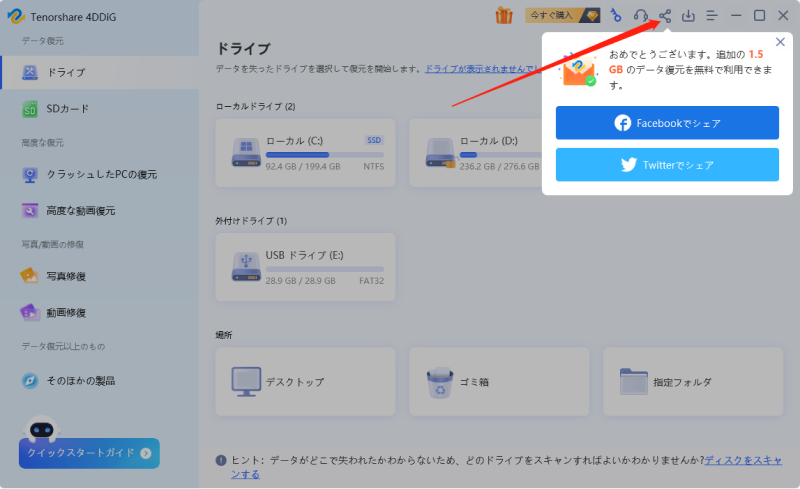
Note that for the free version, the initial recoverable data amount is 500MB.
By clicking the “Share” button in the top right corner of the screen after launching the program and sharing it on Facebook or Twitter, you can recover a total of 2GB of data for free.
As you can see from the “Comparison of Tenorshare 4DDiG Free and Paid Versions,” although the free version has a 2GB capacity limit, basic features like the preview function before recovery are available just like in the paid version.
This means that the ability to verify in advance whether your data can truly be recovered on your PC is a major advantage of the free version.
How to recover HDD data with Tenorshare 4DDiG Free
Key points of this section!
Installation steps
Download from the website
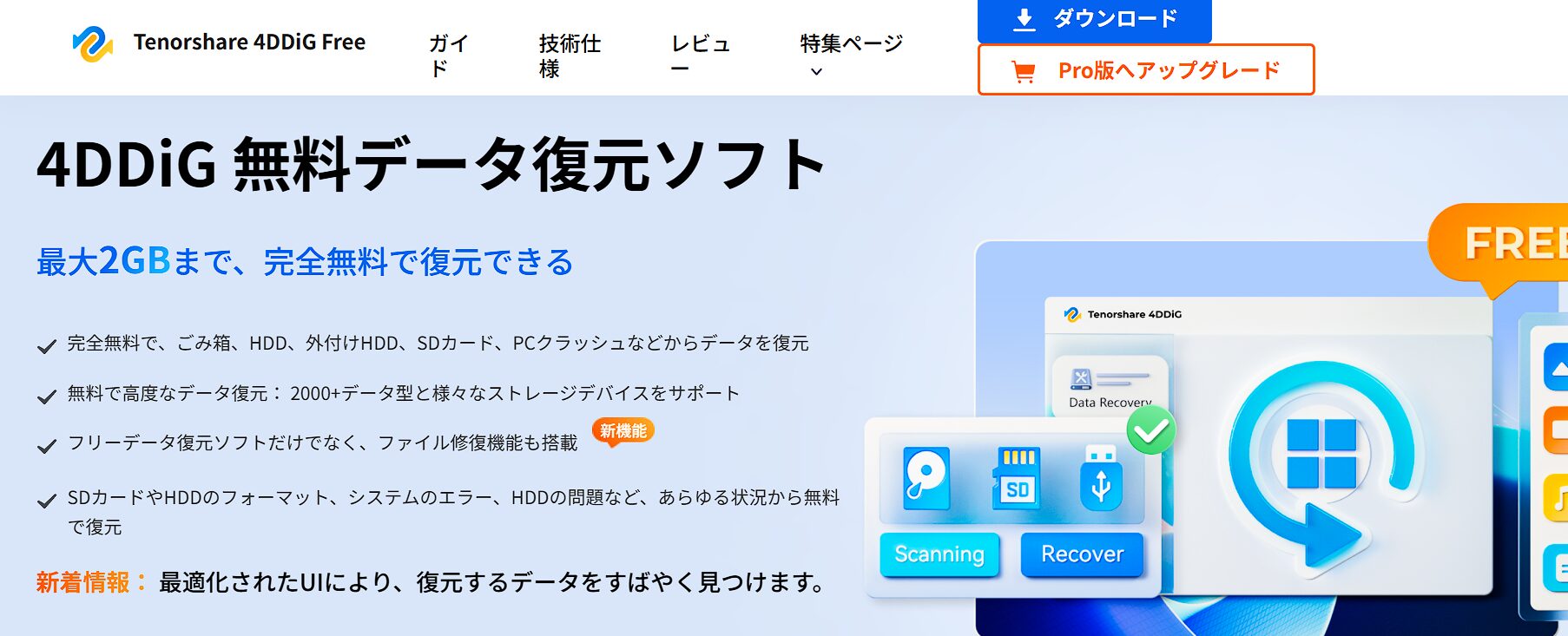
Click “Free Download.”
Open the file and install
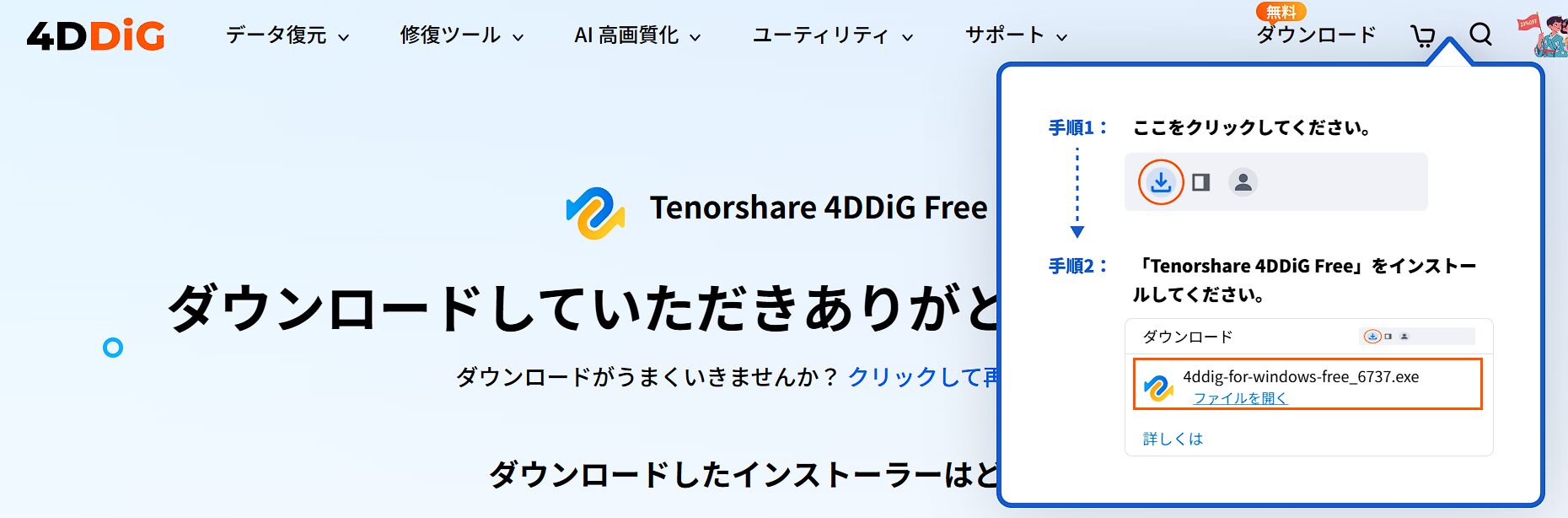
The installer download will begin; once complete, click “Open file” and follow the instructions to install.
For more details, please see the following page.
- This article is created entirely based on information provided by the manufacturer.
Please note that this site assumes no responsibility if this information is incorrect.
Usage steps
Scan
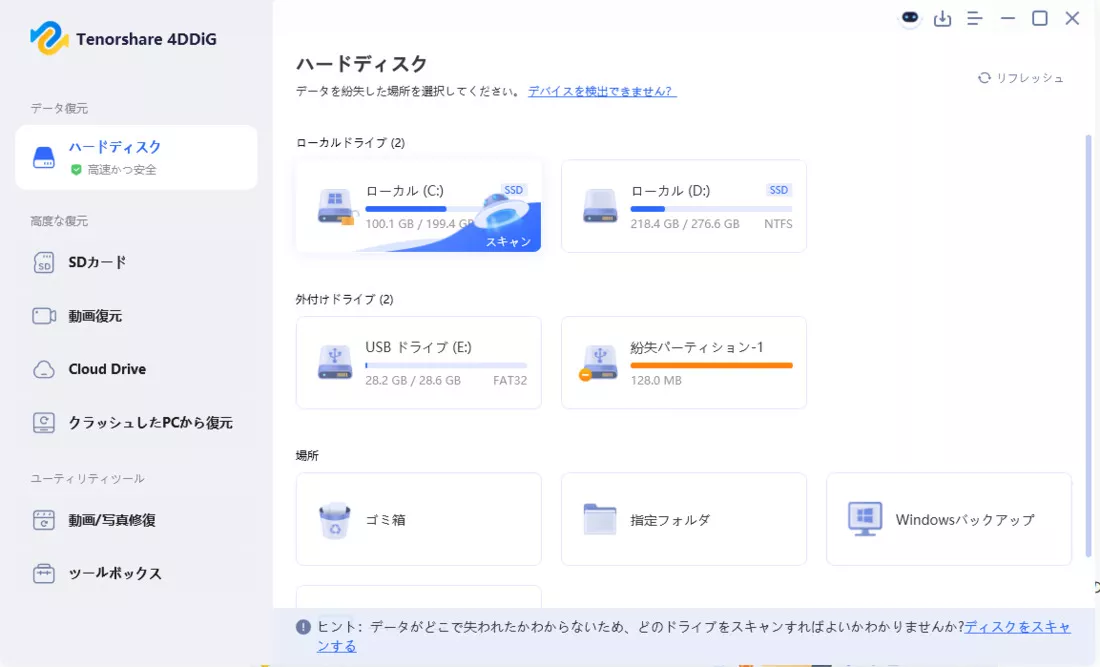
Select the drive or partition where the data you want to recover exists and scan it.
Scanning may take anywhere from a few minutes to several tens of minutes depending on the device capacity and data status.
Preview files
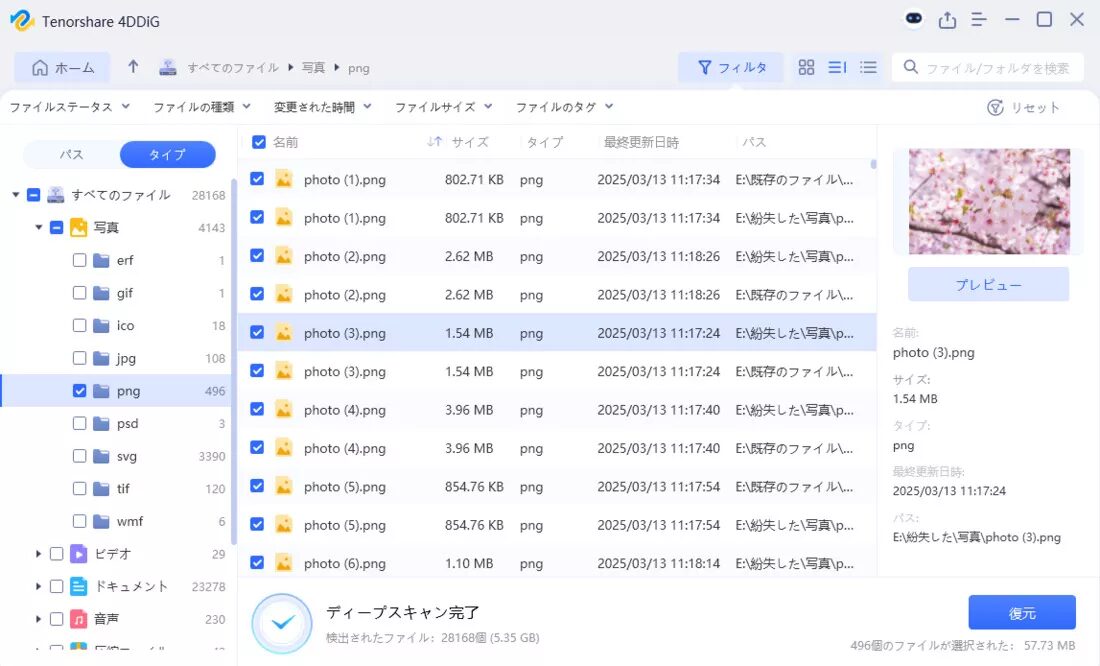
Once the scan is complete, recoverable data will be listed.
You can preview files by double-clicking them.
Recover target files
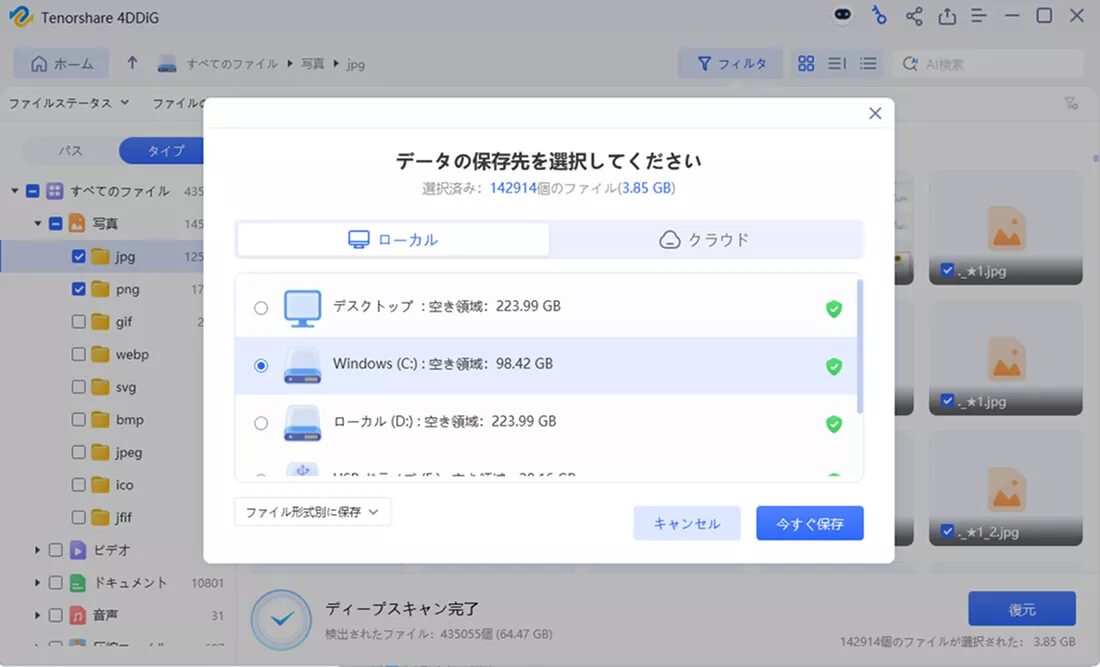
Select the save location for the recovered files and recover the target files.
Note: Recovering to the original location may cause overwriting, so it is recommended to save them to a different storage location (an external HDD or a different folder on your PC).
- This article is created entirely based on information provided by the manufacturer.
Please note that this site assumes no responsibility if this information is incorrect.
Summary
For those of you who are feeling helpless after losing important data due to a PC crash or accidental operation, Tenorshare 4DDiG Free presents a new possibility for data recovery.
For you, who are struggling with data recovery, trying out the free version first is the shortcut to a solution.
Please give it a try!
Thank you for reading until the end!
- The evaluation in this article is unique to this site.
- Unless otherwise specified, product prices and information are current as of the time of writing.
- Please note that this site cannot be held responsible for any inaccuracies in this information.
- Product and service names mentioned on this site are trademarks of their respective companies.
This article was originally written in Japanese and has been translated.
Comments