
The despair of sudden data loss on an iPhone. Have you given up on your precious photos, videos, or even critical work data, assuming they are gone forever?
- You have given up, thinking the precious photos and videos you lost are gone for good.
- You are feeling anxious and uneasy because important work data has disappeared.
- You are struggling to decide which one is right for you among the many iPhone data recovery software options available.
- You are worried that the operation might be too difficult and that you could make the situation worse.
 Ms.Gadgets
Is it really possible to easily and safely recover lost iPhone data?
If you never want to lose important iPhone data again, consider the option of UltData for iOS data recovery software.
What you will learn in this article!
Features and performance of UltData for iOS data recovery software
 Ms.Gadgets
What kind of features does UltData for iOS data recovery software actually have?
 Mr.Gadgets
A key feature of this software is that it covers not only data recovery but also system repair.
UltData for iOS data recovery software is not just for data recovery; it is equipped with features to handle various iPhone data issues.
Supported iOS versions and iPhone device models
When choosing iOS data recovery software, whether your iPhone is supported is an extremely important point.
UltData for iOS data recovery software supports a very wide range of iOS versions and iPhone device models.
| Category | Model/Version |
|---|---|
| iOS Version | Latest iOS 18, iOS 26, and earlier |
| iPhone Model | iPhone 16/Pro/Pro Max, iPhone 15 series, iPhone 14 series, iPhone 13 series, iPhone 12 series, iPhone 11 series, iPhone XS/XS Max/XR/X, iPhone 8/8 Plus, iPhone 7/7 Plus, iPhone SE, iPhone 6s/6s Plus, iPhone 6/6 Plus, iPhone 5s/5c/5, iPhone 4s/4 |
| iPad Model | All iPad Air, iPad mini, iPad Pro, iPad |
| iPod Model | iPod touch 6, iPod touch 5, iPod touch 4, iPod touch 3, iPod touch 2, iPod touch 1 |
Ms.GadgetsCan I use it on my old iPhone too?
Mr.GadgetsYes, please rest assured that UltData for iOS data recovery software covers a very wide range of models.
Whether your iPhone is the latest model or one from several generations ago, it is highly likely that UltData for iOS data recovery software supports it, which is very reassuring when making your selection.
Three modes that enable data recovery and their differences
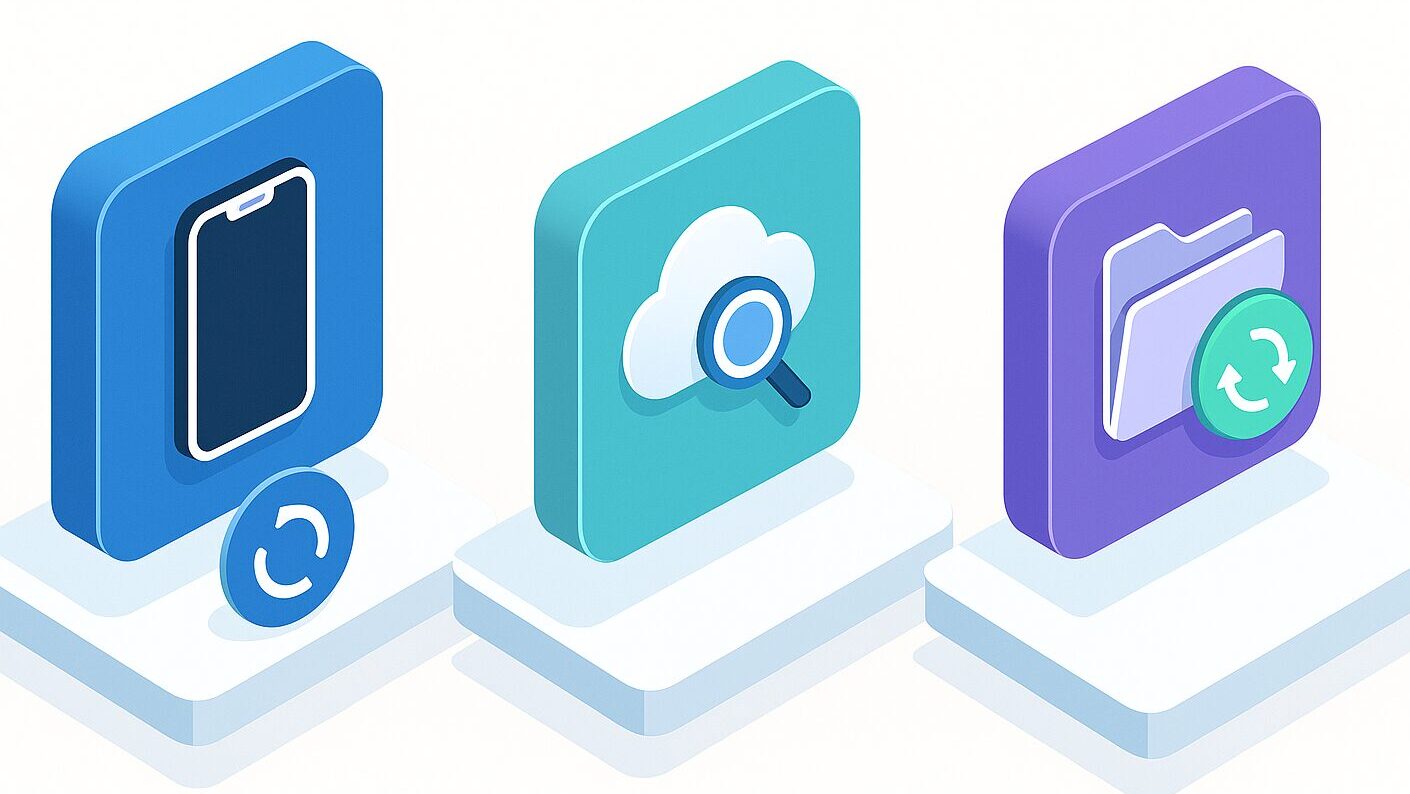
UltData for iOS data recovery software sets itself apart from other software with its three powerful modes that enable data recovery.
By using these three modes appropriately according to your situation, the chances of recovering lost data are dramatically improved.
| Recovery Mode | Benefits |
|---|---|
| Recover from iOS Device | Can recover deleted data without a backup; can be tried even if the iPhone is not functioning normally |
| Recover from iTunes Backup | Selectively recover only the necessary data from a backup; no worry about overwriting existing iPhone data |
| Recover from iCloud Backup | Selectively recover lost data from iCloud backup; fast and easy |
Ms.GadgetsCan I recover data even without a backup?
Mr.GadgetsYes, it is possible to attempt recovery even without a backup using UltData for iOS data recovery software.
HEIC to JPG conversion feature
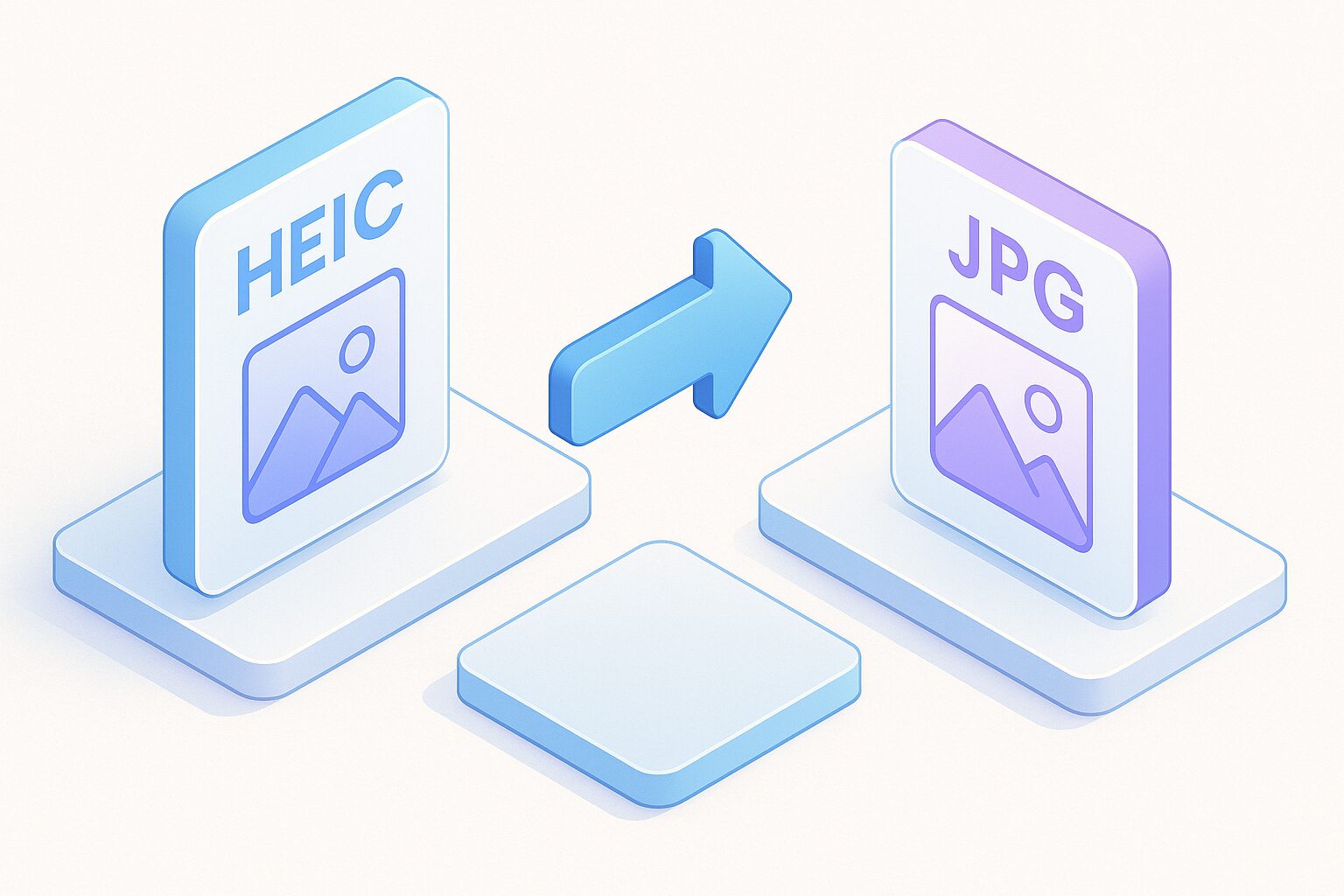
In recent years, photos taken on iPhones are increasingly saved in a new format called “HEIC”.
While this is an excellent format that maintains high quality while keeping file sizes small, many people are troubled by compatibility issues, unable to open them on other devices or software.
UltData for iOS data recovery software is also equipped with a feature that easily converts HEIC format photos to the general JPG format.
For example, even if you want to convert hundreds of HEIC photos to JPG in bulk, the process is completed in just a few minutes, solving your compatibility troubles.
Ms.GadgetsConverting HEIC files one by one is a hassle, isn’t it?
Mr.GadgetsUsing UltData for iOS data recovery software makes that conversion task dramatically easier.
How to use UltData for iOS data recovery software
Key points of this section!
When you hear “iPhone data recovery,” some of you might feel anxious about the complexity of the process, wondering, “Do I need specialized knowledge?” or “Will complex operations make the situation worse?”
Ms.GadgetsIs the operation of UltData for iOS data recovery software really that simple?
Mr.GadgetsIt is quite simple.
Installation steps
Download from the website
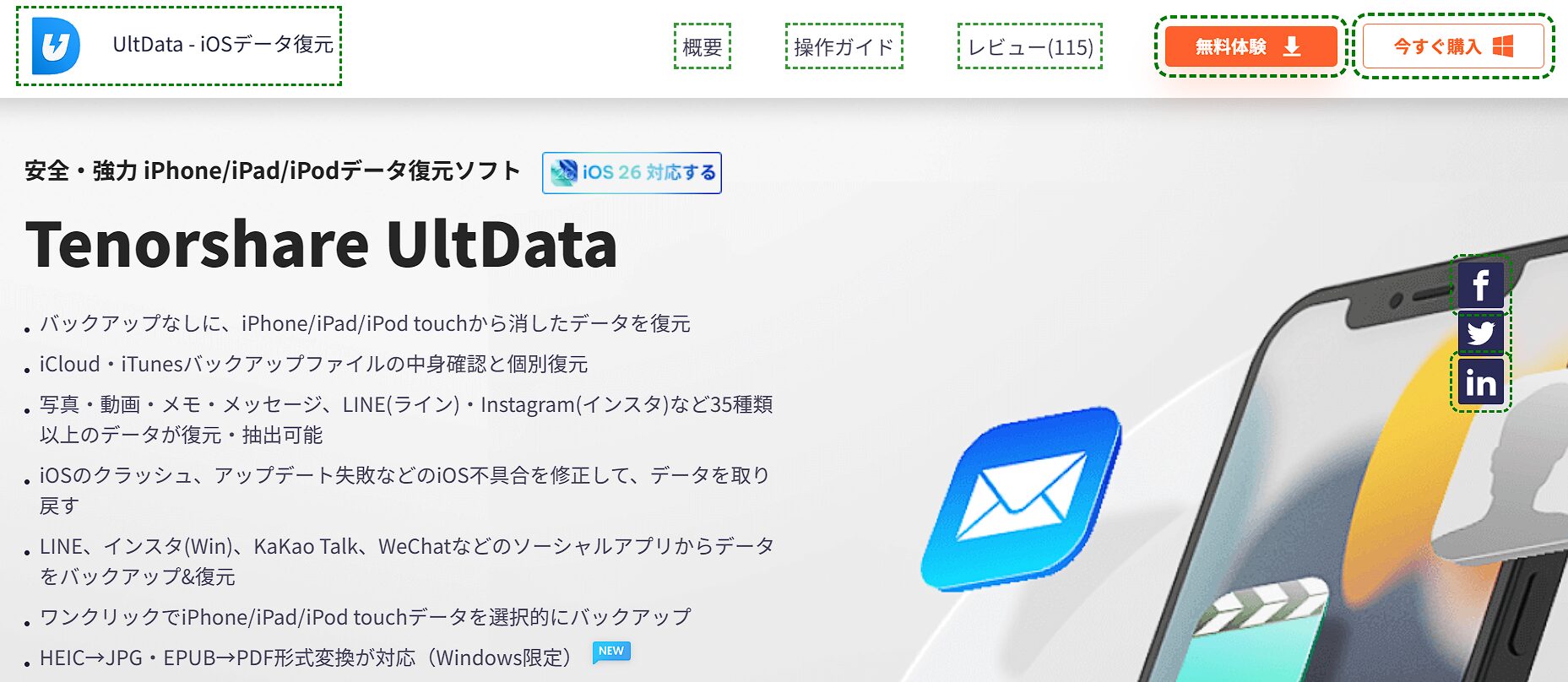
Click “Free Trial.”

Open the file and install
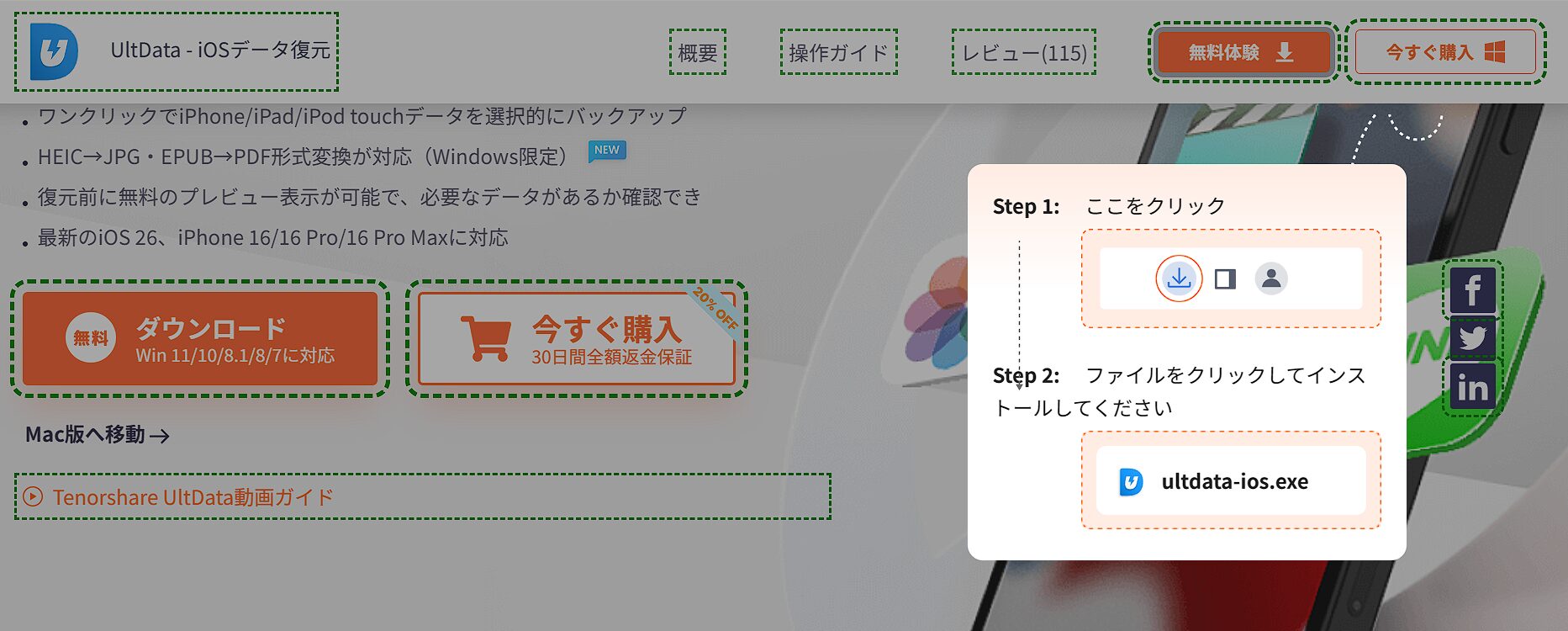
The installer download will begin; once it is finished, click “Open File” and follow the instructions to install.
For more details, please see the following page.
Usage steps
Here, we will introduce how to recover data directly from an iOS device.
Launch UltData for iOS data recovery software
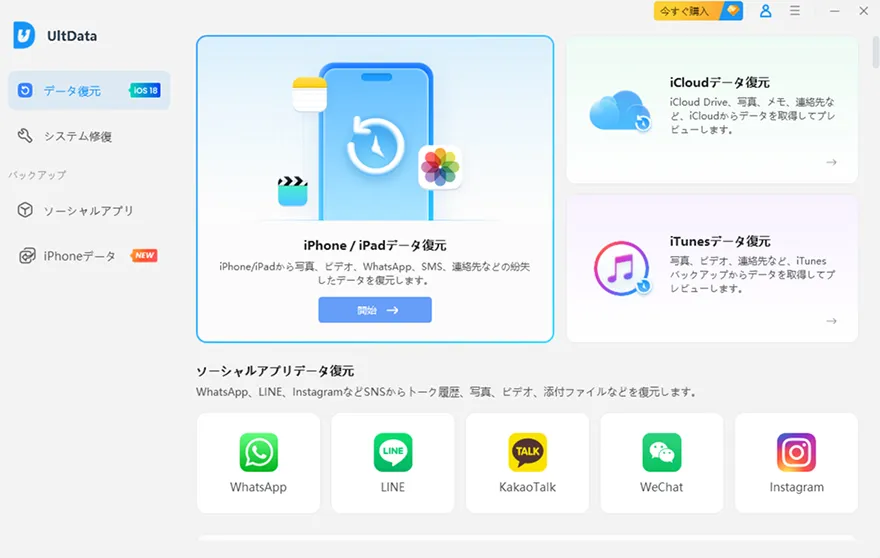
Launch UltData on your computer and select “Recover Data from iOS Devices.”
Connect the iOS device to your computer
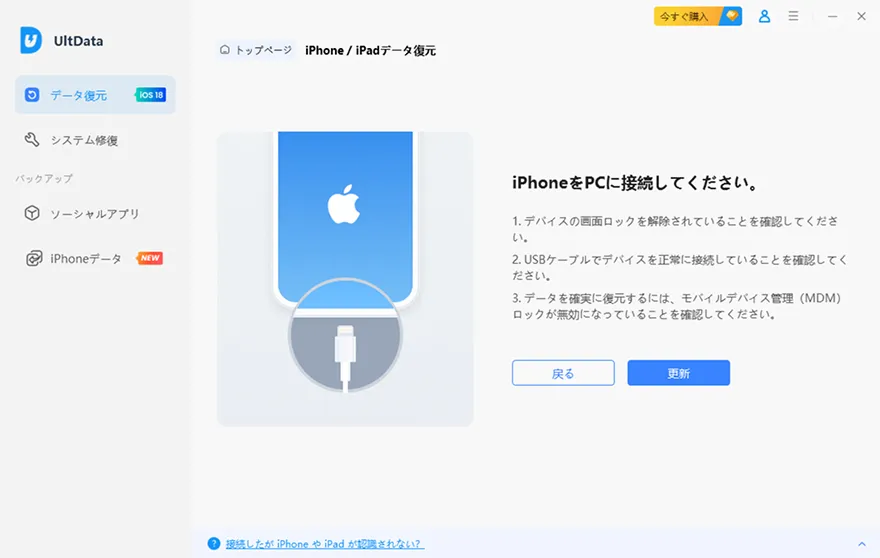
Connect your iPhone to the computer using a USB cable.
Scan for data
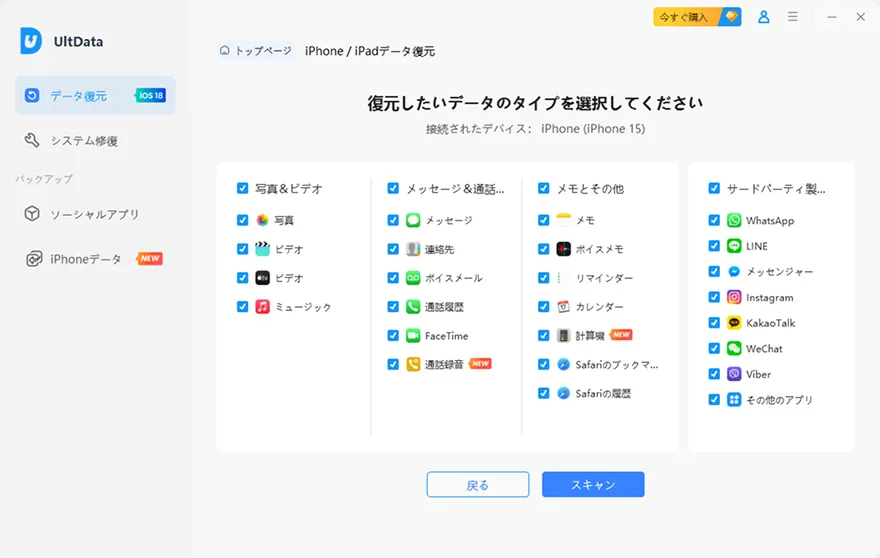
Select the data you want to recover.
Preview the data
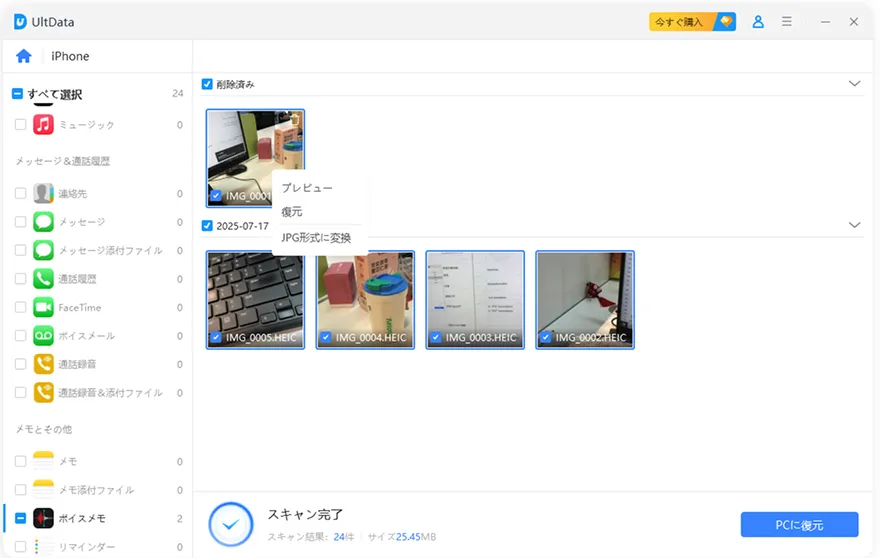
Preview and select the data you want to recover.
Recover the data
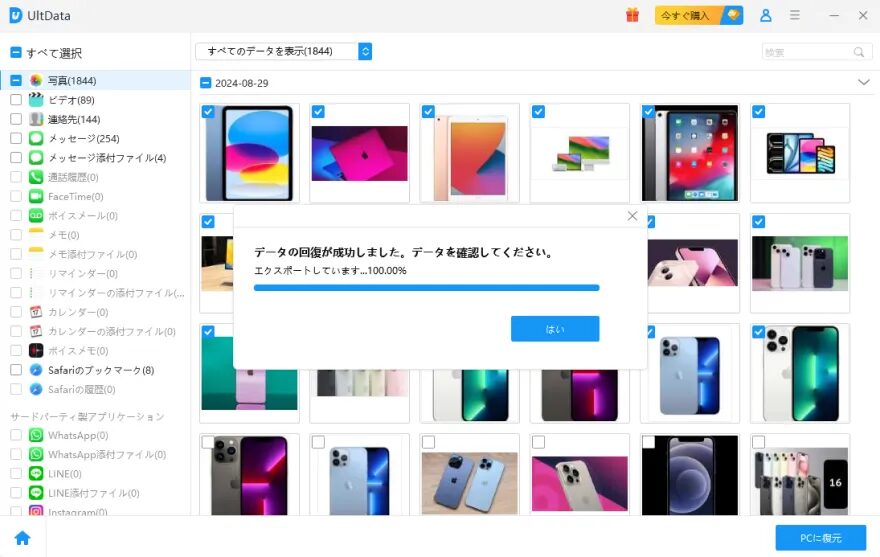
The selected data will be recovered.
This article is created entirely based on information provided by the manufacturer.
Please note that this site cannot be held responsible for any inaccuracies in this information.
Summary
UltData for iOS data recovery software goes beyond being just iPhone data recovery software; it is a tool that resolves various troubles related to your iPhone data.
The main reasons why this software is useful for recovering your data are as follows:
- Supports a wide range of iPhone models and iOS versions, and comes equipped with three powerful recovery modes.
- Capable of recovering more than 35 types of data, including photos, LINE, and contacts.
- Easy for anyone to use with intuitive operation, and includes a free preview feature to check data before recovery.
- In addition to data recovery, it also includes iOS system repair features for issues like the Apple logo loop.
First, download the free trial version of UltData for iOS data recovery software and try to see if it can actually detect the lost data from your iPhone.

Thank you for reading until the end!
- The evaluation in this article is unique to this site.
- Unless otherwise specified, product prices and information are current as of the time of writing.
- Please note that this site cannot be held responsible for any inaccuracies in this information.
- Product and service names mentioned on this site are trademarks of their respective companies.
This article was originally written in Japanese and has been translated.
Comments