
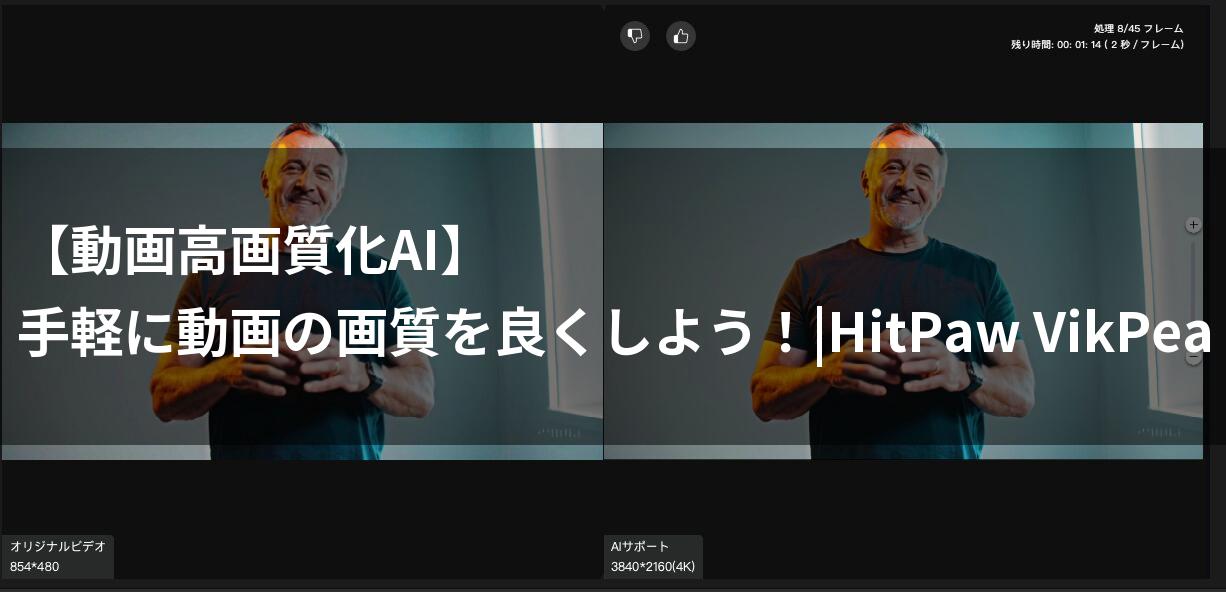
The important videos you took with your smartphone, you were disappointed to find the picture quality was poor when you played them back… Have you ever had that troublesome experience?
- It’s disappointing that videos of your trips and events are marred by severe noise and blurriness.
- Even when you upload them to SNS, the videos may be blurry or your complexion may look dark, preventing them from looking as good as you hoped.
- Professional video editing software seems difficult, and you don’t want to spend time and effort making your important videos look nice.
- Even if you hear about “AI-powered upscaling,” you’re worried about whether it will actually work on your computer and whether you’ll be able to use it effectively.
 Ms.ガジェット
Do you have to give up on videos with poor quality?
 Mr.ガジェット
You don’t have to give up. There’s a trump card to solve that problem.
That trump card is HitPaw VikPea (Video Enhancer).
If you feel the potential, please read to the end and experience its amazing power.
What you’ll learn in this article!
HitPaw VikPea (Video Enhancer) specifications and features
Imagine your videos looking like they were finished by a professional.
Do you want to stop seeing your cherished Vlog videos and important family videos diminished in appeal by noise and blurriness?
The secret to solving those video problems and bringing incredibly clear footage into your hands lies in the AI-powered “HitPaw VikPea (Video Enhancer).”
The latest AI models and multiple functions
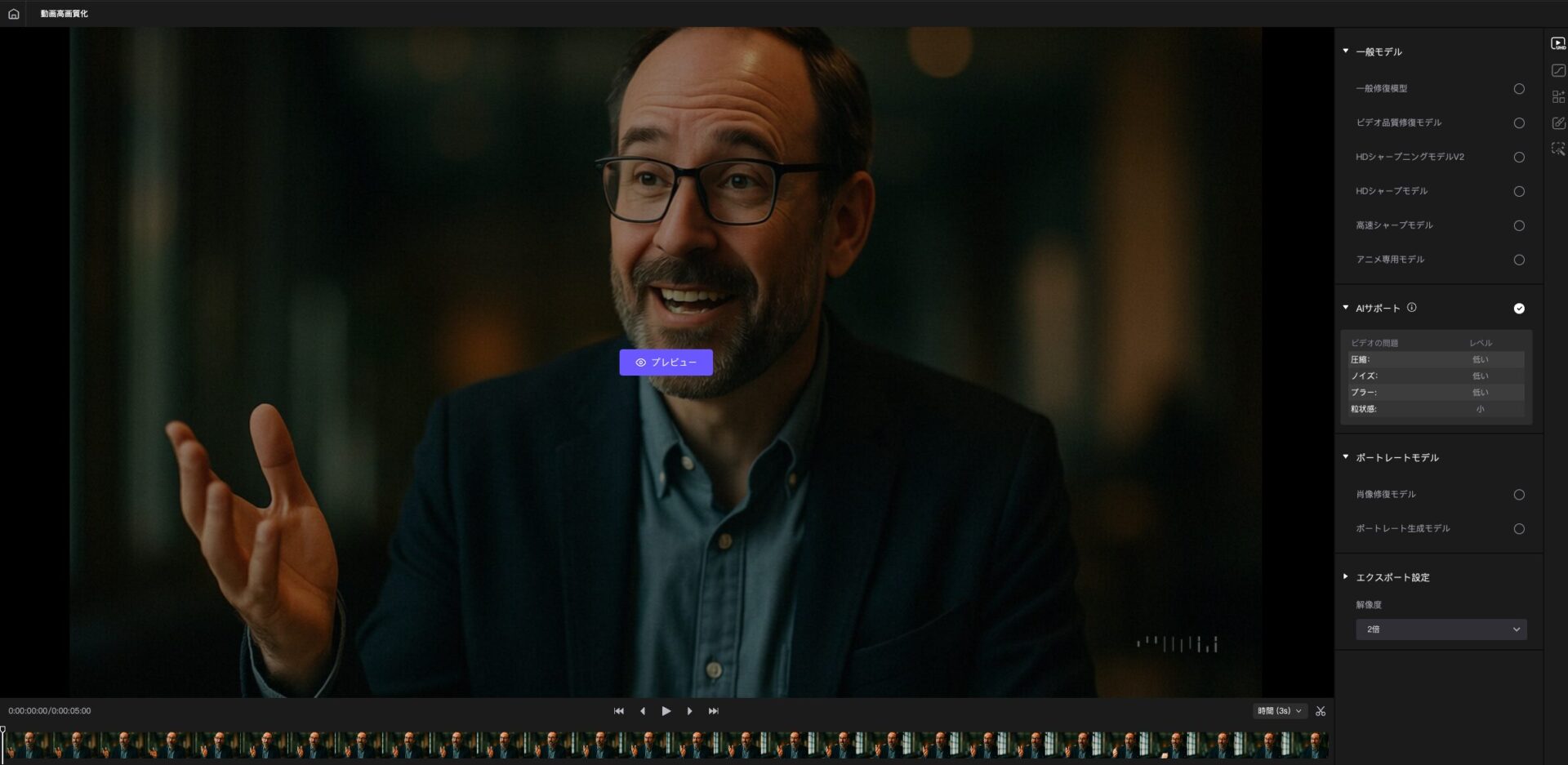
HitPaw VikPea is equipped with 8 specialized AI models that set it apart from previous upscaling tools.
| AI Model | Function Description | Example |
|---|---|---|
| General Noise Removal Model | Removes noise from old videos and converts them into clear, new footage | Removing the graininess from old family videos |
| Anime Dedicated Model | Upscales nostalgic anime and automatically increases resolution | Resolving the blurriness of 80s anime |
| Face Model | Removes blur and mosaics from faces and enhances details | Reproducing facial expressions clearly |
| Colorization Model | Adds natural color to old black and white videos | Reviving old monochrome footage with vivid colors |
| Video Repair Model | Repairs corrupted or unplayable videos using AI algorithms | Restoring a corrupted Vlog file |
| Frame Rate Enhancement Model | Reduces screen shake and instability in frame rate | Smoothing out fast-paced sports videos |
| Stabilization Model | Automatically detects and corrects video shake for smooth footage | Eliminating shake from drone footage |
| Low-Light Correction Model | Improves the brightness and clarity of videos shot in dark environments | Enhancing details in nighttime videos |
 Ms.ガジェット
There are so many models. I’m worried about which one to choose.
Mr.ガジェットYou don’t have to worry. The AI will suggest the optimal model.
By utilizing these AI models, your videos will be reborn as high-definition footage of up to 4K/8K.
System requirements and easy installation
“System requirements” refer to the minimum specifications your computer needs to run the software properly.
HitPaw VikPea supports major versions of Windows and macOS and is designed to be easily installed by many users.
| Item | Windows Version | macOS Version |
|---|---|---|
| Supported OS | Windows 10/11 64-bit | macOS 10.15 or later |
| Processor | Intel i3 4th generation or AMD Ryzen 3 equivalent or higher | Apple M series processor 2015 or later |
| Available Disk Space | 2GB or more | 2GB or more |
| RAM | 8GB or more | 8GB or more |
| GPU | Intel UHD 630 or NVIDIA GTX 950 equivalent or higher | Apple M1 equivalent or higher |
| Ease of Installation | One-click installation | Simple setup procedure |
 Ms.ガジェット
My computer specs aren’t that high, so I’m worried about whether it will work properly.
 Mr.ガジェット
Don’t worry. It’s designed to run comfortably on many PCs.
Installation is simple: download and launch the software, and import the video you want to upscale – only three steps.
You don’t need to spend time on complicated settings.
Overwhelmingly fast processing and efficient functions
While you’re wasting time and computer resources on video upscaling, HitPaw VikPea will complete the process surprisingly quickly.
Key points of this section!
- Cloud Acceleration: Achieves up to 80% faster video processing compared to local processing, and is not dependent on your computer’s specifications.
- GPU Acceleration: Maximizes the performance of your PC’s graphics card to significantly improve processing speed.
- Batch Processing: Allows you to process multiple video files at once, freeing you from repetitive tasks and saving you a significant amount of time.
- Rich Output Settings: You can freely choose the resolution, bitrate, and format of the upscaled video, making it suitable for SNS uploads to professional use.
Ms.ガジェットVideo editing takes a lot of time, so I wonder if it can really be done quickly?
Mr.ガジェットThose worries are a thing of the past. You can experience dramatic time savings right now.
These features dramatically reduce the time you spend on video upscaling, allowing you to have free time to focus on more creative activities.
HitPaw VikPea (Video Enhancer) review
Key points of this heading!
- Easy operation that even beginners can understand
- The magic of AI that transforms videos into high-quality footage
- The power of noise removal that makes videos look dramatically clearer
- Background features that enable creative expression
- Free video repair function that can even revive broken videos
- Batch processing and cloud acceleration that deliver overwhelming time savings
Have you ever been disappointed to find that videos you took with your smartphone look worse than you expected when you play them back, especially with noise in nighttime or indoor shots? Many people are struggling with the problem of not being able to make their videos look appealing due to blurriness or poor complexion when uploading them to SNS.
Frankly, many people don’t have the confidence to use sophisticated professional video editing software and don’t want to spend time and effort making their important videos look nice.
Ms.ガジェットDo you have to give up on videos with poor quality?
 Mr.ガジェット
You don’t have to give up. HitPaw VikPea may solve that problem.
Easy operation that even beginners can understand
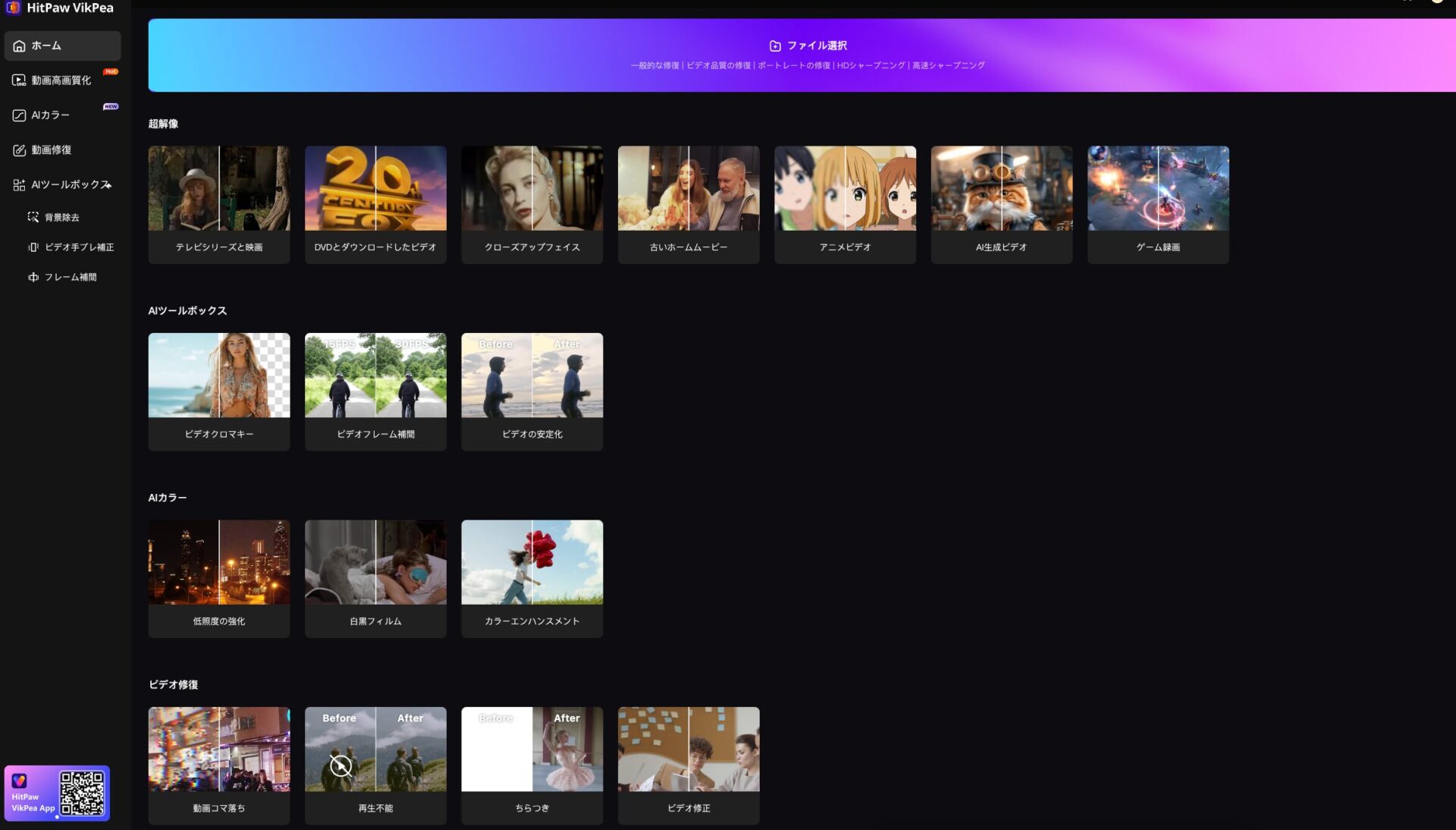
One of the biggest appeals of HitPaw VikPea (Video Enhancer) is that it achieves a simple operation that even beginners without specialized knowledge can easily understand.
There are few complex timelines or numerous function buttons like in typical video editing software.
Specifically, the process of upscaling is as simple as launching the software, importing the video, selecting the AI model, and exporting – only three steps.
Ms.ガジェットIs it really that easy to operate?
Mr.ガジェットYes, it’s quite simple.
Because it’s designed to be easy to use even for beginners, it will easily fulfill your desire to “make your videos look better.”
The magic of AI that transforms videos into high-quality footage
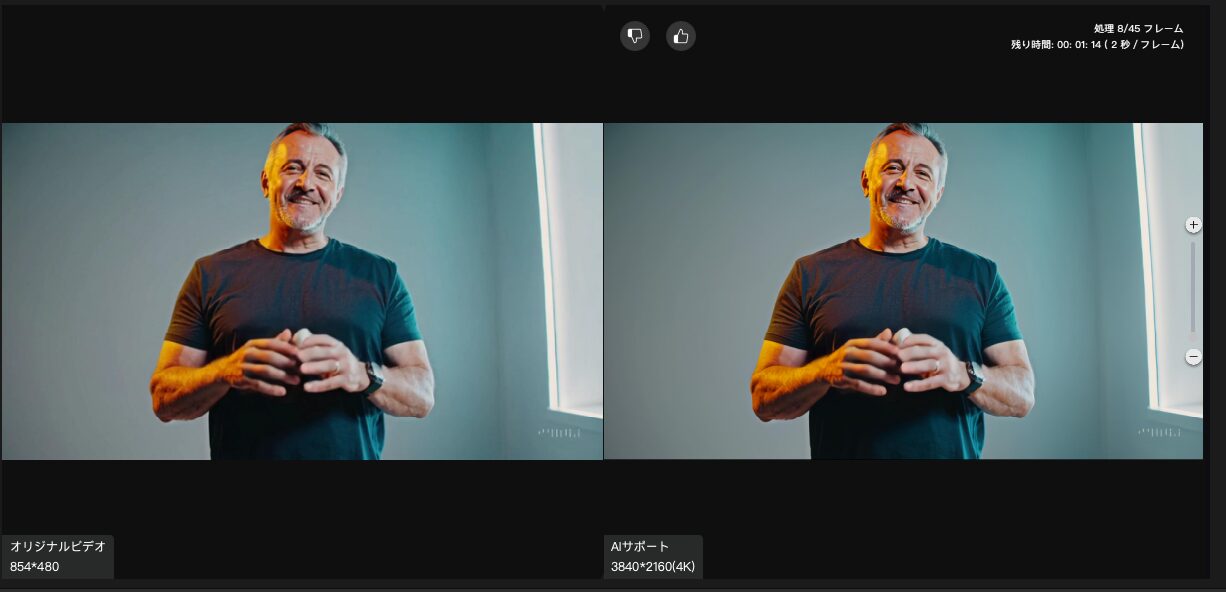
This software allows you to upscale your videos to high resolutions such as 4K using the power of AI.
Ms.ガジェットWill the video really become high quality?
Mr.ガジェットThe power of AI will definitely transform your videos.
HitPaw VikPea uses AI to transform your videos, and the results will amaze you.
The power of noise removal that makes videos look dramatically clearer
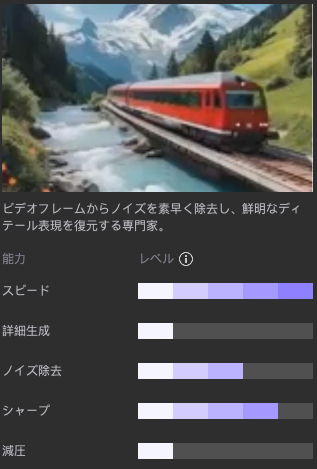
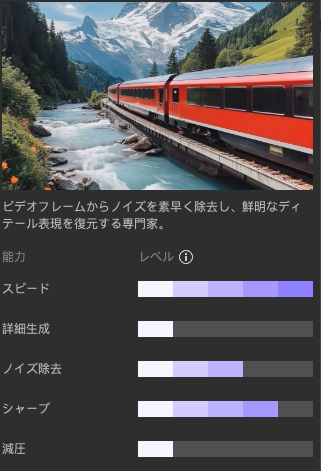
Noise is inevitable in videos shot at night or in dark indoor environments.
This manifests as graininess or roughness in the footage, ruining even the most wonderful moments.
However, the General Noise Removal Model built into HitPaw VikPea has the power to remove this pesky noise surprisingly clearly.
Ms.ガジェットI’m worried about whether the noise in videos shot at night can really be cleaned up?
Mr.ガジェットYes, the noise will be removed and you’ll get a dramatically clearer image.
Background features that enable creative expression
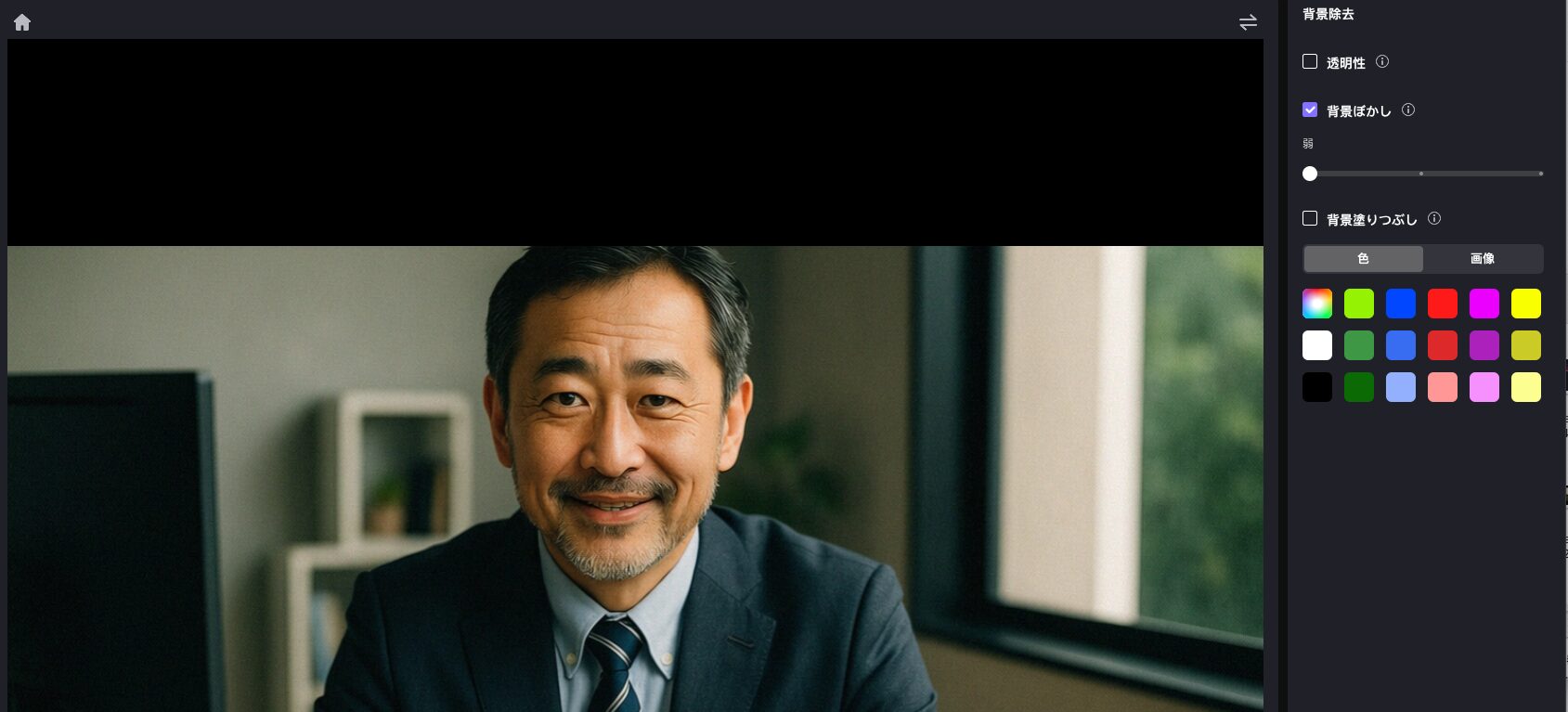
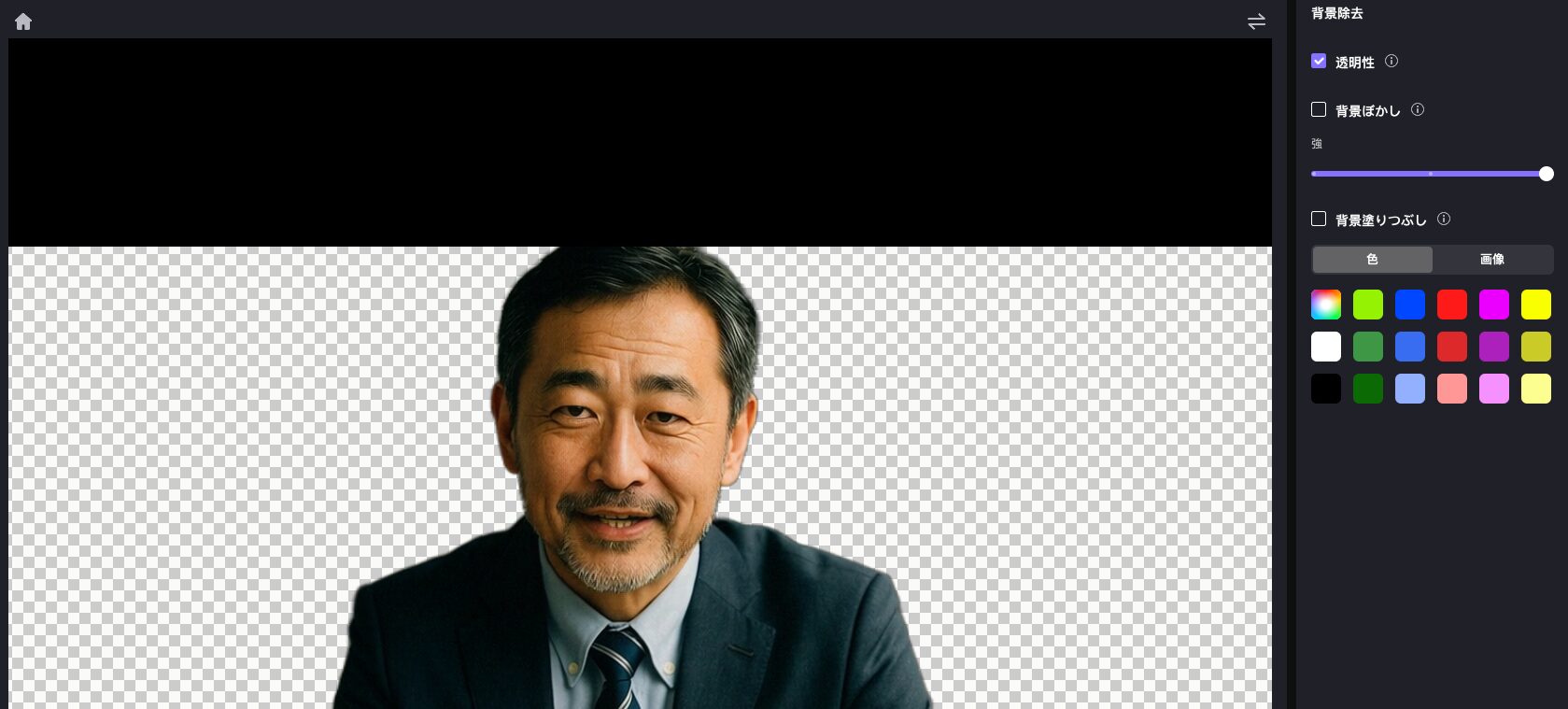
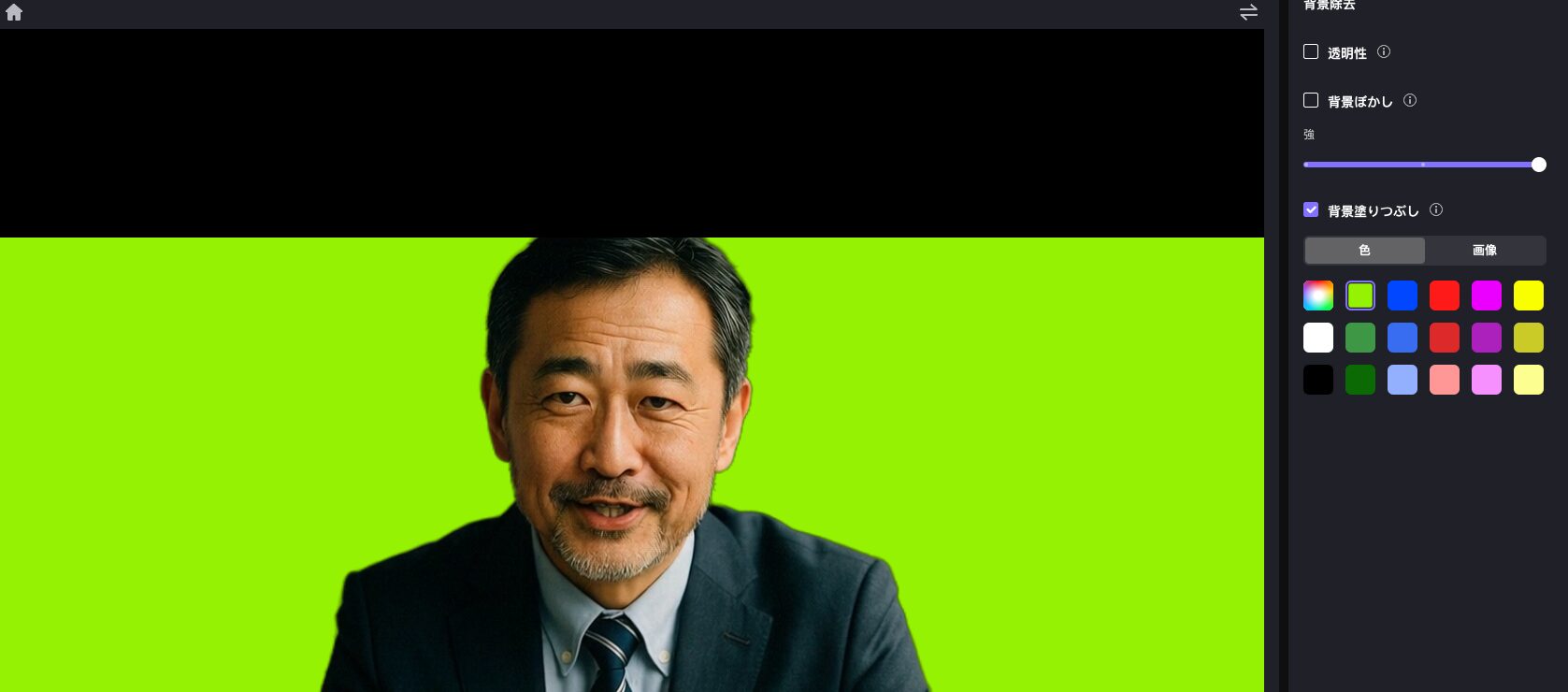
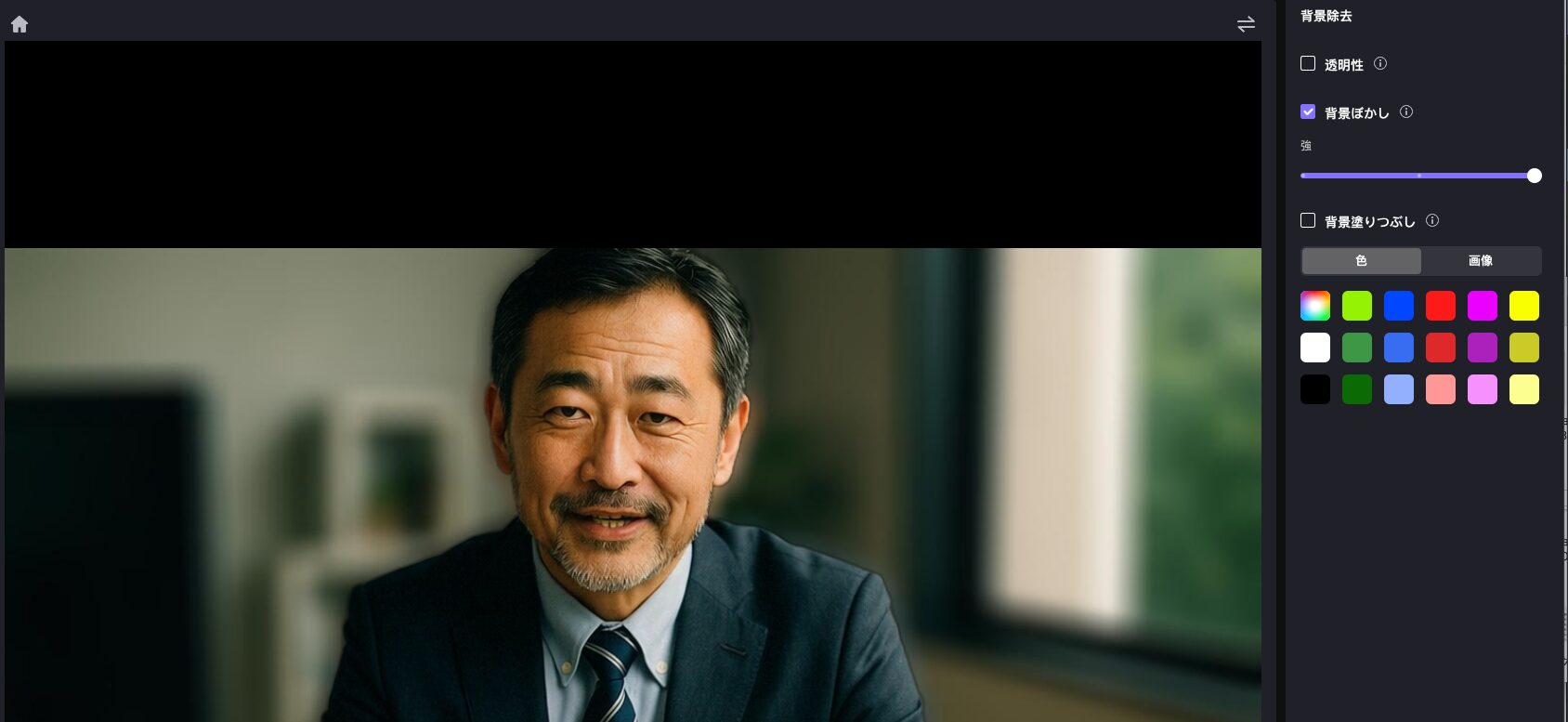
To get attention on SNS, it’s important to add creative spice to your videos, not just have good picture quality.
The background function of HitPaw VikPea is the answer to your question, “How can I make it more appealing?”
This tool is equipped with a function to replace the empty background of the original video and a function for AI to make the background transparent or subtract it from portrait videos.
Personally, I have a feeling that “background blur” will be useful♪
Ms.ガジェットI want to create videos that stand out on SNS, but advanced editing is difficult, isn’t it?
Mr.ガジェットAI will make creative expression easy for you.
HitPaw VikPea allows you to easily add “stand out” elements to your videos, even without difficult editing skills.
Express your creativity easily and amaze those around you.
Free video repair function that can even revive broken videos
Have you regretted losing precious memories because broken videos are unplayable, have flickering images, or have sound issues? The video repair function of HitPaw VikPea will be a lifesaver for those who have such worries.
This function uses AI algorithms to automatically repair corrupted or problematic video files.
Ms.ガジェットIs it really possible to revive videos that are already broken?
Mr.ガジェットYour lost precious moments will be revived by HitPaw VikPea.
HitPaw VikPea‘s video repair function allows you to see precious moments you thought were lost again.
Batch processing and cloud acceleration that deliver overwhelming time savings
Upscaling videos normally requires a lot of time and computer resources.
“I want to upscale a lot of videos, but I don’t know when it will finish” or “I’m worried about my PC becoming slow” – these are concerns that many people may have.
HitPaw VikPea solves these problems with two powerful features: batch processing and cloud acceleration.
Ms.ガジェットVideo processing takes a lot of time and makes my computer slow, so I’m worried…
Mr.ガジェットThose worries are a thing of the past. Get overwhelming efficiency now.
HitPaw VikPea dramatically reduces the time you spend on video upscaling and allows you to produce high-quality videos even without a high-spec PC.
It’s a groundbreaking tool that truly enables efficient time management.
Summary
HitPaw VikPea, which we introduced this time, is a groundbreaking tool that can upscale your low-quality videos to an amazing level with the power of AI.
- Equipped with the latest AI models for multiple functions such as noise removal, resolution enhancement, and color correction
- Simple operation that even beginners can easily understand, allowing you to create professional-quality footage immediately
- Batch processing and cloud acceleration save significant time and effort while upscaling a large number of videos
- Free video repair function and creative background editing expand the possibilities of video expression
Whether it’s cherished memories or videos that stand out on SNS, HitPaw VikPea makes it possible.
To dramatically improve your video experience, be sure to try this tool.
Thank you for reading to the end!
- The views expressed in this article are the independent opinions of this website.
- Unless otherwise stated, product prices and information are current at the time of writing.
- Please note that we cannot be held responsible for any errors or omissions. Thank you for your understanding.
- All product and service names mentioned are trademarks of their respective companies.
コメント