

When searching for gadgets on AliExpress, first deciding “what you want to use it for” will make it easier to narrow down products. Smartphones for gaming or photography, tablets for enjoying on a large screen, cameras that allow hands-free shooting, and gaming peripherals suitable for carrying around or for your desk. Each has different strengths.
This article introduces 9 products with features that explain their uses, divided into four categories: smartphones, tablets, cameras, and gaming peripherals. Choose a product based on the usage you’re interested in, and then check the regional version, set contents, and shipping conditions.
What you’ll learn in this article!
- AliExpress gadgets selected by purpose
- Features of each product and conditions related to usage
- Key points for checking regional versions, compatible devices, shipping, and returns
Author of this article: "Mr. Gadget"
- Studied under Masatoshi Ono, a million-selling singer who has performed at Kohaku Uta Gassen
- Experience supervising for Ameba Choice and the web media Picky's
- Individual member of the Word of Mouth Marketing Association
Nice to meet you!

Criteria for Choosing Gadgets on AliExpress
The criteria for choosing are having functions that suit the intended use case and being able to meet the conditions for using those functions. For smartphones, in addition to screen and camera features, check the regional version; for cameras, check the recording media and set contents; and for peripherals, check the connection destination.
 Mr. Gadget
If the product name is the same, will it be the same regardless of which store I buy it from?
 Mr. Gadget
First, match the regional version and the set. Even with the same model name, by looking at the capacity, accessories, and compatible device conditions, you can choose one that suits your needs.
Choose by matching the regional version and sales SKU
When selecting a product, look at the model name, capacity, color, regional version, and set description as a whole. Global or International versions of smartphones, Japanese versions of tablets, and Standard Kits or Standard Combos for cameras are clues to distinguish purchase contents.
Once you’ve checked the regional version, proceed to verify necessary Japanese display, communication methods, compatible apps, and warranty service. Also, check the included charger and shooting accessories in the included items list for each set, so you can prepare to use it upon arrival.
Check Shipping Origin, Destination, and Return Conditions
Check the shipping origin and destination separately. Even when looking for products shipped from Japan, view the shipping origin with the selected color and capacity, and confirm the delivery schedule for Japanese addresses. For returns, check the acceptance period, return address, and handling of return shipping fees.
 Ms. Gadget
If it’s shipped from Japan, does that mean it’s the Japanese version?
Mr. GadgetThe regional version and shipping origin are separate items. It’s easier to organize if you select the version you want, then check the shipping origin, destination, and warranty service.
Recommended Smartphones
If you prioritize gaming or screen quality, the POCO X7 Pro is a candidate. If you want to enjoy telephoto photography in addition to processing performance, consider the POCO F8 Ultra. If you’re interested in Leica’s telephoto camera, the Xiaomi 17T is an option. Don’t choose based on capacity alone; consider the features you want to use along with the regional version.
POCO X7 Pro
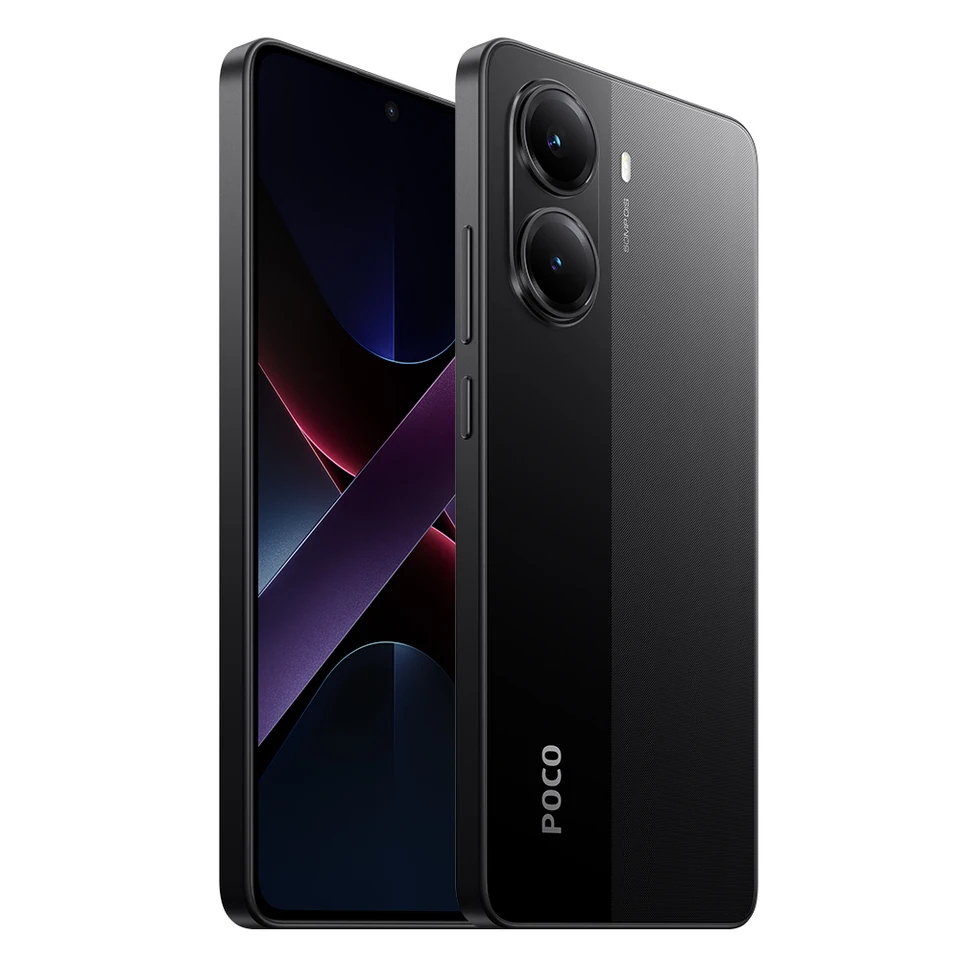
This is a suitable candidate for those who want to choose a smartphone primarily for gaming and screen visibility. It combines the Dimensity 8400-Ultra with a maximum 120Hz AMOLED display, offering features related to gaming and screen operation.
The main specifications for the Global version are as follows: POCO X7 Pro Official Specifications
| Item | Content |
|---|---|
| Processor | Dimensity 8400-Ultra |
| Display | Max 120Hz AMOLED |
| Battery | 6000mAh (typical value) |
| Charging | 90W HyperCharge |
If charging is also important, check the compatible charger and cable in the set contents. If you prioritize compatibility with domestic carriers, choosing based on the supported bands of the regional version you purchase and the compatible device information for the network you use will help narrow down the necessary conditions.
Mr. GadgetFor gaming, is it enough to just look at memory and storage capacity?
Mr. GadgetAfter considering the processor and screen, match it with the games you want to play, the amount of data you’ll store, and the network you’ll use. The key is to choose by including your daily usage.
POCO F8 Ultra
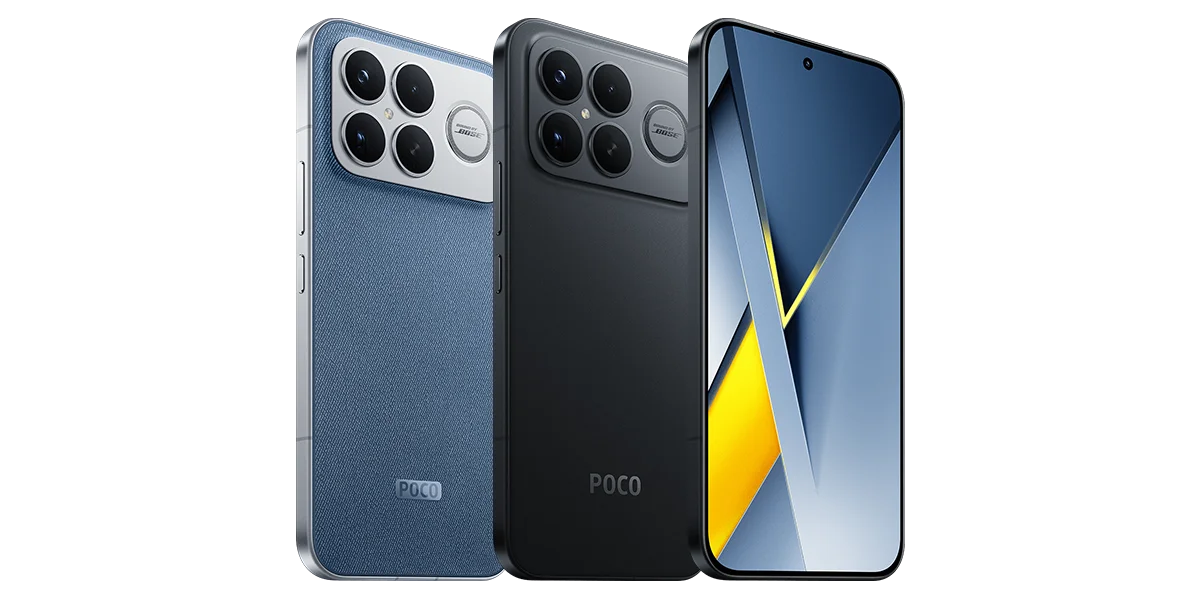
This is a suitable candidate for those who prioritize both processing performance and telephoto photography. It features a Snapdragon 8 Elite Gen 5 and a 5x telephoto camera. If you want to combine gaming enjoyment with capturing distant subjects in one device, consider its camera configuration.
The main specifications listed on the official Spanish page are as follows: POCO F8 Ultra Official Specifications
| Item | Content |
|---|---|
| Processor | Snapdragon 8 Elite Gen 5 |
| Telephoto Camera | 5x |
| Battery | 6500mAh (typical value) |
| Charging | 100W Wired・50W Wireless |
If you plan to use wireless charging, choose a compatible charger as well. Check the capacity, color, and included items for each sales set, and also confirm the language and communication conditions for the Global version. For those who prioritize photographic features, the ability to view not only the main camera but also the telephoto specifications is appealing.
Xiaomi 17T
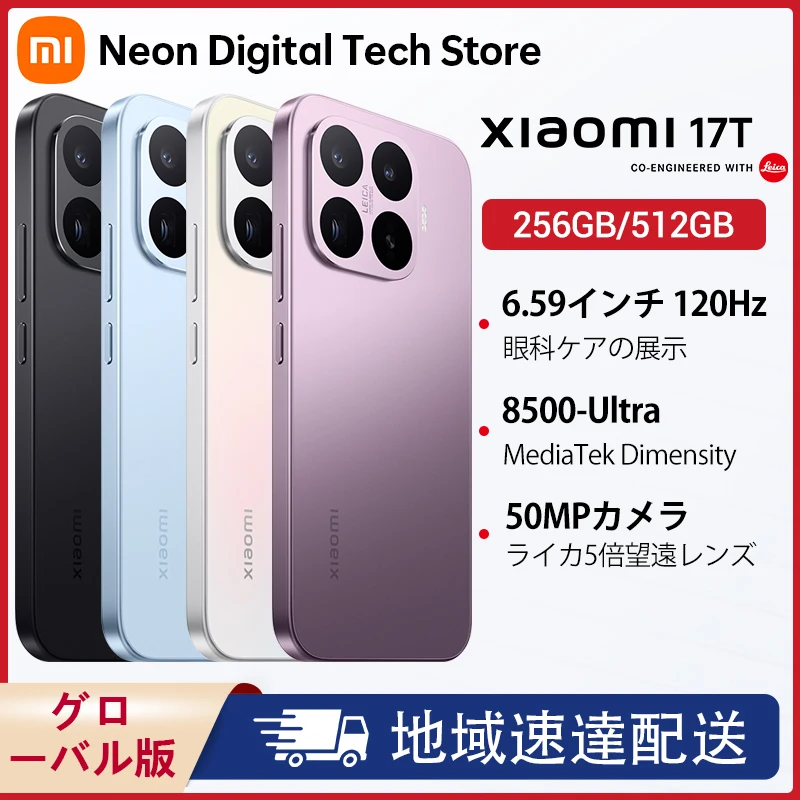
This is a suitable candidate for those who want to prioritize a telephoto camera for shooting distant subjects. Equipped with a Leica 115mm telephoto camera, you can choose this smartphone based on your photography needs.
Let’s check the main specifications for the Global version of Xiaomi 17T: Xiaomi 17T Official Specifications
| Item | Content |
|---|---|
| Processor | Dimensity 8500-Ultra |
| Telephoto Camera | Leica 115mm |
| Battery | 6500mAh (typical value) |
| Charging | 67W |
The official list of included items for the Global version does not include a power adapter. If you want to get a charger, check the included items in the sales set you choose. If you plan to use eSIM or AI features, verify compatibility with regional, language, and carrier conditions.
Mr. GadgetWhen choosing a smartphone for photography, what should I look at to see the differences?
Mr. GadgetLook at the camera configuration based on the distance you want to shoot from. If you anticipate using telephoto, you can choose based on that lens’s specifications and the shooting features you want to use.
Recommended Tablets
For those who want to enjoy videos and web pages on a large screen, tablets chosen by screen size are suitable. Considering where you’ll carry it and how you’ll place it will help you determine the size you need.
REDMI Pad 2 Pro
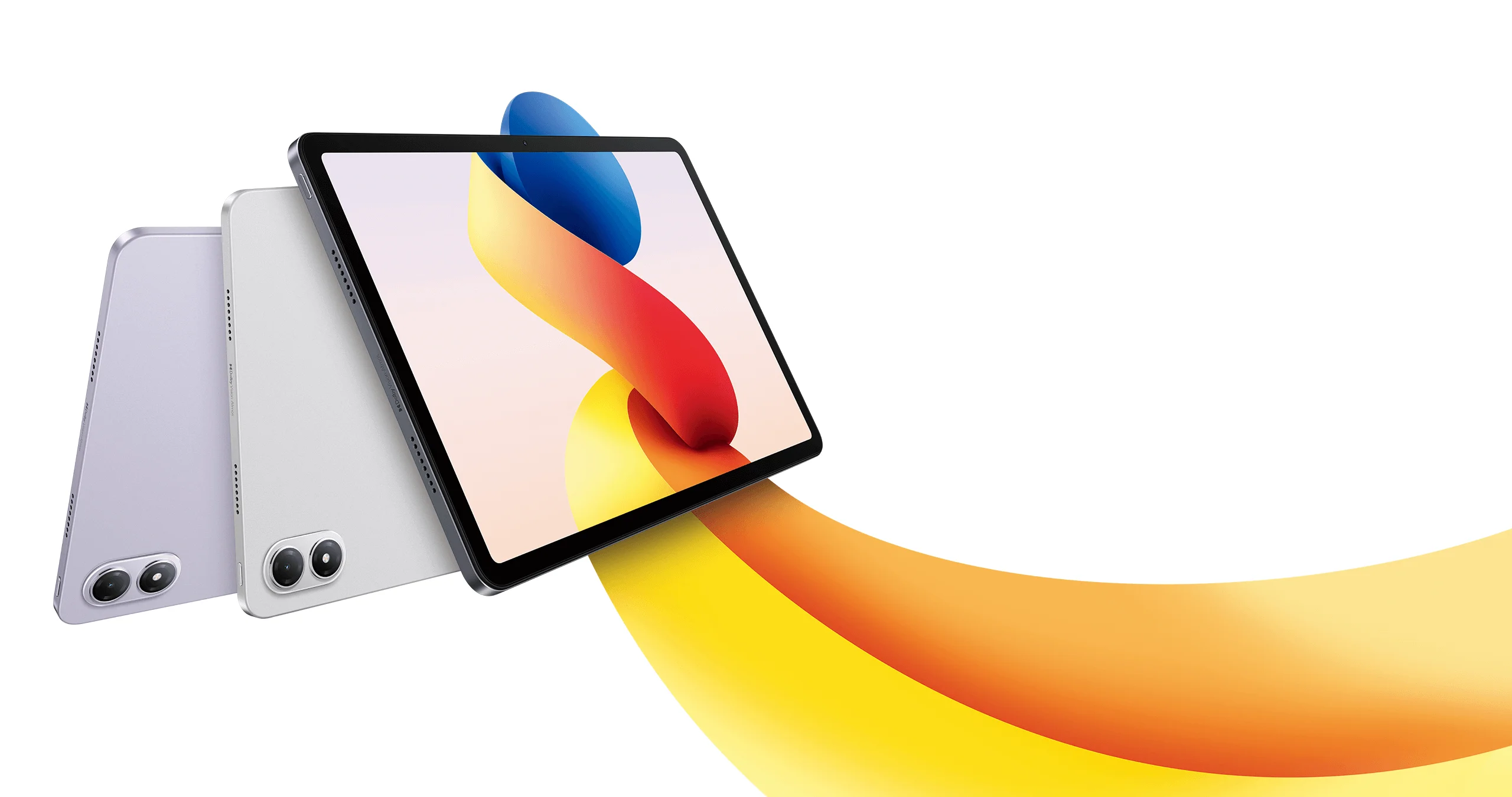
This is a suitable candidate for those who want to enjoy videos and browsing on a larger screen than a smartphone. The Japanese version of REDMI Pad 2 Pro features a 12.1-inch display. Its large display area can be utilized for uses like watching videos on a desk or reading documents spread out.
The main display specifications for the Japanese version are as follows: REDMI Pad 2 Pro Official Specifications
| Item | Content |
|---|---|
| Screen Size | 12.1 inches |
| Resolution | 2.5K |
| Refresh Rate | Max 120Hz (compatible apps/games) |
For those who use it handheld for long periods, considering a case or how to place it, in addition to screen size, makes it easier to decide on usage. If you want to use a pen or keyboard, check for compatible accessories and whether they are included, and match the Japanese version’s specifications with the selected sales set.
Ms. GadgetWith a large screen, can it be used for things other than videos?
Mr. GadgetIt’s also suitable for reading web pages and documents spread out. Deciding whether you’ll hold it to read or place it on a desk will also make it easier to choose a case or stand.
Recommended Cameras and Recording Devices
Cameras worn to capture daily life or travel, and dashcams installed in cars for recording, have different roles. Choose Insta360 GO Ultra and DJI Osmo Nano for hands-free shooting, and 70mai T800E for recording the front, rear, and interior of a car.
Insta360 GO Ultra
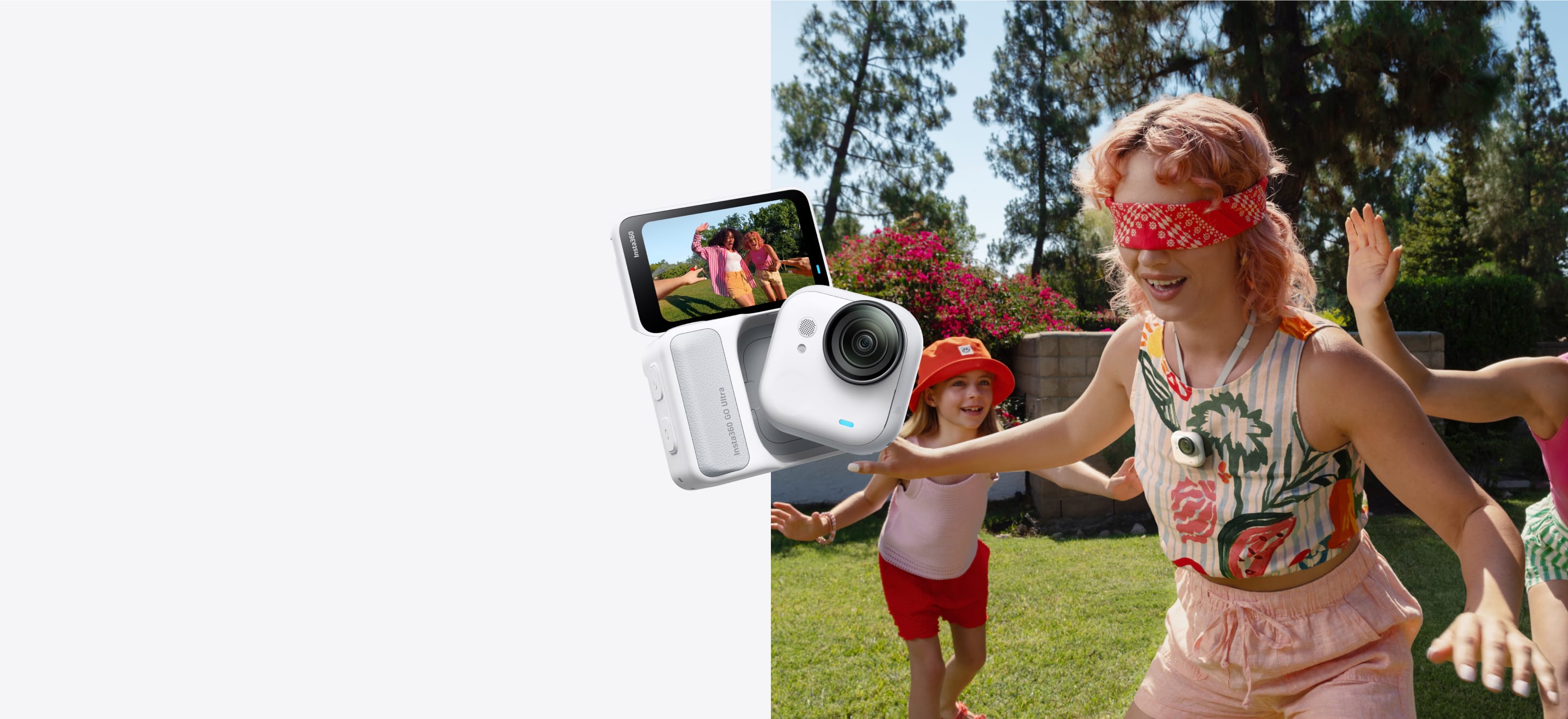
This camera is suitable for those who want to record their perspective in situations where both hands are used. It supports hands-free POV shooting using a magnetic mounting system, allowing you to enjoy a different perspective than holding the camera by hand.
Key features are as follows: Insta360 GO Ultra Official Specifications
| Item | Content |
|---|---|
| Video | 4K 60fps |
| Mounting | Magnetic mount system |
| Storage Media | Replaceable microSD card |
A microSD card is required for shooting. If you want to continue shooting by swapping cards, prepare compatible cards and consider the amount of footage, and also check if a card is included in the set you choose. Accessories that fit the mounting position are also key selection points. The camera body and Action Pod are parts with different roles, so check their respective descriptions for set contents and usage conditions when using near water.
Ms. GadgetWhat kind of shooting can I do with a small wearable camera?
Mr. GadgetYou can enjoy POV shooting that is close to your own perspective. Instead of choosing based on how you hold it, considering where you want to attach it and what you want to film will help narrow down accessories.
DJI Osmo Nano

This is a suitable candidate for those who want to combine wearable shooting with built-in storage. The Osmo Nano records video directly to the camera body and can export it to a microSD card via a multi-functional vision dock.
The recording media and conditions for starting use are as follows: DJI Osmo Nano Official FAQ
| Item | Content |
|---|---|
| Built-in Storage | 128GB model available |
| microSD card recording to main unit | Not supported |
| Export to card | Uses vision dock |
| First Use | Activation with DJI Mimo |
When choosing recording media, look at the difference from methods that record directly to the card. This is suitable for those who prefer to transfer footage via a dock after shooting. For initial setup, prepare a compatible smartphone and DJI Mimo, and check the contents of the Combo you choose.
Mr. GadgetCan GO Ultra and Nano be chosen based on how they save files?
Mr. GadgetYes. GO Ultra uses swappable cards, while Nano records to the main unit and exports from a dock. How you want to organize footage after shooting can also be a selection criterion.
70mai T800E
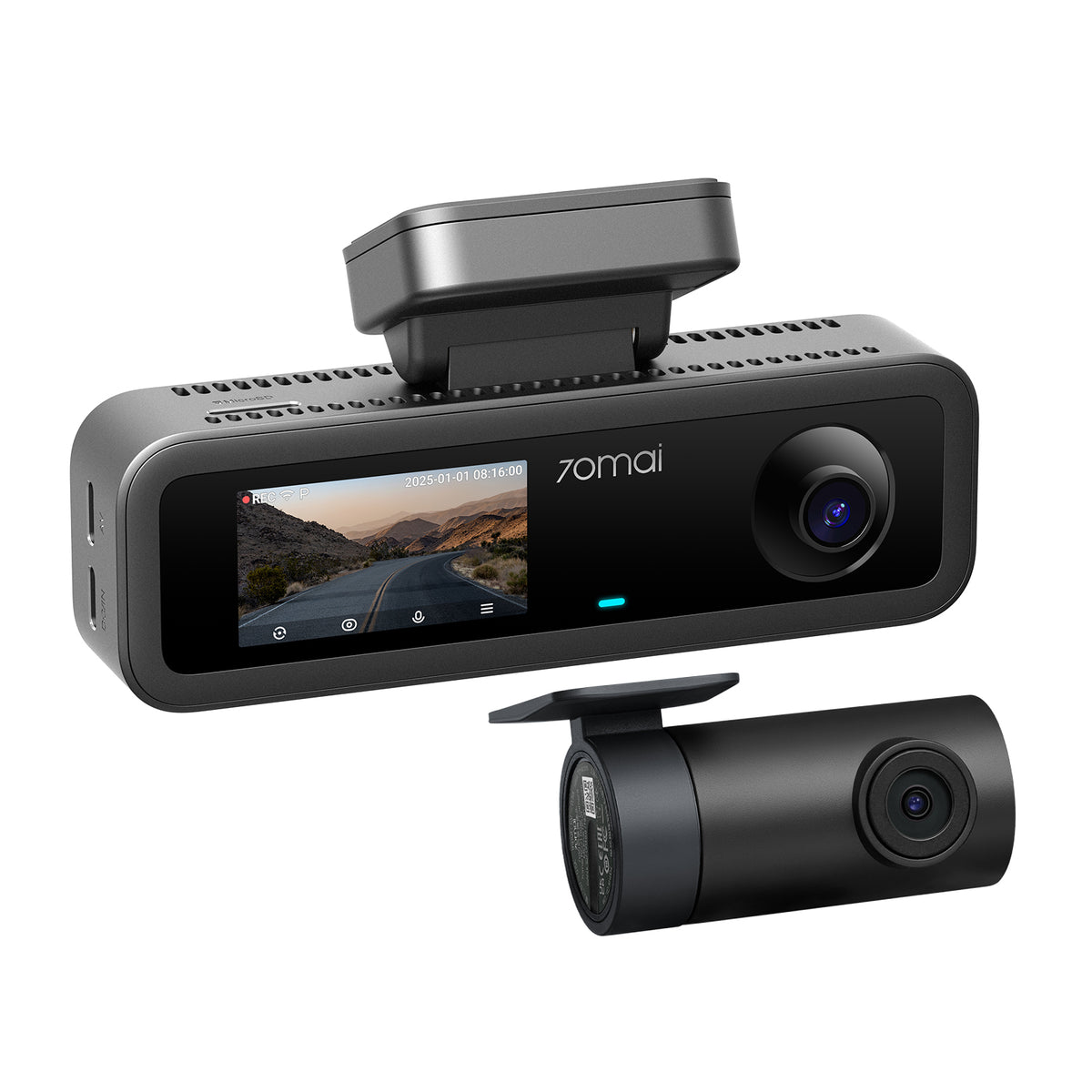
This dashcam is suitable for those who want to record the front, interior, and rear of their car all at once. The T800E has a 3-channel configuration, and the front camera supports 4K/24fps recording.
The main configuration is as follows: 70mai Official Support
| Item | Content |
|---|---|
| Recording Direction | 3 channels: Front, Interior, Rear |
| Front Recording | 4K・24fps |
| Power Retention Component | Supercapacitor |
If you want to record the car interior, paying attention to the shooting direction configuration makes it easier to choose. Match the installation location, wiring, card, and power accessories to your vehicle and the set contents. It’s also important to choose the T800E model number and configuration, not the similarly named T800. When selecting a set shipped from overseas, check for shipping to Japan, Japanese manuals and apps, and warranty service.
Recommended Gaming Peripherals
We introduce small portable controllers and keyboards for your desk. Choosing based on game type and connection destination allows you to organize differences in usage that aren’t apparent from size alone.
8BitDo Micro
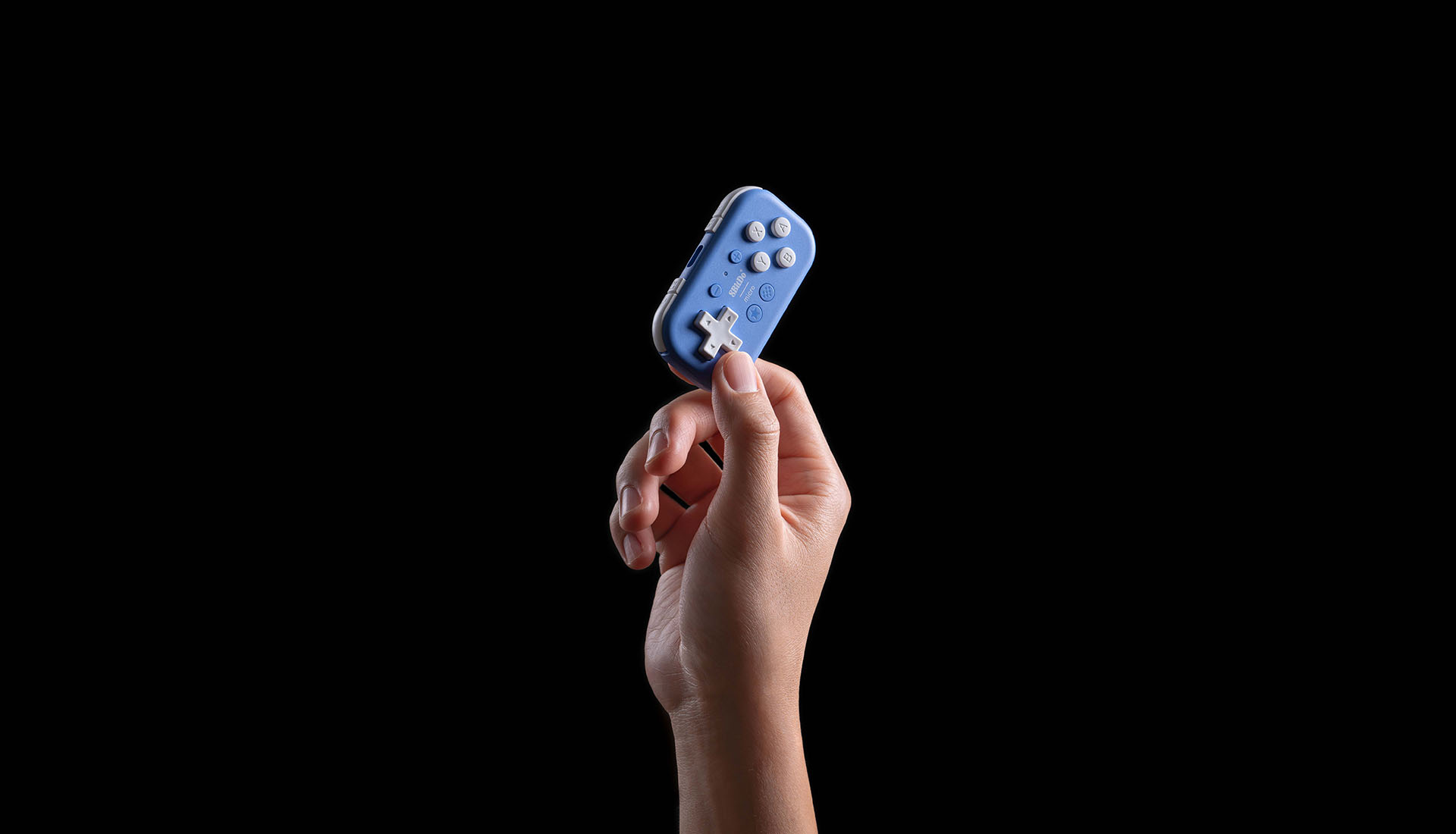
This is a small controller suitable for those who want to carry it around and play 2D games. It weighs 24.8g and features 16 buttons. 8BitDo Micro Official Specifications
| Item | Content |
|---|---|
| Weight | 24.8g |
| Buttons | 16 |
| Compatible Devices for Gaming | Switch・Switch 2・Android |
| Other Compatibility | Windows・macOS・iOS・iPadOS only in Keyboard mode |
This configuration is suitable for 2D games that use a D-pad and buttons. Choose it separately from games that use analog sticks or require vibration/motion controls. When using it with Windows or iPad, it’s important to distinguish between gamepad support and Keyboard mode, and consider the operations you want to assign. When selecting a set shipped from overseas, check for shipping to Japan, Japanese manuals and settings apps, and warranty service.
Ms. GadgetCan it be used as the same gamepad on PCs and iPads?
Mr. GadgetWindows, macOS, iOS, and iPadOS are supported in Keyboard mode. When choosing a gamepad connection destination, distinguish it from Switch series and Android compatibility.
ATTACK SHARK X85
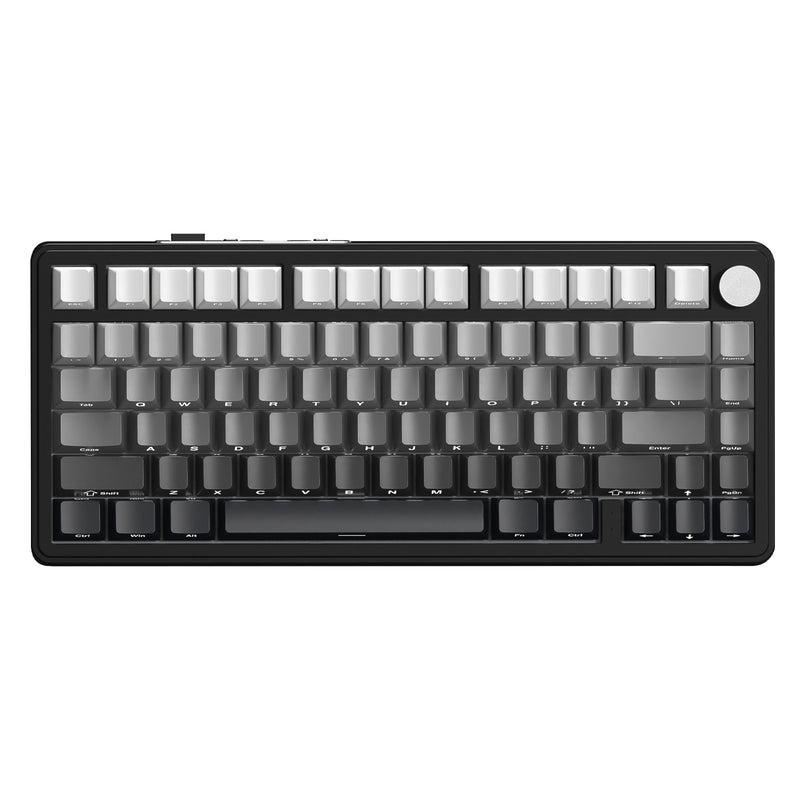
This is a suitable candidate for those who want to use arrow keys and function keys while keeping their desk keyboard compact. The X85 features a 75% ANSI layout and a knob, supporting Bluetooth, 2.4GHz wireless, and USB wired connections. ATTACK SHARK X85 Official Specifications
| Item | Content |
|---|---|
| Layout | 75% ANSI |
| Controls | Knob |
| Connectivity | Bluetooth・2.4GHz Wireless・USB Wired |
Those who use it for Japanese input should choose by looking at the key layout differences from their usual JIS layout. Match the color, switches, and accessories with the selected sales set. For tasks that frequently use a numeric keypad, considering which device you’ll use for number input will make it easier to decide on your desk setup.
Mr. GadgetFor Japanese input, is it the same as choosing a Japanese layout?
Mr. GadgetThe X85 has an ANSI layout. Compare the symbols and key placements you usually use to see if it suits your input style.
Things to Check Before Using in Japan
For smartphones, check for Japanese display, compatibility with your network, and necessary apps. For cameras, look at compatible smartphones, apps, cards, and docks; for peripherals, check compatible OS and input modes. Whether it ships from Japan and whether it supports the functions you want to use in Japan are separate items.
For devices that use Wi-Fi, Bluetooth, etc., also check the Technical Conformity Mark (giteki) display and certification information for the model number you are purchasing. Information regarding giteki can be found in the official guidance from the Ministry of Internal Affairs and Communications.
When shipped from overseas, customs procedures may apply depending on the shipping method, and customs duties or consumption taxes may be incurred. The process until receipt can be confirmed in the Customs’ guide to personal imports.
For warranty, check the contact point and covered region of the purchase source; for returns, check the return address and handling of shipping fees. This will help organize where to inquire after purchase. Confirm the necessary information for the selected regional version, capacity, and set before proceeding to order.
Mr. GadgetThere are many items to check, so I’d like to decide on an order.
Mr. GadgetIt’s easier to organize if you look in this order: regional version, compatible devices, set contents, and then shipping/returns. First, gather the conditions for use, then check your order details.
Related AliExpress Articles and Category-Specific Articles
If you want to organize your understanding of how to use AliExpress and considerations when purchasing, please also refer to AliExpress Features and How to Use It. This will be helpful when considering the flow from product selection to ordering.
Information on sales and coupons can be checked at AliExpress Sales and Coupon Information. Compare the event period and application conditions with the conditions of the product you are ordering.
Choose by Matching Usage and Sales Conditions
Smartphones chosen primarily for gaming or photography, the REDMI Pad 2 Pro for enjoying on a large screen, cameras suitable for wearable shooting or car recording, and gaming peripherals that fit small input devices or your desk. First, decide the situation you want to use it in, and you can narrow down the products of interest.
Next, check the regional version, compatible devices, set contents, and shipping and return conditions. From the product box of the item you’re interested in, proceed to details and choose the capacity and set that suits your usage.
Thank you for reading until the end!
- The evaluation in this article is unique to this site.
- Unless otherwise specified, product prices and information are current as of the time of writing.
- Please note that this site cannot be held responsible for any inaccuracies in this information.
- Product and service names mentioned on this site are trademarks of their respective companies.
This article was originally written in Japanese and has been translated.
Comments