

In today’s world, where smartphone screen resolutions have improved and 4K monitors and high-definition TVs have become commonplace, there are more occasions where the “graininess” of cherished videos shot years ago or highly compressed videos on the internet stands out. Especially when viewing old home videos on modern monitors, blurring and noise can inevitably hinder the sense of immersion.
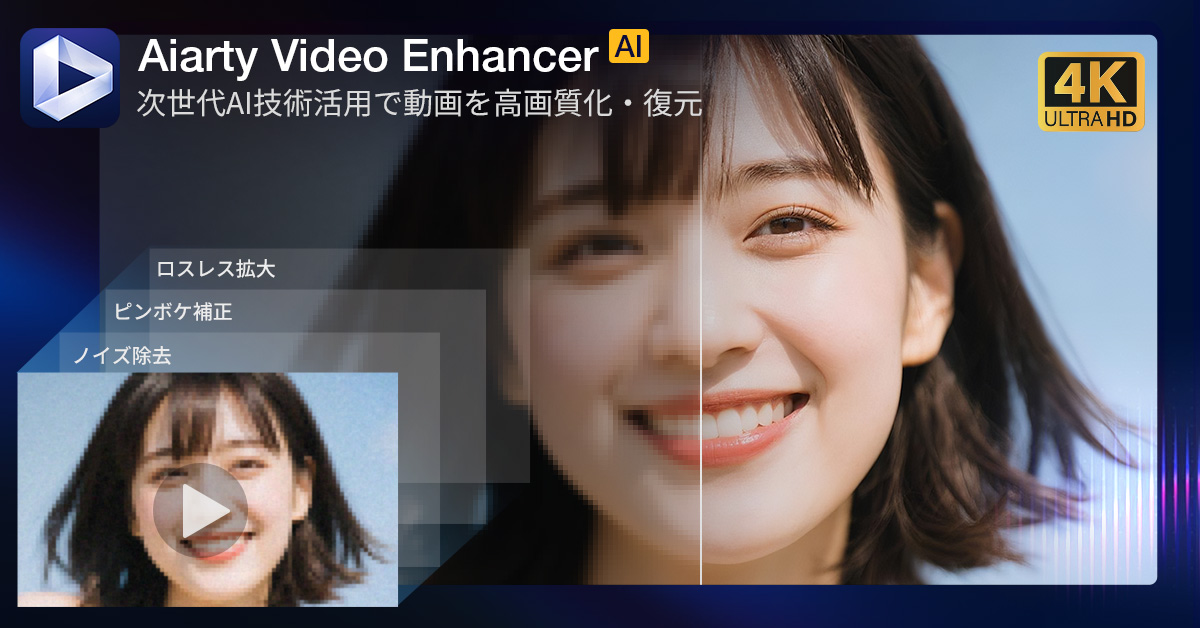
Aiarty Video Enhancer is desktop software designed to correct and upscale such low-resolution, low-frame-rate footage using the latest AI technology. Rather than simply stretching pixels, it takes an approach of “reconstructing” the video information.
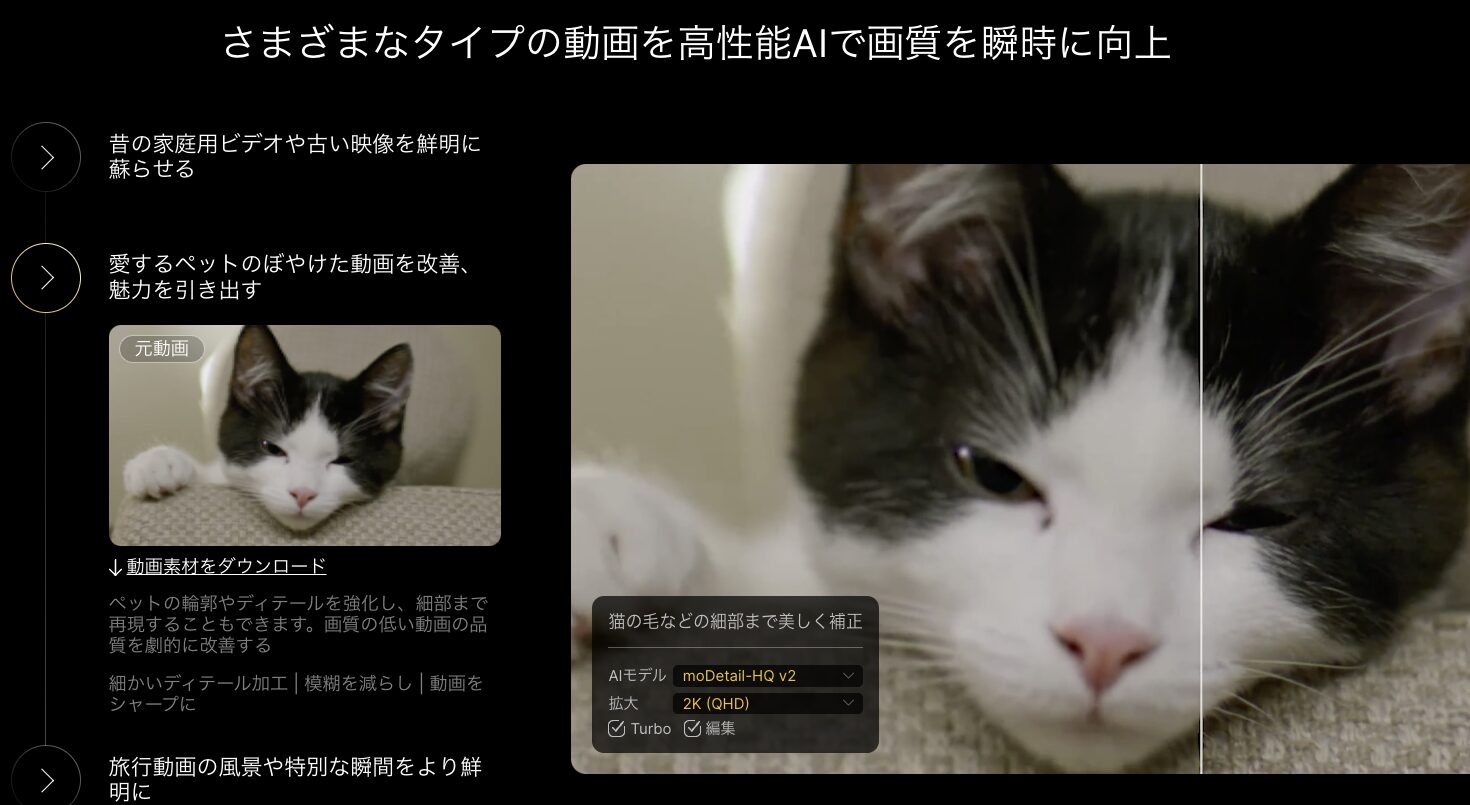
▲ Preview example in the actual operation screen. The AI completes detail information and sharpens the image.
1. Technical Features Supporting Video Reconstruction: Diffusion + GAN
The most significant feature of Aiarty Video Enhancer lies in its cutting-edge AI inference models, which are distinct from traditional interpolation techniques such as bilinear or bicubic. This software employs a “Hybrid AI Model” that combines the strengths of Diffusion models and GANs (Generative Adversarial Networks).
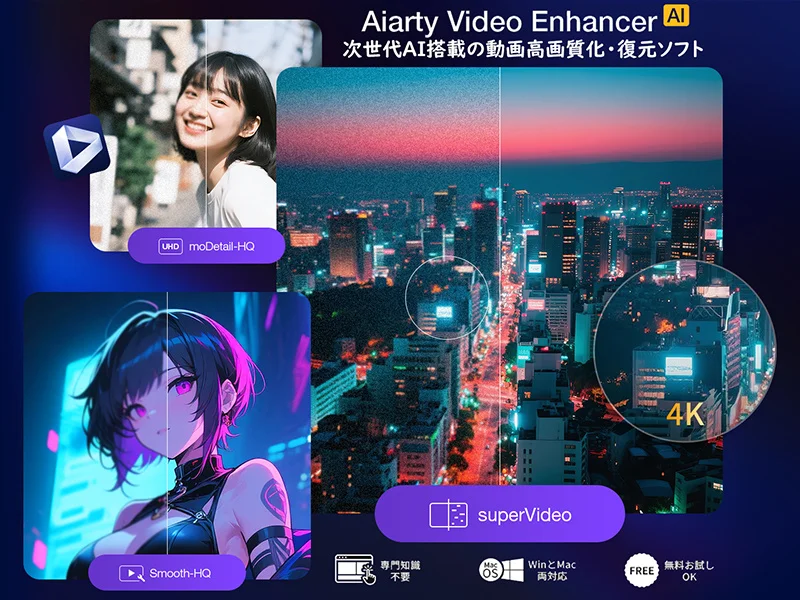
Trained on a massive dataset of 2.38 million images, the AI analyzes patterns within the video in milliseconds. It doesn’t just increase resolution; it predicts and draws in “the details that should naturally be there” (such as skin texture, veins in leaves, and building outlines). This makes it possible to remaster SD (480p) or HD (720p) footage up to 4K (2160p) while suppressing unnatural noise.
Optimization for Hardware: Turbo Mode
Video processing by AI is a process that places an extremely high load on a PC’s computational resources. This software features a “Turbo Mode” optimized for GPU acceleration on NVIDIA RTX series, AMD Radeon, and Intel Haswell or later processors. According to manufacturer figures, it improves processing efficiency by approximately 67% compared to previous methods and achieves a processing speed about three times faster (depending on the environment) than other tools.
2. Three Specialized AI Models Suited for Different Sources
The optimal correction method for a video varies depending on the shooting environment and the subject. In Aiarty Video Enhancer, you can choose the most suitable model from the following three options:
Emphasis on Texture and Detail:
Ideal for live-action footage requiring fine depiction, such as human skin, hair, animal fur, and landscapes. It increases resolution while keeping edges sharp to pursue realism.
High-Fidelity Restoration:
Suitable for videos with block noise from compression, classic anime, or home videos. It suppresses excessive enhancement and refines the image into a smooth and stable quality.
Specialized for Low-Light & Noise:
Designed for footage shot at night or in dark rooms with heavy grain noise. It effectively removes luminance and color noise to improve visibility.
3. Additional Features to Improve the Overall Viewing Experience
This software can apply AI correction not only to resolution but also to the “motion” and “audio” of the video.
AI Frame Interpolation: Smooth Motion
For low-frame-rate videos (e.g., 15fps or 24fps), the AI generates and inserts intermediate frames. It can smooth motion up to 120fps, converting stuttery old footage into smooth, modern-style video. It also supports the creation of super slow-motion videos up to 16x using this technology.
AI Audio Noise Removal: AI Noise Suppression
Parallel to video improvement, it features a function to automatically remove background noise from audio. It reduces wind noise, environmental noise, hiss, etc., making human voices stand out clearly. This is a practical feature that can significantly reduce editing effort when restoring interviews, vlogs, and home videos.
4. Pros and Cons for Purchase Decision
To ensure readers achieve their expected results in their own environment, it is necessary to understand not only the advantages but also the limitations. We have organized the key points from a neutral perspective.
Pros
- High-Precision Reconstruction: High reproducibility of fine details thanks to the proprietary hybrid AI model.
- Batch Processing Support: Possible to list multiple videos and export them together with the same settings.
- Security of Local Processing: Privacy is protected because data is not sent to the cloud.
- Multi-functionality: Correction of resolution, motion, and audio can be completed within a single software package.
Cons
- Hardware Dependency: High-load processing such as 4K conversion strongly requires specs above the recommended GPU.
- Impact on Storage: Exported video files will have large capacities corresponding to their resolution.
- Installation Requirement: Since it is not an online service, prior software installation is necessary.
5. Operating Requirements and Basic Operation
Aiarty Video Enhancer is compatible with Windows and macOS. To bring out the performance of the AI models, the following environment is recommended.
Supported OS: Windows 10/11 (64-bit) 1809 or later, or macOS 10.15 or later
Recommended GPU: NVIDIA GeForce GTX 600 or later, AMD Radeon HD 7000 or later, or Intel Haswell or later
Memory: 8GB or more (16GB or more recommended for 4K processing)
Simple 3-Step Operation
- Import: Add the video files you want to enhance via drag-and-drop.
- Model Selection: Choose one of the three AI models and set output resolution and FPS.
- Export: Check the effect in the preview and, if satisfied, click the batch output button.
2025 Christmas Giveaway Campaign
A limited-time campaign is being held until December 26, 2025, where you can experience all the product’s features.

▲ Anyone can easily participate from the campaign page.
[Present for Everyone] 30-Day Full Feature Unlimited Access Code
*Please enter this in the license registration screen within the software
Campaign Highlights:
- 30-Day Free License: By entering the above code, you can try all features for 30 days without output restrictions.
- Amazon Gift Card Raffle: Participate in a raffle by sharing the campaign on X (formerly Twitter).
- 1 Buy 1 Get 1 Benefit: Purchase Aiarty Video Enhancer and get the image correction software “Aiarty Image Enhancer” for free.
Summary
Aiarty Video Enhancer is a practical tool for integrating advanced AI inference technology into the desktop editing process and adapting past video assets to modern viewing environments. While there are considerations regarding hardware resources such as processing speed and file size, its privacy protection as a local-only tool and the efficiency of performing multiple correction functions at once are significant features.
We recommend first utilizing the distributed 30-day free license to verify how much your videos can be improved within your own PC environment.
Click here for official information and latest downloads
Aiarty Video Enhancer Official Website
コメント