MENU
カテゴリーから検索
Search by Month
Gadget Review Blog to Enrich Your Daily Life
Mistergadget
Mistergadget
  1. Home
  2. Gadgets
  3. Charger
  4. Safe for smartphones and PCs! How to choose a USB charger | How to find the best one

Safe for smartphones and PCs! How to choose a USB charger | How to find the best one

2025 12/21
Gadgets Charger
Explanation
2025年12月21日
This site earns revenue through affiliate programs.
🇯🇵 JP🇺🇸 EN🇫🇷 FR🇪🇸 ES🇨🇳 中🇰🇷 한

Smartphones, tablets, wireless earphones, notebooks, and more – the number of devices charged via USB is really increasing.
Along with that, the types of USB chargers are diversifying incredibly.
With a lot of specialized terms like output wattage and port types, many people may be wondering, “Which one should I choose?”

Ms. Gadget

There are so many types, and it’s difficult to understand which one to choose.

Mr. Gadget

That’s okay, you can choose without fail if you understand the basics.

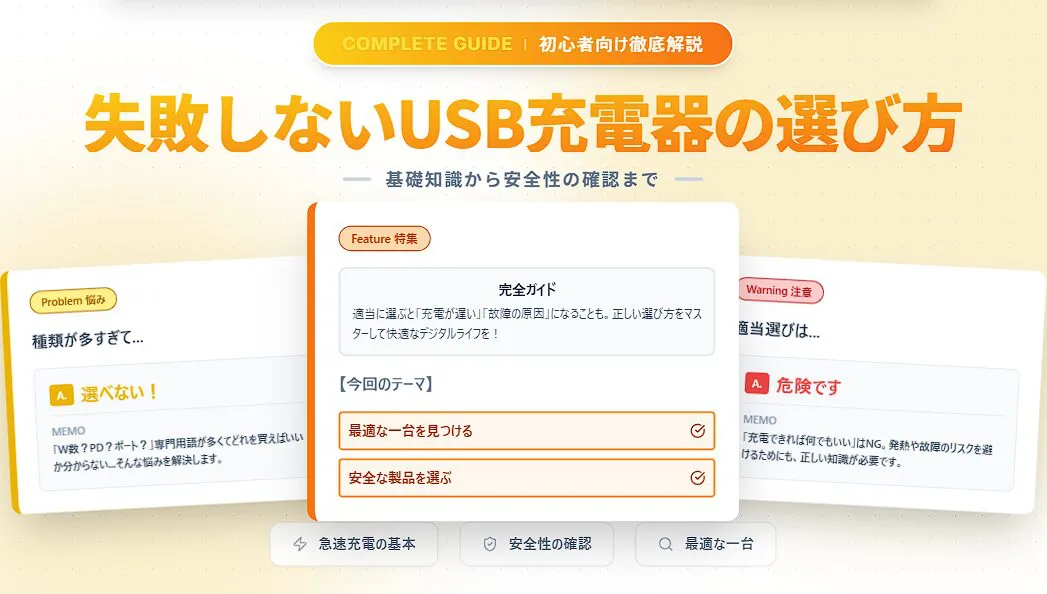
Choosing the wrong charger can not only result in slow charging but also prevent you from taking full advantage of your device’s performance, and in the worst-case scenario, it could lead to safety issues such as device failure or overheating.
“As long as it charges, anything is fine” – actually, choosing a charger carelessly is a very dangerous action.

This article will resolve your doubts and anxieties about choosing a USB charger and clearly and carefully explain how to confidently find the best one for your devices, even if you’re a beginner.
Please read to the end and make your digital life more comfortable and safe.

Written by Mr. Gadget
  • Studied under Million-selling singer Masatoshi Ono, who has performed in the Kohaku Uta Gassen (NHK New Year’s Eve singing contest).
  • Supervised by Ameba Choice and WEB media Picky’s.
  • Individual member of the General Incorporated Association of Word-of-Mouth Marketing.
Thank you!

What you’ll learn in this article!

  • Basic knowledge for finding the optimal USB charger
  • Step 1 in choosing a USB charger: Confirming your devices
  • 4 factors that determine charging performance and convenience
  • Essential checks for safe and secure use
  • Final check for choosing the optimal USB charger
Find a charger that’s right for you!
You May Also Like
Chargersを探そう!|最適Chargers診断ツール Chargers選びで迷ったらこれ!最適Chargers診断ツールで、スマホ機種、出力、ポート数、携帯性など重視するポイントからあなたに合う一台を簡単に診断。
TOC

Basic knowledge for finding the optimal USB charger

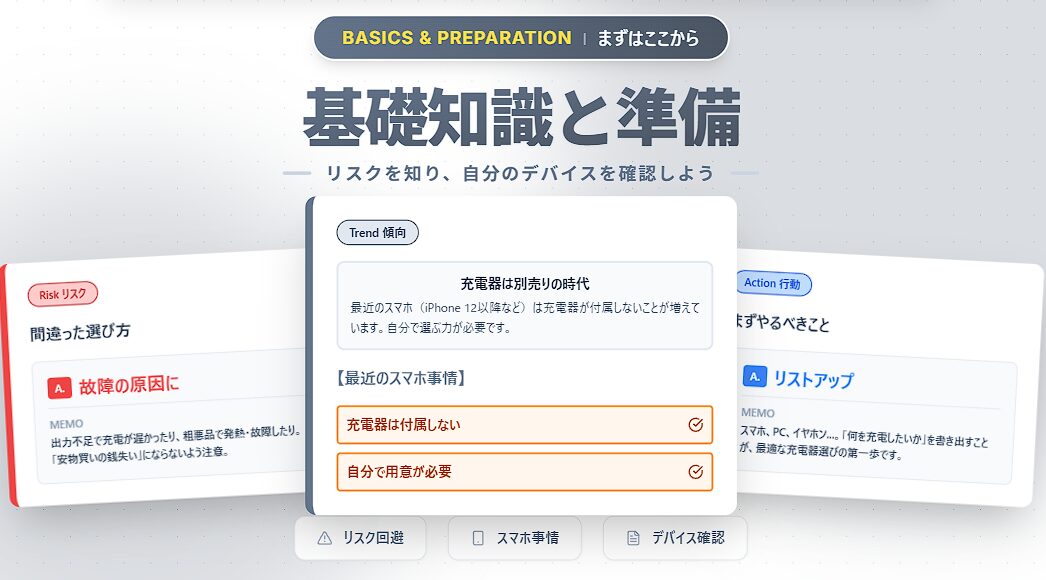
How to choose a smartphone charger. Recently, smartphones don't come with chargers, so you need to choose them yourself. A guide to avoiding failure risks and listing the devices you want to charge.

Key points of this heading!

  • Avoiding risks due to incorrect selection
  • The arrival of the smartphone era without chargers

Choosing a USB charger, which is essential to your digital life, is very important.

Why is choosing a charger important now? What are the risks of making the wrong choice? And what is the current situation with smartphones? We will explain the basics in an easy-to-understand manner.

Avoiding risks due to incorrect selection

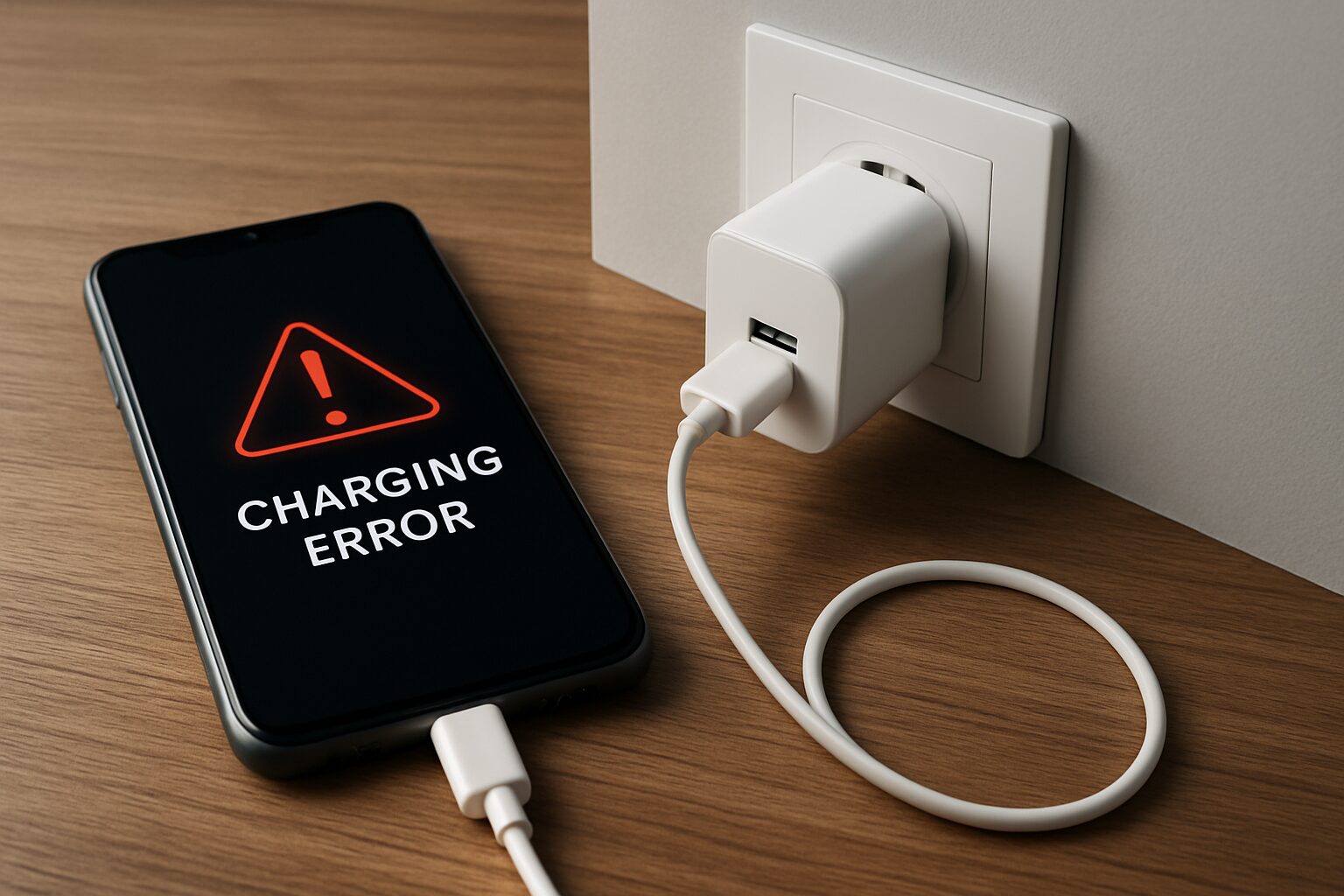
Charging error displayed on a smartphone screen connected to a charger

If you choose the wrong USB charger, several risks may occur.
First, the most immediate risk is that charging will take a long time.
If you use a charger with an output (W) lower than what your device requires, it may take hours to fully charge, preventing you from using your device immediately.

Ms. Gadget

Is it possible for my smartphone to break because of the charger?

Mr. Gadget

Yes, the possibility is not zero.

More seriously, there is the risk of device failure or overheating.
Using a substandard or incompatible product can cause unstable voltage or current, which can overload the device, accelerate battery degradation, or damage internal circuits.

Especially, products that do not meet the Japanese Electrical Appliance and Materials Safety Law standards, meaning they do not have a PSE mark, are not guaranteed to be safe.
“You get what you pay for” – and in this case, it could mean damaging your valuable device. Therefore, it is very important to have the awareness of “choosing a good product.”

The arrival of the smartphone era without chargers

In the past, when you bought a smartphone, a charger (AC adapter) and cable were always included in the box.
However, recently, Apple has stopped including chargers with the iPhone 12 series and later, citing environmental considerations.

Ms. Gadget

If I buy a smartphone without a charger, what should I do?

Mr. Gadget

You need to choose an appropriate charger yourself.

This means that even if you buy a new smartphone, you need to prepare a charger separately.
Those of you who have been using the included charger without thinking about it need to understand how to choose one and find a charger that suits your smartphone.

There are many high-performance and convenient products other than genuine ones, so let’s gain the correct knowledge and choose a charger with confidence.

Step 1 in choosing a USB charger: Confirming your devices

A wooden desk with a smartphone, tablet, and notebook computer with an open keyboard.

Key points of this heading!

  • Listing the devices to be charged

The most basic step in choosing a USB charger is to accurately know what we want to charge.
Identifying all the devices you want to charge is the first and most important step in finding the optimal charger.

It is important to check in advance what connection terminals your devices have and what fast charging standards they support.
We will explain the specific methods in the following headings.

Listing the devices to be charged

A wooden desk with a smartphone, wireless earphone case, two USB-C cables, and a notebook computer.

Listing the devices to be charged is an action to understand all the charging needs of your devices.
This is very useful in determining the “type” and “number” of chargers you need.

Write down all possible devices that may be charged via USB, including smartphones, tablets, notebooks, wireless earphones, smartwatches, and portable game consoles.

Ms. Gadget

I have a lot of devices, and I don’t know where to start checking.

Mr. Gadget

I recommend starting by making a list.

By specifically listing the charging devices, you can clearly imagine the type and number of chargers you need.

4 factors that determine charging performance and convenience

An illustration explaining the 4 factors that determine charger performance: output specifications and charging speed.

Key points of this heading!

  • Point 1: Output (W) – The key to charging speed
  • Point 2: Fast charging standards – The importance of confirming compatibility (USB PD, QC, etc.)
  • Point 3: Ports – Selecting the type (Type-A/C) and number
  • Point 4: Size and shape – Portability and installation location

To choose a USB charger, it is important to check the 4 factors that determine charging performance and usability.

If you understand these factors, you will be able to see the optimal charger for your devices. “Output (W)”, “Fast charging standards”, “Port type and number”, and “Size and shape”. We will explain each point in detail so that even beginners can understand.

Find a charger that’s right for you!
You May Also Like
Chargersを探そう!|最適Chargers診断ツール Chargers選びで迷ったらこれ!最適Chargers診断ツールで、スマホ機種、出力、ポート数、携帯性など重視するポイントからあなたに合う一台を簡単に診断。

Output (W) – The key to charging speed

Charging wattage by device: Smartphone 20W, Tablet 30W or more, Notebook PC 45-100W
Points to check
  • Compare with the maximum input specification of the device to be charged: Choose a charger with an output that meets or exceeds the maximum charging speed supported by the device.
  • Check the total output when charging multiple devices: Check the total output value when charging multiple devices simultaneously.

The “output (W)” of a USB charger is a factor that greatly affects charging speed.
“W (watt)” is a unit that indicates the amount of power that the charger can supply at once.

The larger this number, the faster the device can be charged.

For example, smartphones generally can be fast-charged at around 20W to 30W, but tablets require 30W or more, and notebooks with high power consumption require 45W to 100W or more.
Check the W number required by the devices you want to charge and choose a USB charger with a higher output.

Ms. Gadget

My smartphone says it supports 25W. Is it okay to use a 30W charger?

Mr. Gadget

A charger with an output higher than the device requires is no problem. The charging speed will be limited to the device’s maximum supported value.

Also, if you want to charge multiple devices simultaneously, you need to choose a charger with a total output greater than the sum of the W numbers required by each device.

However, as explained in the port number section, when using multiple ports, the output is distributed to each port, and the maximum output of each port may decrease.
By choosing the appropriate output charger, you can shorten the charging time and reduce stress in your daily life.

Fast charging standards – The importance of confirming compatibility (USB PD, QC, etc.)

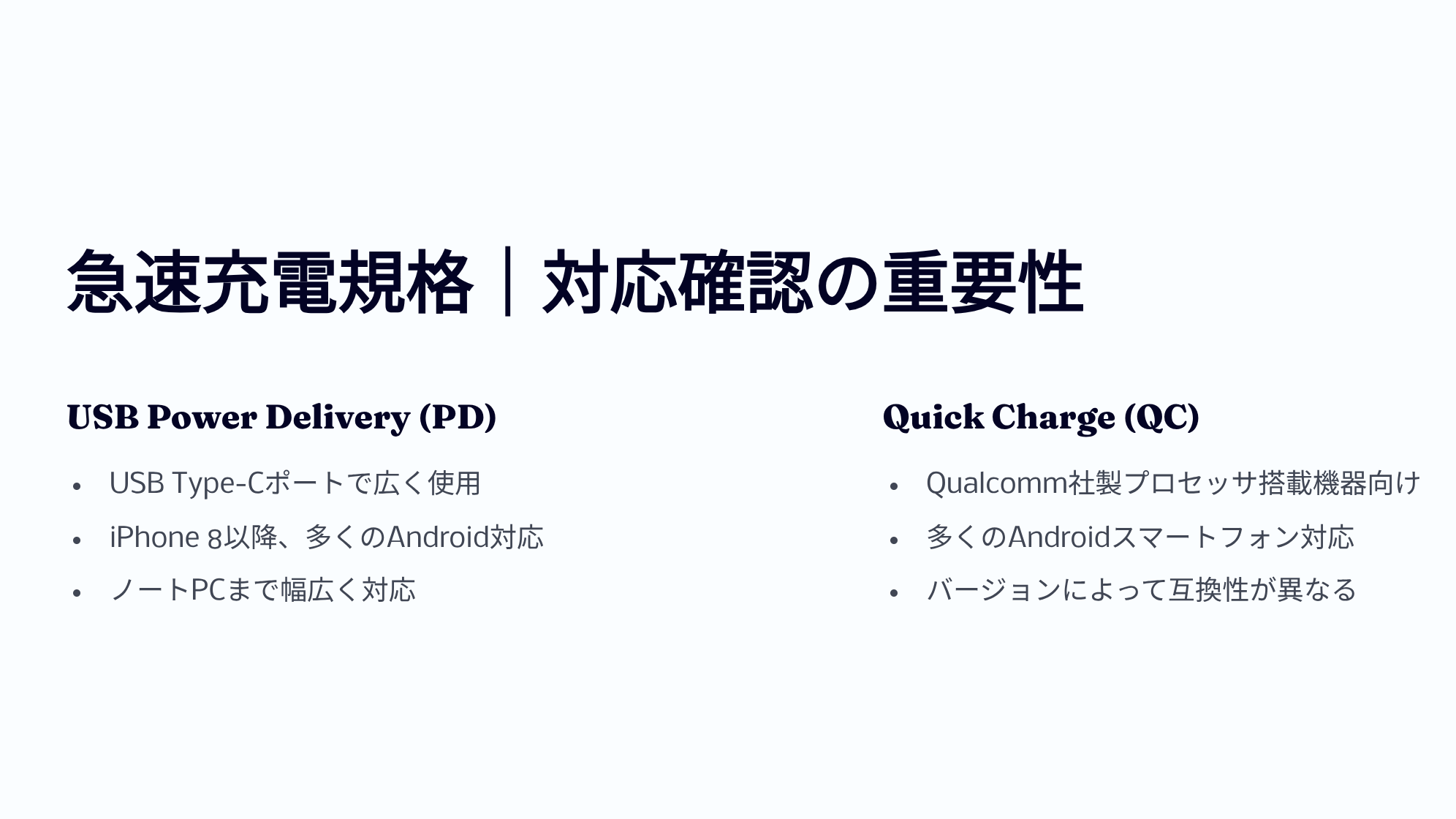
Information on the compatibility of USB Power Delivery (PD) and Quick Charge (QC) with devices.

To maximize the performance of the charger, it is very important to confirm the fast charging standards.
Fast charging standards are like agreements that allow devices and chargers to communicate and efficiently and safely supply power.

Representative standards include USB Power Delivery (USB PD) and Quick Charge (QC).

USB PD is widely used in USB Type-C ports and allows high-power charging for a wide range of devices, from smartphones to notebooks.
Quick Charge is a standard mainly adopted by Android smartphones with Qualcomm processors.

Also, to perform fast charging, all of the device, USB charger, and USB cable must support the same fast charging standard.

Standard nameFeaturesMain compatible device examples
USB Power Delivery (PD)Can charge much faster than standard charging, can also charge notebooksiPhone 8 and later, many Android smartphones, many tablets, many notebooks
Quick Charge (QC)Can easily fast charge Android smartphonesMany Android smartphones (depending on the model), some tablets
Here is a table summarizing the features of PD and QC.
スクロールできます
PD versionRelease dateMaximum powerMaximum voltageMain features
1.0July 2012100W20VExchange 5 fixed power profiles
2.0August 2014100W20VUp to 100W power supply and USB-CAlternate Mode for video/data, optimal power negotiation between devices, and compatibility with older standards
3.02015-2017100W20VPPS※1 for fine-grained voltage adjustment in 20 mV increments and reduced heat generation
3.12021240W48VIntroduction of EPR (Extended Power Range) mode for power supply exceeding 100W, bidirectional power, and hub communication (optional)
USB Power Delivery (PD) version specifications

※1 PPS (Programmable Power Supply) = A mechanism to efficiently charge by finely adjusting the voltage and current according to the device side’s requirements

スクロールできます
QC versionRelease dateMaximum powerVoltage rangeMain featuresUSB PD compatibility
1.0201310WUp to 6.3VAutomatically determines the optimal current for each smartphoneNone
2.0201418W (A) / 60W (B)5V/9V/12V/20VSupports 3-stage voltage switching and dual charging※2None
3.02015-201636W3.2-20V (200mV increments)Reduces heat generation by finely adjusting the voltageNone
4 / 4+2016-2017100WQC: 3.6-20V / PD: 5V, 9V, PPSPD compatibleYes
52020100W+3.3V-20V+USB PD PPS compatible, enhanced thermal management, full backward compatibilityYes (via PPS)
Qualcomm Quick Charge (QC) version specifications

※2 Dual charging = Charging simultaneously with two independent power circuits to shorten the time

It is very important to know which fast charging standards your devices support.
Don’t think, “I don’t care what it is, as long as it charges fast!” Please try to confirm it once.

Ms. Gadget

I hear there are fast chargers that are small and powerful, but what are the features?

Mr. Gadget

Recently, chargers that adopt a new material called “GaN (gallium nitride)” have increased, realizing high output power while being small.

This GaN material is more efficient and generates less heat than conventional silicon, allowing the charger body to be made smaller and lighter.
This makes it easier to carry high-output chargers, reducing the burden of carrying a large AC adapter for a notebook PC, and improving convenience.

By understanding these factors, you will be able to see the optimal charger for your devices.

Ports – Selecting the type (Type-A/C) and number

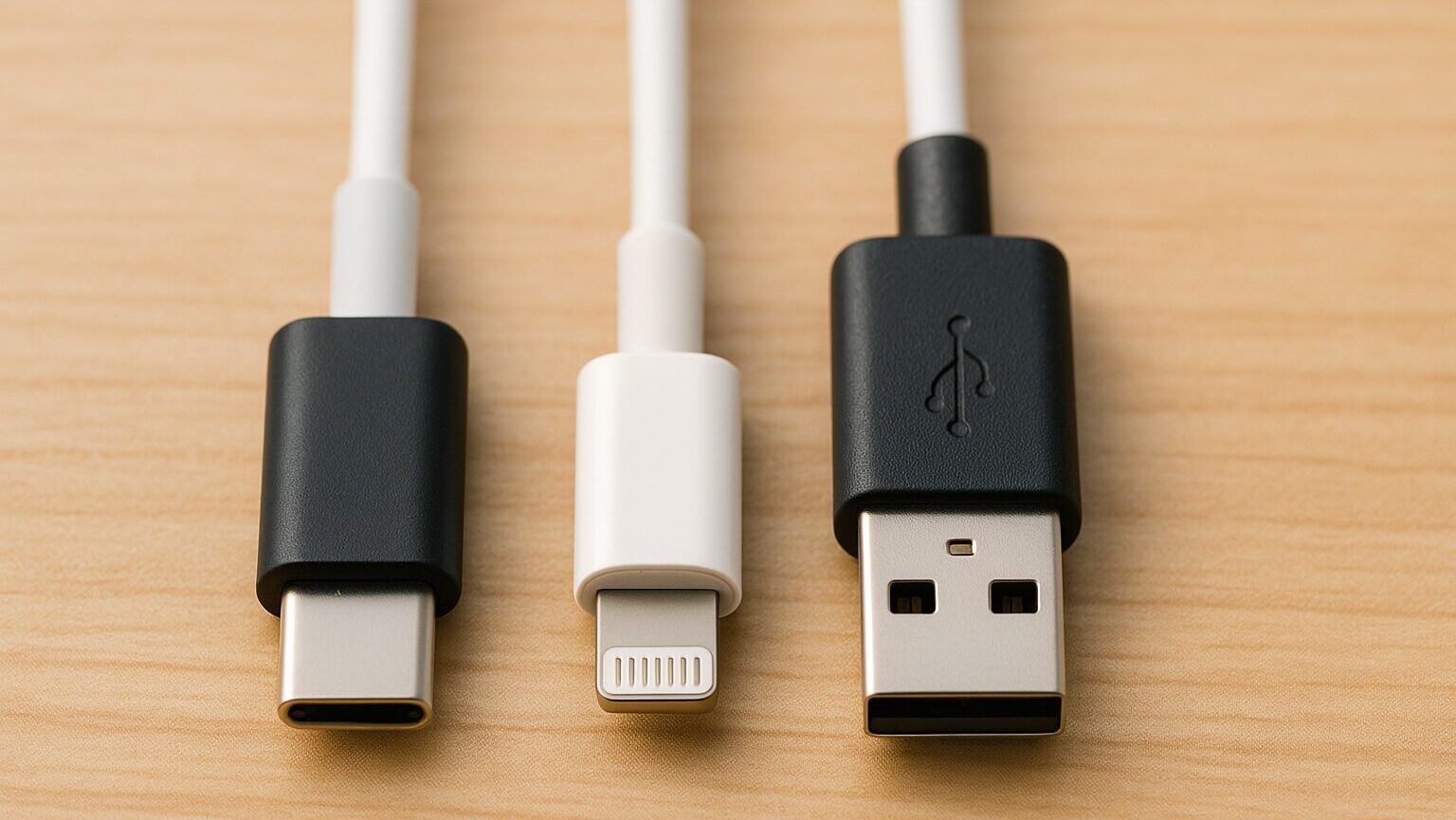
USB Type-C, Lightning, and USB Type-A charging cables
Points to check
  • Need for simultaneous charging: Choose the number of ports on the charger according to the number of devices you need to charge.
  • Maximum output of each port: Check if each port has enough output for what you need.
  • Performance during charging: Check how the output is distributed when using multiple ports, and whether each port provides independent maximum output.
  • Compatibility with the device to be charged: Choose a charger with the appropriate USB Type-A or USB Type-C port for your device.
  • Confirm the appropriate port type for the device: Choose a charger with both USB Type-A and USB Type-C ports, considering that USB Type-C is becoming mainstream.
  • Prepare for future device changes with port diversity: Considering that USB Type-C is becoming mainstream, select a charger with both types of ports if necessary.

When choosing a USB charger, the “port type and number” greatly affect usability.
The main shapes are USB Type-A, USB Type-C, and Lightning.

USB Type-A is a traditional, square-shaped standard terminal that is often found in older devices and chargers (primarily output only).

Lightning is Apple’s proprietary terminal, mainly used for iPhone and certain iPad input terminals.

Mr. Gadget

Lightning was used until iPhone 14!

On the other hand, USB Type-C is the latest oval-shaped terminal that can be smoothly inserted without worrying about the orientation, and is widely adopted by the latest smartphones, tablets, and notebooks. (often used for both input and output)

Mr. Gadget

iPhone 15 and later also use USB type-C!

It is important to check whether your devices have one of these three terminals, or other shapes such as Micro USB Type-B.

Terminal nameBrief description of shapeMain featuresInput/OutputMain compatible device examples
USB Type-ASquareTraditional standard terminalOutput onlyOld chargers, PC ports
USB Type-COval shape with symmetrical top and bottomCan be inserted without worrying about orientation, supports high-speed data transfer and high output (USB PD)Both input and outputLatest smartphones, tablets, notebooks, earphone cases, etc.
LightningApple’s proprietary slim shapeApple’s proprietary terminalBasic inputiPhone (before 14), some iPads, AirPods cases, etc.
Micro USB Type-BSmall shape resembling a flattened trapezoidStandard terminal for older small devices, still in use in some casesInput onlyOld Android smartphones, mobile batteries, Bluetooth speakers, etc.

Checking this terminal is essential to avoid “I want to charge it, but the terminal is different!”
Please be sure to check the terminal of your devices so that you don’t make a mistake.

Ms. Gadget

There are so many types of terminals, and I don’t know which one my smartphone has.

Mr. Gadget

There are only a limited number of main terminals, so try to compare them and learn how to distinguish them.

Confirming the type of terminal and the number of ports you need will help you choose a charger that is easy to use.

Size and shape – Portability and installation location

A white charger and a smartphone and notebook computer.
Points to check
  • Balance between portability and charging capacity: If you often carry it around, choose a compact and lightweight model.
  • Portability for travel and business trips: Choose a size and weight that is suitable for travel and business trips where you want to minimize your luggage.

The “size and shape” of a USB charger is a point to consider depending on how you use it.

If you often carry it around, it is convenient to choose a compact and lightweight model that does not get in the way in your bag or pocket.
A type with a foldable plug is even more portable, as it prevents the plug from damaging other items in your bag and makes it easier to carry.

On the other hand, if you use it fixed in a place such as your home or office, you can also choose a model with multiple ports or a design that blends in with the installation location, even if it is a little larger.

Ms. Gadget

I heard that there are small and high-output chargers. What are the features?

Mr. Gadget

Recently, chargers that adopt a new material called “GaN (gallium nitride)” have increased, realizing high output power while being small.

This GaN material is more efficient and generates less heat than conventional silicon, allowing the charger body to be made smaller and lighter.
This makes it easier to carry high-output chargers, reducing the burden of carrying a large AC adapter for a notebook PC, and improving convenience.

Considering your main use scene (whether you carry it around or not), and the space in the installation location, choose the optimal size and shape of USB charger.
Choosing a charger with a shape that is easy to use will make charging even more comfortable.

Essential checks for safe and secure use

An illustration explaining the importance of the PSE mark and over-heat/over-charge prevention functions for product safety.

Key points of this heading!

  • Obligation to confirm the safety standard “PSE mark”
  • Check for protective functions such as overcharge and overheat prevention
  • Points to select products from reliable manufacturers

When choosing a USB charger, charging performance and usability are important, but the most important thing is to check for safety to protect your devices and yourself.

Confirming the safety standard “PSE mark”

PSE mark, a safety mark for electrical products with a diamond shape and a round shape

The “PSE mark” is a proof of safety standards stipulated by the Japanese Electrical Appliance and Materials Safety Law.
This mark indicates that the product meets the technical standards stipulated by the country.

It is mandatory to display this mark on electrical products sold or used in Japan, especially on AC adapters such as USB chargers.
This mark is displayed on the product body or package.

PSE mark displaySafetyLegality in Japan
DisplayedSafety has been confirmed based on the lawSale and use are permitted
Not displayed (including similar marks)Safety has not been confirmed based on the lawSale and use are not permitted
Ms. Gadget

The PSE mark seems important, but why?

Mr. Gadget

It is a safety certification required by Japanese law.

To protect your valuable devices and prevent unexpected troubles such as fire or accidents, be sure to choose a product with the PSE mark when purchasing a USB charger.

Check for protective functions such as overcharge and overheat prevention

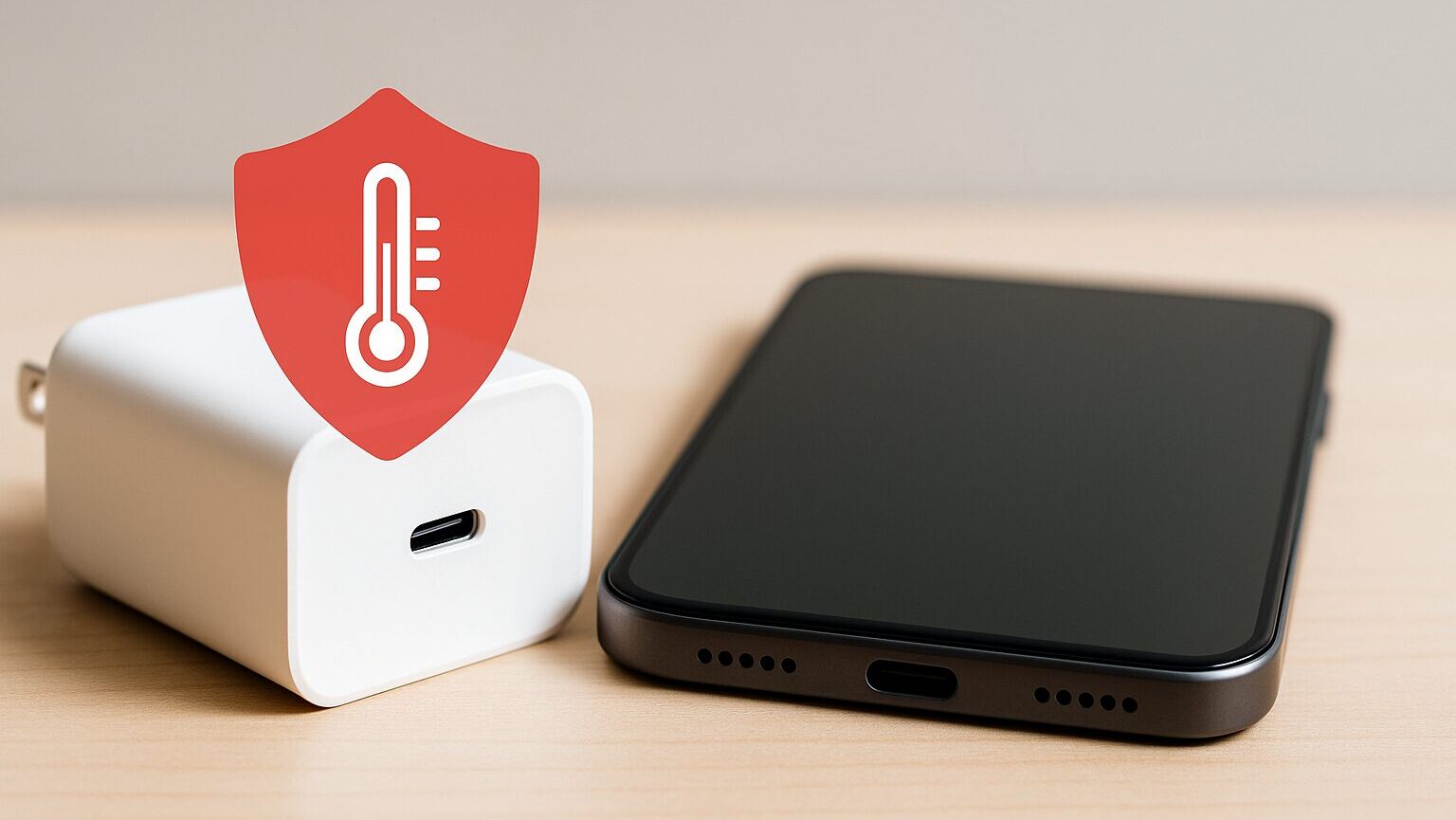
A white charger and a black smartphone with a red high-temperature warning icon overlapping.

USB chargers have various protective functions to protect the device and the charger itself from trouble during charging.
It is also essential to check whether these functions are equipped.

Representative protective functions include overcharge prevention, which automatically stops charging when the device’s battery is fully charged, overheat protection, which stops charging when the charger or device temperature becomes abnormally high, short-circuit protection, which prevents circuit shorts, and overcurrent protection, which prevents abnormally high current flow.

Protective functionFunction
Overcharge preventionSuppresses battery degradation
Overheat protectionPrevents fire and equipment damage
Short-circuit protectionPrevents equipment damage due to shorting
Overcurrent protectionProtects equipment from abnormal current
Ms. Gadget

I don’t understand what kind of safety functions there are.

Mr. Gadget

Representative functions include preventing overcharging and overheating.

To maintain a safe charging environment and use the USB charger safely and for a long time, it is important to check whether these protective functions are described in the product specifications.

Points to select products from reliable manufacturers

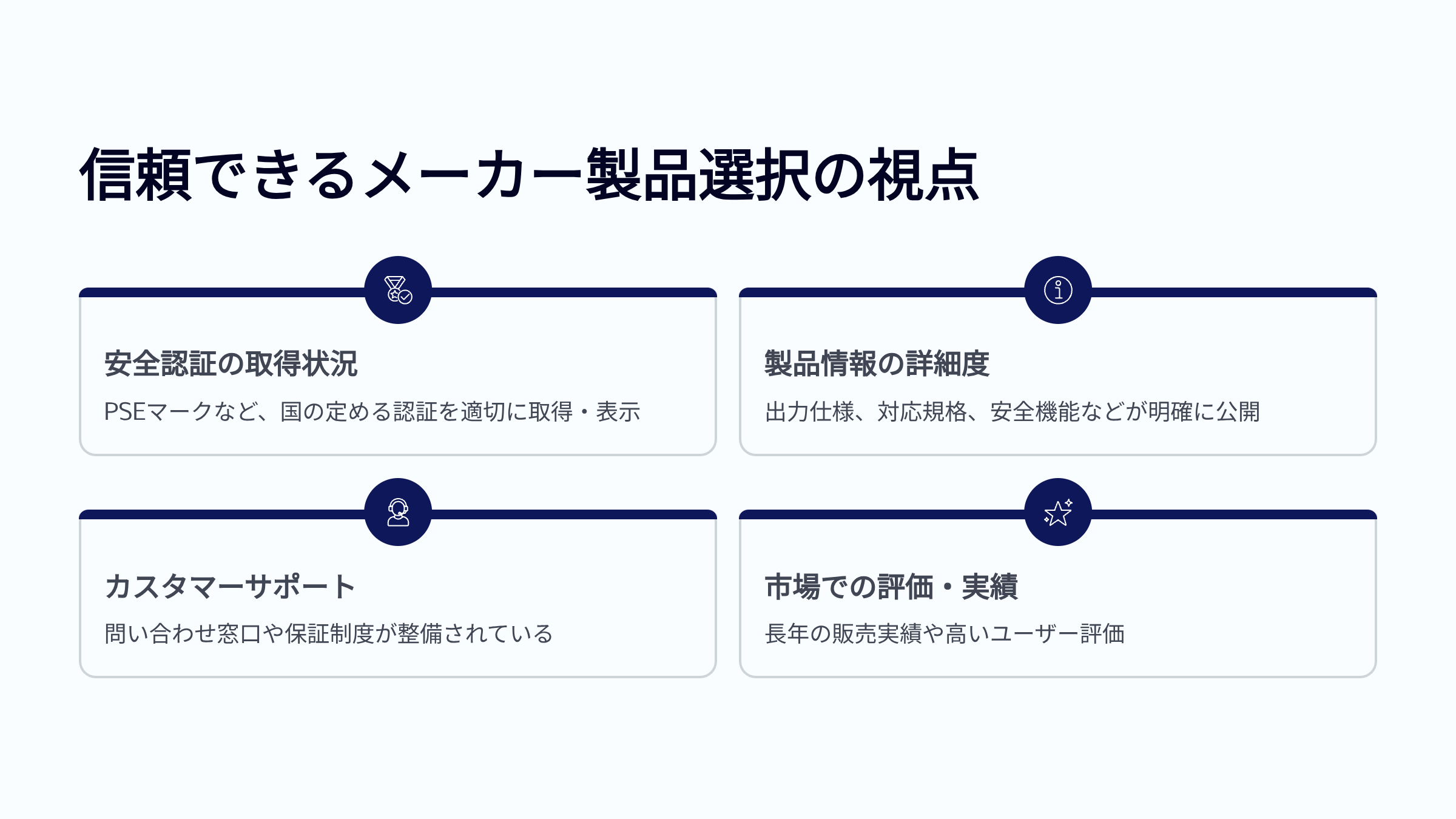
4 points to choose products from reliable manufacturers: Safety certification status, product information details, customer support, and market evaluation and track record.

To choose a safe product from the many USB chargers available, it is also a very effective point to choose a product from a reliable manufacturer.
Manufacturer selection greatly affects the reliability of product quality and safety.

Reliable manufacturers set strict safety standards from the product development stage and thoroughly conduct safety tests based on the law.
They reliably obtain necessary safety certifications such as the PSE mark and disclose that information.

Also, detailed specifications and safety functions related to the product, and a support system for when problems occur are often prepared.

Checkpoints for reliable manufacturersContent
Safety certification statusWhether or not it has acquired and displayed safety certifications stipulated by the country, such as the PSE mark
Product information detailsWhether or not output specifications, compatible standards, and safety functions are clearly disclosed
Customer supportWhether or not there is an inquiry window and a warranty system, and whether or not prompt response can be expected
Market evaluation and track recordWhether or not there is a long sales track record and high evaluation from other users (word-of-mouth, reviews, etc.)
Ms. Gadget

There are so many manufacturers that I don’t know which one to choose.

Mr. Gadget

Check the safety certification acquisition and the degree of disclosure of product information.

Instead of jumping on cheap products with unknown origins, choosing products from manufacturers that are clearly committed to safety and have earned trust from many users is a smart choice to ensure safe and comfortable charging in the long run.

Final check for choosing the optimal USB charger
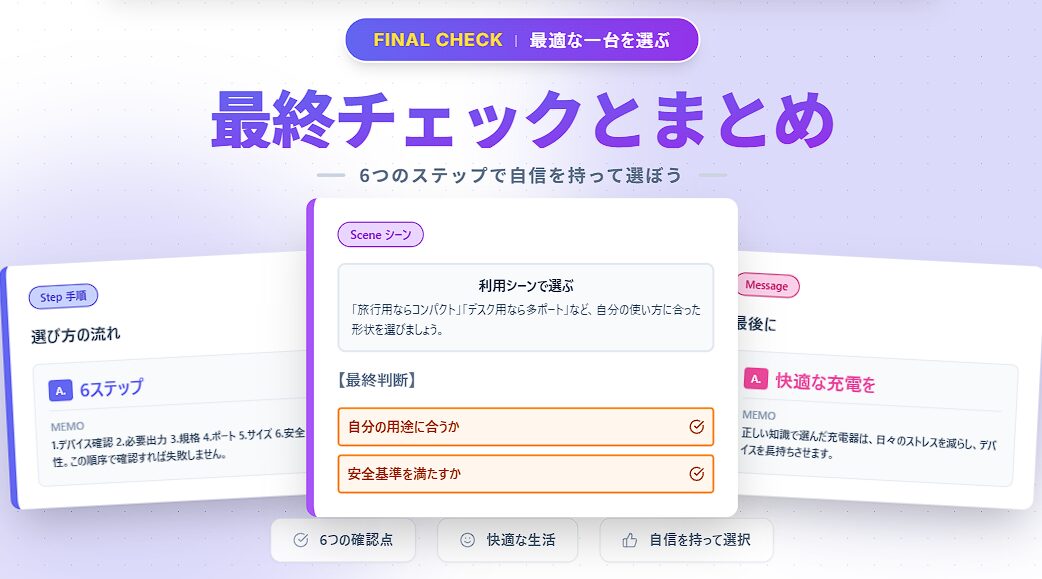
Final check and summary for choosing a charger: 6 steps to choose and check safety standards.

Key points of this heading!

  • Important points review

Based on what you have learned in the previous steps, here are the points you must check in the end.
The most important thing I want to tell you is “safety” and “whether it matches your usage scene”.

Here, we will briefly review the 6 steps of important points and explain how to make a final decision based on your usage scene.

Please do not skip this final check to safely and comfortably charge your valuable devices.

Important points review

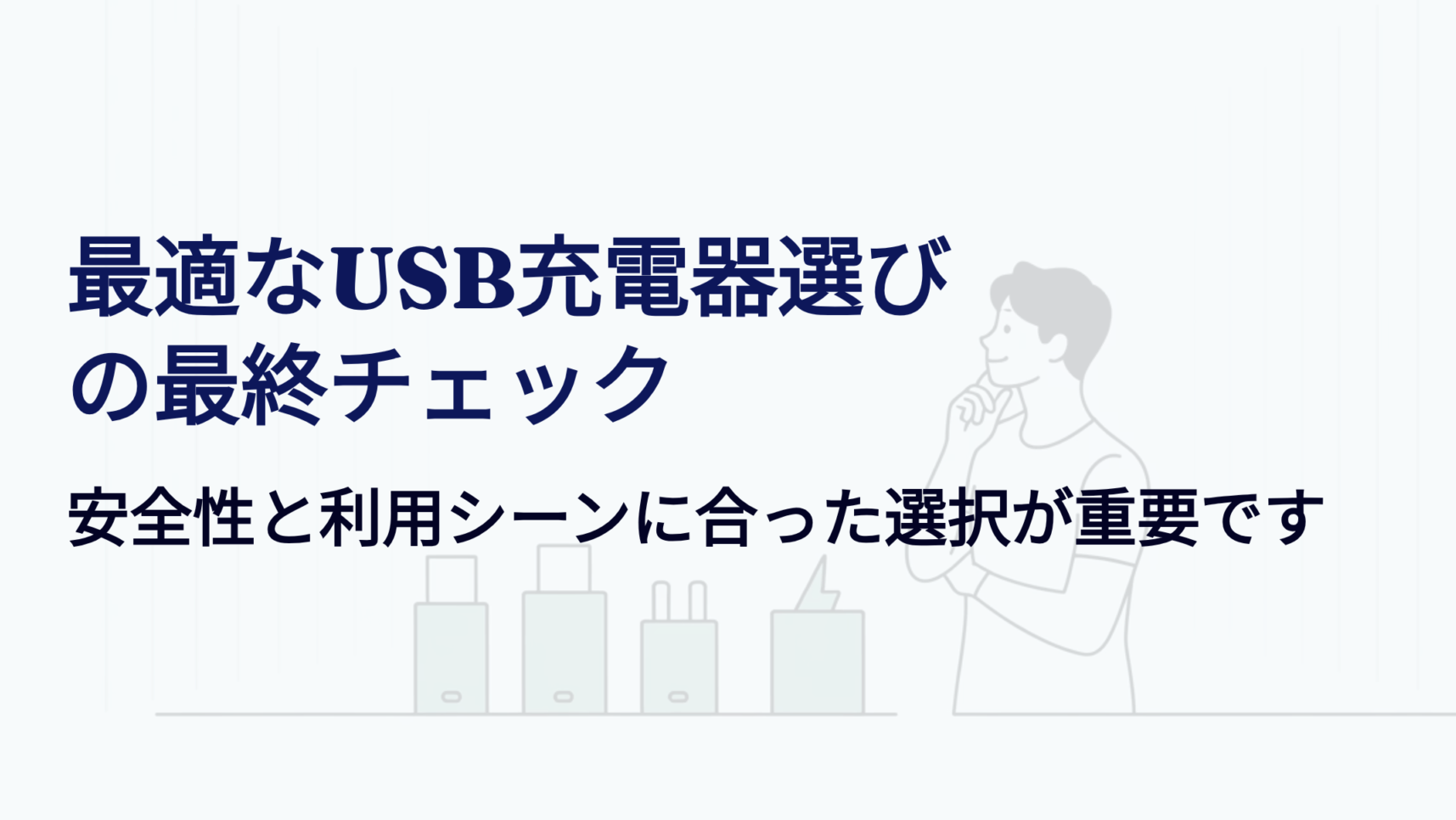
A man thinking about the final check for choosing the optimal USB charger, and an illustration of multiple USB chargers.

First, let’s review the 6 steps we’ve taken to choose the optimal USB charger.

STEP
Device confirmation

Confirm the type of device to be charged, the connection terminal, and the supported fast charging standards.

STEP
Required output (W)

Understand the wattage required by each device and the total output when charging multiple devices simultaneously.

STEP
Fast charging standard matching

Confirm whether the device, charger, and cable all support the same fast charging standard (e.g., Power Delivery).

STEP
Port type and number

Consider the type of port (USB Type-A / Type-C) and the number of ports you need. Also check how the output is distributed.

STEP
Size and shape

If you carry it around, prioritize compactness. If you place it fixed, prioritize stability.

STEP
Safety (PSE mark)

Be sure to check for the PSE mark and protective functions such as overcharge prevention and overheat prevention.

Ms. Gadget

Products without a PSE mark are out of the question!
Avoid buying from unknown manufacturers!

By keeping these 6 points in mind, you will greatly increase your chances of finding the optimal USB charger.
In particular, it is important to prioritize checking for the PSE mark and protective functions related to safety.

By understanding these factors and making a final decision based on your specific “I want to use it like this” image, you can find a charger that is comfortable and long-lasting.

Find a charger that’s right for you!
You May Also Like
Chargersを探そう!|最適Chargers診断ツール Chargers選びで迷ったらこれ!最適Chargers診断ツールで、スマホ機種、出力、ポート数、携帯性など重視するポイントからあなたに合う一台を簡単に診断。

Frequently Asked Questions (FAQ)

Is choosing a wireless charger different from choosing a wired charger?

Yes, the points to consider when choosing a wireless charger are slightly different from those when choosing a wired charger.
When choosing a wireless charger, first check whether your smartphone supports the international standard “Qi (Chi).”
Wired chargers mainly focus on output wattage and fast charging standard compatibility, while wireless chargers need to consider whether it is a pad type to place your smartphone on or a stand type to hold it up, and whether it can charge multiple devices simultaneously (e.g., “2 in 1”).
Charging speed tends to be slower than with wired charging, but the latest standard-compliant products can charge at high speed.
Also, be careful as some cases may prevent charging.

How long can a USB charger be used? Are there any signs of its lifespan?

The lifespan of a USB charger generally ranges from 3 to 5 years, depending on the product quality, frequency of use, and storage environment.
If the charger is deteriorating, you may notice that charging takes longer than before, the charger becomes abnormally hot during charging, or strange noises come from the body.
If you notice any of these abnormalities, we recommend replacing it with a new charger for safety.
Continuing to use it against your better judgment may lead to failure or unexpected accidents.

Are there any other safety certifications besides the PSE mark?

The PSE mark is the most important safety standard proof in Japan for selling and using electrical products.
However, there are various other safety certifications around the world.
For example, the CE mark is required for distribution mainly in the EU (European Union) and indicates compliance with safety standards.
The UL certification is a standard set by the American Insurance Safety Laboratory and is given to products that have passed very strict tests.
Products with these overseas certifications can also be said to meet a certain level of safety.
To use USB chargers safely in Japan, be sure to first check for the PSE mark.

The article says that cables are also important. What are the points to consider when choosing a cable?

Yes, as mentioned briefly in the article, choosing a charging cable is just as important as choosing a USB charger to maximize performance.
Especially when fast charging, the charger, cable, and device must all support the same fast charging standard (e.g., Power Delivery).
The cable also has specifications such as “〇〇W compatible” and “〇〇A compatible” listed on it, so it is important to choose a cable with specifications that match the power required by your charger and device.
If you use a cable that is not compatible, you may not be able to achieve the original charging speed even if you choose a high-output charger.

What is the best way to choose a USB charger for travel and business trips?

When considering carrying it around for travel and business trips, portability is the most important thing.
Choose a compact and lightweight model that does not get in the way in your bag.
A model with a plug that can be folded into the body is even more convenient, as it prevents the plug from damaging other items in your bag.
Also, if you often carry multiple devices such as smartphones and tablets, choosing a model with multiple USB ports will allow you to charge them simultaneously and use your time effectively.
However, models with multiple ports tend to be larger than single-port models, so consider the balance with portability.

I have multiple chargers. Is it okay to use any of them?

It is generally okay to use your multiple USB chargers in combination with different devices and cables.
However, it is important to understand the “output wattage,” “compatible fast charging standards,” and “port type” of each charger.
It is no problem to use a charger with an output higher than the wattage required by the device, but using a charger with a significantly lower output will take a long time to charge.
Also, as explained in the article, it is important to use products that have the PSE mark and meet safety standards.
If it is safe, you can use it in combination with the device.

Find a charger that’s right for you!
You May Also Like
Chargersを探そう!|最適Chargers診断ツール Chargers選びで迷ったらこれ!最適Chargers診断ツールで、スマホ機種、出力、ポート数、携帯性など重視するポイントからあなたに合う一台を簡単に診断。

以下はおすすめ記事です!

  • Charger
  • Charger
  • Charger
  • Charger
  • Charger
  • Charger

Thank you for reading to the end!

  • The prices and information of the products are as of the time of writing the article.
  • This information is not guaranteed, and our site is not responsible for any errors.
  • The product and service names mentioned on this site are trademarks of their respective companies.
🇯🇵 JP🇺🇸 EN🇫🇷 FR🇪🇸 ES🇨🇳 中🇰🇷 한
Gadgets Charger
Explanation

If you like this article, please
Follow !

Follow @mistergadgetnet Follow Me
Let's share this post !
  • Copied the URL !
  • Copied the URL !

Comments

To comment Cancel reply

CAPTCHA

Popular Posts
  • Anker Charger Recommendations 4 selections | Carefully selected for use from smartphones to PCs
  • What kind of brand is Soundcore? Which country is it from? We will solve those questions!
  • How to choose truly wireless earbuds | A compass to find the perfect pair for you
Recent Posts
  • Tenorshare 4DDiG 無料版をご紹介!
    Tenorshare 4DDiG free version introduction | USB memory recovery free software
  • What kind of service is Saily? Which country is it from? We will solve those questions!
  • [PR] 4DDiG Partition Manager | Easily bypass the TPM 2.0 requirement for Windows 11 24H2! Achieve a smooth upgrade.
  • [For Beginners] UPDF | How to Start Editing PDFs on Mac/iPad | Free Download
Table of Contents
TOC